
What this guide answers
- How long does it actually take to build a student society website?
An evening for a working site, and a second evening for the polish.
- Are we allowed to have our own site, or must we use the student association's page?
Almost always yes, you can have your own — the association's page is a listing service, not an exclusivity clause.
- What do we do about the old site nobody can log into?
Treat it as an archaeology problem with a deadline. Ask every contactable past committee member for the platform name and the email address the account was created with, then use the password reset on that address…
- Do we need a website if everything already happens in the group chat?
The chat is for members you already have; the website is for members you do not have yet.
- How do we stop the site dying when the committee changes?
Design the failure out rather than relying on next year's enthusiasm.
South Africa edition. This guide is written for volunteer-run clubs in South Africa. Where rules differ — grants, tax, incorporation, safeguarding — follow the South Africa-specific pointers below or check with your national body.
Type your society's name into a search engine and look at what a stranger sees. For most societies the top result is a directory entry on the student association's site: a name, a two-line description, a category tag, and a contact address that reaches a president who graduated two years ago. Everything the society actually is — the Thursday meet-up, the 180 members, the ball, the constitution, the committee — lives somewhere a stranger cannot reach: a chat server nobody outside can search, and an events feed that scrolls out of sight in three days.
A directory entry is a listing, not a home. It cannot take a membership payment, it cannot tell a nervous first-year what is on this week, and it cannot be handed to the next committee because it was never yours in the first place.
A society website solves three specific problems and no others. It makes you findable by people who have never met you. It turns "that sounds good" into a paid member without a committee member having to intervene. And it holds the permanent things — the calendar, the constitution, the committee list, the history — long enough for them to be inherited. This guide is the evening of work that gets you there: the six pages that matter, where sign-ups and money should live, how to look like yourselves without a designer, and the handover that keeps the login when everyone graduates at once.
What a website does that a group chat cannot
Chat is excellent at conversation and terrible at memory. Everything a society needs to keep gets posted once, scrolls away, and is functionally gone. Here is where the average society's assets actually sit, and what happens to each at the end of the year.
| What the society owns | Where it usually lives | What happens at handover |
|---|---|---|
| The member list | A spreadsheet in the secretary's personal drive | Leaves with the secretary, or arrives as a stale copy |
| Sign-ups | A free form tool on a personal account | The form owner graduates; the responses go with them |
| Payments | Transfers with the reference "membership" | Reconciled from memory in the last week of term |
| The calendar | Pinned chat messages | Anything older than a fortnight is unfindable |
| The constitution | A file attached to a message two years ago | Nobody can produce it before the AGM |
| Photos and history | Twelve people's phones | Gone |
| The public face | A directory entry | The contact address bounces |
Notice that every row fails the same way: the asset is tied to a person, not to the society. A website does not fix that by being pretty. It fixes it by being the place where those things live under an address the society controls.
Three jobs, then. Be found — by the first-year searching for a society at 11pm the week before term starts, who will judge you on what loads in eight seconds. Convert — the distance between "that sounds good" and "I have paid and I am on the list" should be one page and ninety seconds, not a chain of four links. Hold — the constitution, the fixed dates, the committee contacts and last year's report should be one click from your home page, in a place that does not depend on anyone's inbox.
The six pages that matter
Every society that has ever tried to build a website has started by sketching fourteen pages and finished with four half-written ones and a "coming soon". Build six. Each has exactly one job, and all six can be drafted in a single evening if you set a timer per page.
| Page | Its one job | What has to be on it | First draft |
|---|---|---|---|
| Home | Answer "what is this and should I care?" in 8 seconds | One-line identity, three proof points, the next three events, one join button | 20 min |
| Join | Turn a visitor into a paid member record | Price, what membership gets you, the form, the payment, the confirmation | 15 min |
| What's on | Prove the society is alive right now | Every event with date, time, venue, price, access notes and an RSVP or ticket link | 10 min |
| About | Give the hesitant person a reason to come alone | What you actually do in a normal week, who comes, photos of real members, no jargon | 20 min |
| Committee & documents | Be the society's filing cabinet | Roles with role email addresses, constitution, AGM notices, minutes, annual report | 10 min |
| Contact | Catch everyone the other five pages did not | A role email, where you meet (with a map), a short enquiry form, response expectations | 5 min |
Two of those six do almost all of the work. The home page is the only page most visitors will ever see, so it has to carry the identity, the proof and the call to action on its own. The join page is where the year's membership income is either collected or lost — treat it as the most important page you own, and test it on a phone with a stranger before you tell anyone it exists.
The other four are cheap to build and disproportionately valuable at handover. A committee page with role addresses means next year's treasurer inherits an inbox instead of a mystery. A documents page means the constitution is findable in the ten minutes before an AGM, which is exactly when someone will ask for it.
Three pages to leave off
A blog. Every society plans one and every society abandons one; a stale blog with three posts from 2024 does more reputational damage than no blog. If you want to publish, publish news items attached to real events, and read our club website content ideas for things that stay evergreen.
A 200-photo gallery. Twelve good photos beat two hundred blurry ones, and a huge gallery is slow on a phone. Put six on the About page and the rest wherever your members already share them.
Anything marked "coming soon". It is the clearest possible signal that nobody is minding the site. Ship five finished pages rather than eight unfinished ones.
If a blank page is what is stopping you, start from a ready-made site template and replace the words. The structure above is already built into them, which turns "design a website" into "write six short pages" — a very different evening.
Write the home page in forty minutes
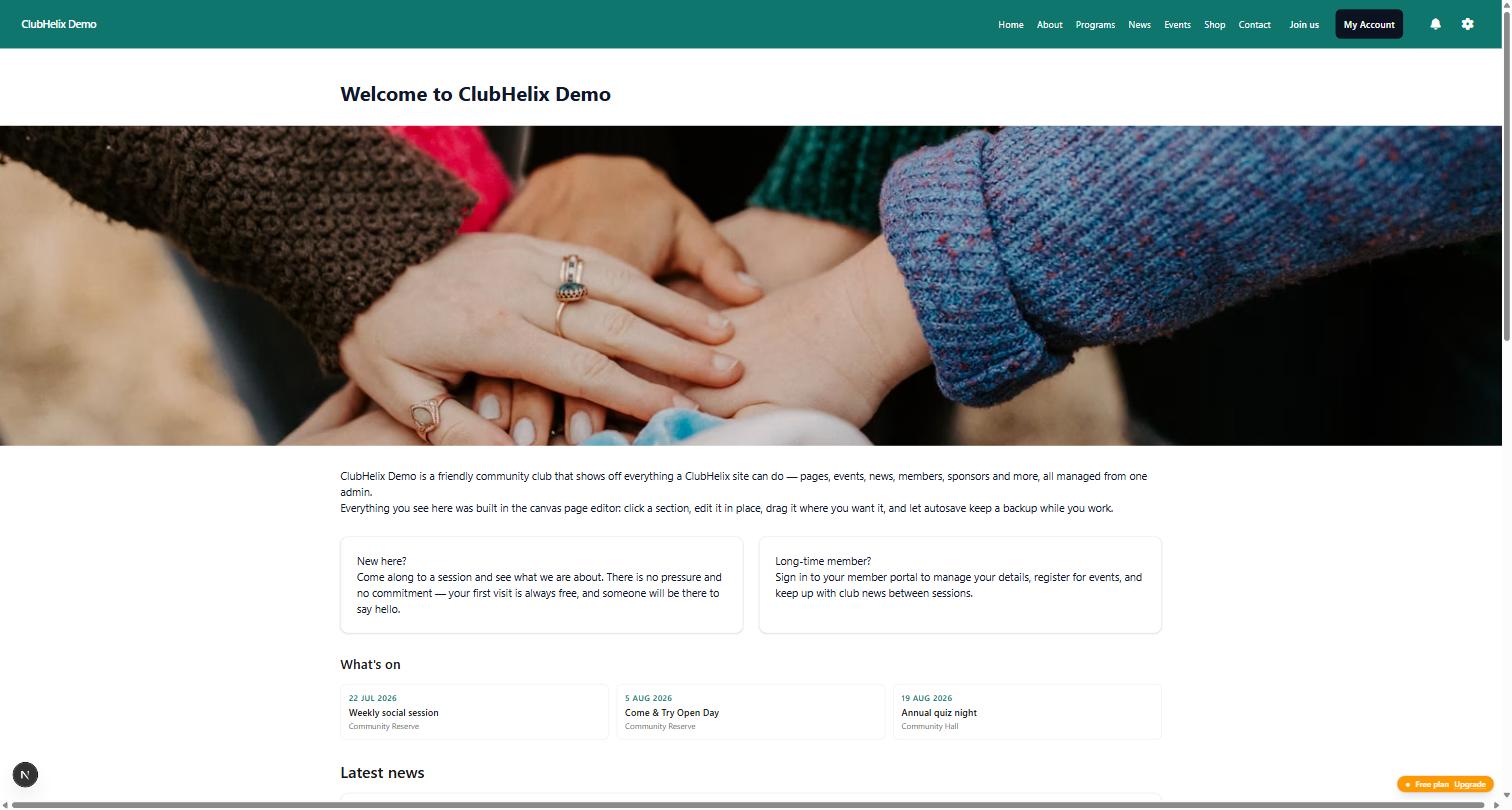
Do not start with the design. Start with four blocks of text, in this order, and fill in the blanks.
One-line identity. A stranger should understand you without knowing any of your in-jokes.
[Society name] is the society for [who] who [do what]. We meet [day] at [time] in [place], and the first one is free.
Three proof points, not adjectives. "Weekly Thursday socials · 180 members · $12 for the year" tells someone more than "friendly, welcoming and active", which every society on campus also claims. Use real numbers even when they are small: "a 25-person society that meets every week" is genuinely attractive to someone who does not want to be lost in a crowd.
The next three things happening, with dates, prices and venues. This is the single strongest signal that a society is alive. A home page whose most recent item is eight months old reads as abandoned no matter how good the design is — which is also the argument for pulling this block automatically from your events list rather than typing it by hand.
One button. Not five. "Join for $12" or "Come to Thursday's social" — pick the one action you want most and make it the loudest thing on the page. A second, quieter link for "just tell me when things are on" catches the people who are not ready to pay yet.
Then two tests before you call it done. The eight-second test: show the page to someone outside the society for eight seconds, take it away, and ask what the society does and what it costs. If they cannot answer, the problem is the first block, not the colours. The phone test: nearly everyone who scans your QR code at the start-of-year club fair will land on it standing up, on a phone, on bad signal. Look at the home page, the join page and the events page at phone width and make sure the join button is reachable without pinching.
The address: your domain, your email and your directory entry
Your society needs three addresses that outlive individual people: a web address, an email address, and the entry in your student association's directory that points at both.
Email first, because it is free and it is the one societies get wrong. Use role addresses — president@, treasurer@, hello@ — that forward to whoever holds the role this year. Never publish a personal address on the website. The moment you do, you have guaranteed that in eighteen months a sponsor, a venue and forty prospective members will be emailing a graduate who no longer opens that inbox.
Then the web address. A free subdomain from your website platform is a perfectly respectable starting point, and it beats waiting a term for a committee vote about a domain. A domain of your own matters more once you print it on anything — a poster, a stall banner, a sponsorship pack — because it is short, memorable and yours. Whatever you register, register it with the society's role email as the contact, turn auto-renew on, make sure at least two committee members can get into the account, and put the renewal date in the shared committee calendar. An expired domain takes down your website and your email addresses in the same afternoon, usually the week before the club fair.
.co.za and .org.za are open to anyone, cost roughly R100–R250 a year depending on the registrar, and can be held in the society's name with a role email as the contact. Compare two or three registrars for the identical name, turn auto-renew on, and check the renewal price rather than the promotional first year — the gap between them is often large. If your society's obvious name is taken, a short prefix or the campus abbreviation is a better answer than a long hyphenated string nobody can read off a poster. Universities rarely give a student society a subdomain of their own website, and using the university's name, crest or logo on your site, your logo or your merchandise generally needs permission from the institution's brand or communications office; the societies council usually knows the standing arrangement and can point you at the right person. Ask before you print. This is general information; confirm the current rules with the societies council and your registrar.
Finally, the directory entry. Update it the day your site launches, because it is usually the highest-authority page on the internet pointing at your society, and search engines treat that link as a vote. Put your web address, a role email and one sentence that matches your home page's identity line. Then add the same address to every committee email signature, every poster, every slide at the front of a lecture theatre and every social profile. The starting a university club guide covers the affiliation paperwork that gets you the listing in the first place.
Sign-ups and payments belong on the site
Here is the funnel most societies run without noticing: a chat message points at a free form tool, the form's confirmation screen asks people to transfer money with a reference, the treasurer screenshots the bank feed, and someone eventually types the paid ones into a spreadsheet. Four tools, three of them on personal accounts, and a drop-off at every single hop. It is the reason a society can collect 340 names at the club fair and end the year with 60 members.
Collapse it into one page. Someone lands on your join page, fills in a short form, pays, and receives a confirmation email — and the member record exists at that moment, correctly spelled, timestamped, and visible to whoever sends the welcome message that evening. No typing up, no chasing 120 people for $12, no spreadsheet.
Keep the join form to eight fields or fewer. Every extra field costs you completions, and every field you collect is one the next committee inherits and has to protect:
- Name and preferred name — the name they want called out at events.
- A university email and a personal email. Student addresses are switched off after graduation; this one field is the difference between having alumni and not.
- Year, course or faculty — only if your society is academic or runs mentoring.
- Membership type, with the date it expires.
- Consent tick boxes for photography and for non-essential email, captured at sign-up rather than assumed later.
- Emergency contact — only if you run trips, sport or anything physical.
Collect access and dietary needs per event instead of storing them forever. And do not ask for a date of birth you have no use for, or add a free-text "notes" field that will eventually contain someone's opinion of a member.
Then take the money in the same flow. A card payment at the moment of interest converts far better than a bank transfer someone means to do on Sunday, and the receipt email doubles as proof of membership at the door of your next event. Our membership fees guide works through what to charge, and collecting membership fees online covers the mechanics.
Before you build a checkout, find out where your money is allowed to land. Society funds are commonly held in an account administered by student affairs rather than by the committee, with spending released against approved requests — which keeps the committee out of personal liability but slows your spend cycle, so build the lead time into event planning. Some institutions expect memberships and ticket sales to run through a central system; if so, your join page still earns its keep by collecting the record, explaining what membership includes and handing people to that checkout. If your society does hold its own account, insist on two signatories with at least one office bearer, and change them within a week of the AGM. VAT registration is very unlikely at typical society turnover, but confirm with student affairs finance before pricing a major ticketed event. General information only, not tax or financial advice.
Whatever the arrangement, print a QR code that points straight at the join page and take it to the club fair. A sign-up captured on someone's phone while they are standing at your table is a real member; a name on a paper list is a name on a paper list. The club fair guide covers the stall itself.
Branding without a designer
You are not designing a brand. You are making four decisions once, writing them down, and applying them everywhere — which is the entire difference between a society that looks established and one that looks like a first draft.
Two colours and an accent. One dark colour for text, one strong colour for buttons and links, one accent used sparingly. Check that your text colour on your background clears a 4.5:1 contrast ratio; free contrast checkers do it in seconds and it is the single most common accessibility failure on club sites.
One font pair, or just one font. A body font you can read on a phone at arm's length, and headings in the same family at a heavier weight. Two typefaces maximum. Nobody has ever joined a society because of its font, and several have bounced off a site set in decorative script.
A logo that works at 40 pixels. Export a square version (512×512, transparent background) and a wide version for the site header. If your logo is unreadable as a small circle, it will be unreadable as your profile picture everywhere. Our logo guide covers doing this without a designer.
Photos of your actual members. Six good photos of your own events beat two hundred stock images of strangers laughing at laptops. Take them on a phone, get consent, and prefer wide shots where people are visibly enjoying themselves over posed line-ups. Use free-licence stock only as filler, and never lift images from a search engine — those have owners. The club photos guide has the practical version.
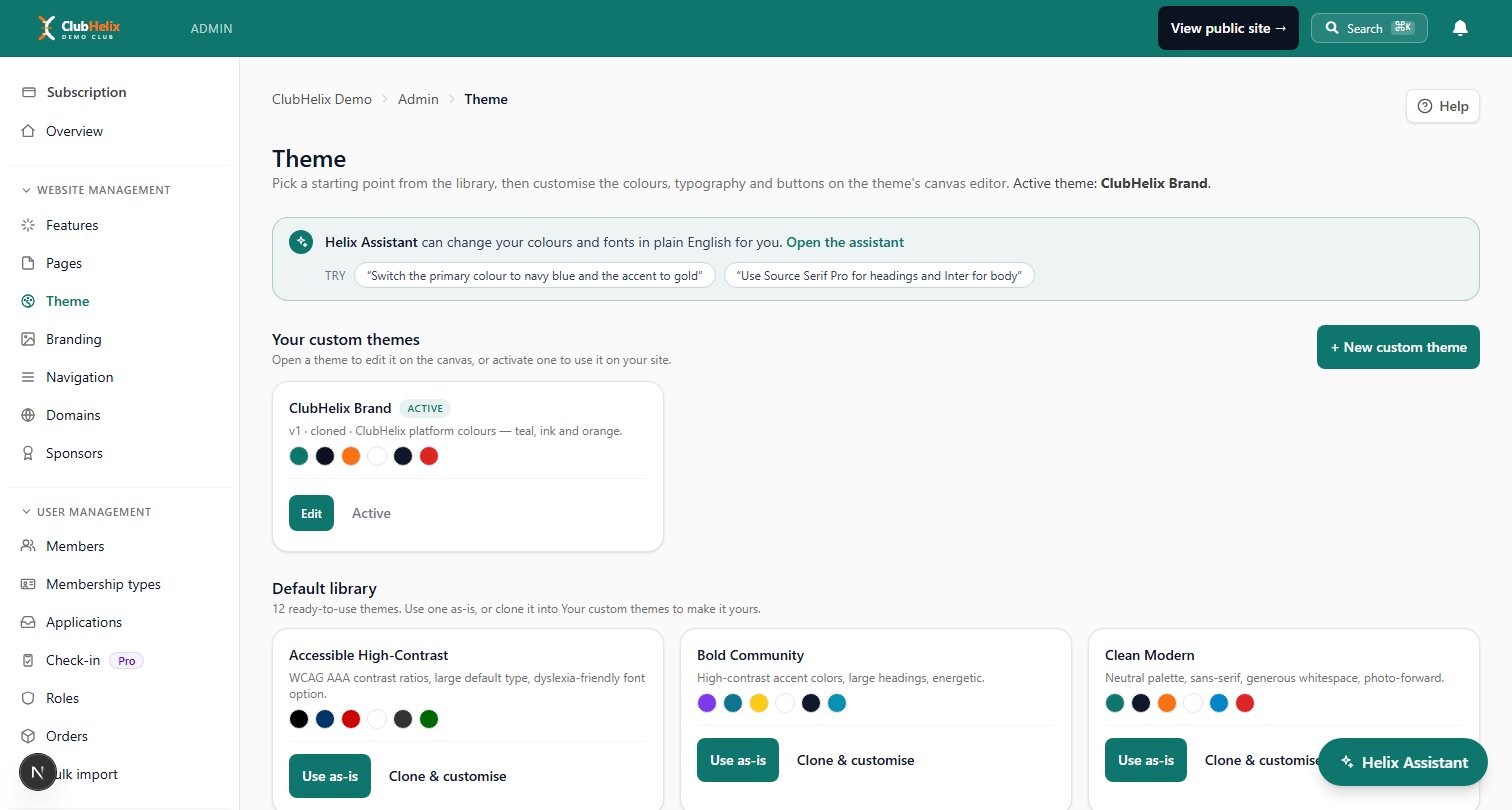
Write those four decisions on the committee's documents page as a half-page "how we look" note, so next year's publicity officer does not restart from scratch and end up with a third shade of blue. A platform with a proper theme and branding editor applies the decisions once across every page, so the site stays consistent even when the person editing it has never touched a website before.
What you publish about people
A society website is a public document, and the most common mistakes are all about other people's information rather than your own.
Publish role addresses, never personal ones — no personal mobile numbers, no personal email addresses, and no home addresses on the contact page. On the committee page, first name, role and role email is enough; photos of committee members are lovely but should be optional and by consent, because not everyone wants to be findable. When you publish minutes or an annual report, publish the version with members' personal details taken out.
Photographs of members need consent captured at sign-up, a visible notice at the event, and a working way to ask for a photo to be taken down. Someone will ask eventually, and "we cannot find who has the login" is a bad answer.
Then accessibility, which costs nothing if you do it while writing. Use real headings in order rather than bold text pretending to be headings. Write alt text for every image. Do not bake the date, time and price of an event into a poster image and nowhere else — screen readers cannot read a JPEG, and neither can search engines. Keep contrast honest. Add captions to video. If your site can be used with a keyboard alone, you have cleared most of the bar.
Your society's handling of member information sits under POPIA, and — usually more immediately — under the university's own information policy that your recognition binds you to. For a website that means four concrete things. A short privacy notice next to your join form saying what you collect, the purpose, and who is responsible; the privacy policy template is a starting point. A photography consent tick box, unticked by default. Direct marketing only with consent, as POPIA requires, with the society clearly identified and a working unsubscribe on every message. And a named person on the committee who is accountable for the information and who answers requests to see or delete it. Keep only what you use, and delete the rest at the end of each year. This is general information rather than legal advice; the university's information officer can confirm what applies to a recognised society.
The deeper treatment of what to keep, for how long, and who should see it is in our member records and privacy guide.
Launch checklist, and the handover that keeps the login
Work down this list before you tell anyone the site exists. It takes about an hour.
- All six pages written, with no "coming soon" anywhere.
- Someone outside the committee has completed the join flow on a phone, including the payment, and received the confirmation email.
- Every page ends with an obvious next action.
- The contact address is a role address, and someone has agreed to watch it weekly.
- The next four weeks of events are up with dates, venues, prices and access notes.
- Domain registered to a role email, auto-renew on, renewal date in the committee calendar, two people with access.
- Your student association's directory entry updated to point at the site.
- Page titles and descriptions written for a search engine: "[Society] — [university] [thing] society" beats "Home".
- Home, join and events pages checked at phone width.
- Contrast checked, alt text written on every image.
- Two committee members have their own admin logins. No shared password anywhere.
- Photography and email consent boxes live on the join form.
- A QR code printed for the club fair, tested in a room with bad signal.
- The address added to every committee email signature, poster and profile.
Then the part that decides whether any of this survives. Ownership belongs to the society, not to whoever built it. That means individual logins for each committee member with permissions matched to the role, and removing an account the week someone steps down — not a shared password in a pinned message that a graduate still knows. It means the domain, the payment account and the email addresses all registered to society role addresses. And it means a twenty-minute walkthrough at the handover meeting where the incoming committee, sitting at their own logins, adds an event, sends a message and finds the member list themselves.
Write the three-line version into your handover document: where the site is, who has access, when the domain renews. Our handover checklist covers everything else that has to change hands in the same fortnight, and the running a student society guide puts the whole twelve-month cycle in one place.
Frequently asked questions
How long does it actually take to build a student society website?
An evening for a working site, and a second evening for the polish. The writing is the slow part, not the building — six pages at the drafting times listed above comes to about eighty minutes if you do not rewrite the home page four times. Set up the join form and payment in the same sitting while you still have momentum, then leave the branding, photos and search descriptions for a second session. Societies that plan a "website working group" over three months usually end up with nothing; societies that block out one Tuesday night end up with a site.
Are we allowed to have our own site, or must we use the student association's page?
Almost always yes, you can have your own — the association's page is a listing service, not an exclusivity clause. The usual conditions are that your site does not claim to speak for the association or the university, that you follow the code of conduct you signed at affiliation, and that any use of the institution's name or crest is cleared first. Check your affiliation agreement for a clause about representation before you launch, and keep the directory listing updated either way, because it is where a lot of people will find you.
The societies council usually maintains a list of recognised societies and is relaxed about a society running its own site as well. The conditions to check are the institution's brand rules covering its name and crest, and whether money from memberships or tickets has to move through a central account.
What do we do about the old site nobody can log into?
Treat it as an archaeology problem with a deadline. Ask every contactable past committee member for the platform name and the email address the account was created with, then use the password reset on that address — often a role address that still forwards. If you genuinely cannot get in, build the new site, get it indexed, and ask your student association to update its directory link to the new address; the old site will sink in search results within a couple of months. Do not leave outdated event dates and a dead contact address live for a year while you decide.
Do we need a website if everything already happens in the group chat?
The chat is for members you already have; the website is for members you do not have yet. Nobody outside can search it, join it without an invite, pay through it, or find your constitution in it — and everything posted in it is gone in a fortnight. Keep the chat for the day-to-day conversation and use the site for the permanent things and the front door. Our email and newsletters guide covers the third piece: reaching the members who muted the chat in week two and have not looked at it since.
How do we stop the site dying when the committee changes?
Design the failure out rather than relying on next year's enthusiasm. Individual logins tied to roles instead of a shared password, the domain and email registered to society addresses, and events pulled from a list that anyone with the right permission can edit — so keeping the site current is a five-minute job rather than a specialist skill. Then put "site access transferred, domain renewal date confirmed" on the handover checklist as its own tickable item, and check it in the room with the incoming committee logged in.
Where ClubHelix fits
Most of what makes a society website fragile is not the design — it is that the site, the sign-ups, the payments and the member list live in four different places owned by four different students. ClubHelix puts them in one place that belongs to the society: a public site you edit with a drag-and-drop page editor, your own colours, fonts and logo applied across every page, join pages that take payment and create the member record in the same step, events with RSVPs and ticketing, and per-person committee logins so the handover is a permissions change rather than a search for a password.
When you are ready to put your own address on it, a custom domain points at the same site. Start from a ready-made site template, see how it fits alongside everything else a society runs on the university clubs page, and read the pricing page before you commit: the free plan is for building and trying it, and being indexed by search engines, taking payments online and connecting your own domain sit on the paid plans. The one exception is 200 founding places on the free plan, each of which lets an organisation connect its own domain and be indexed on it. If your society is more sport than social, the sports club website guide and setting up a club website for free cover the same ground from a different angle.
ClubHelix gives your society a site it owns: pages you can edit, branding that matches your logo and your own domain when you want one. Start free before the club fair.


