Canvas page editor
Edit the page, on the page.
A no-code, drag-and-drop club website editor with 45 section types and real sidebars. Your page, exactly as it publishes: click a section to edit it, drag to reorder, add new ones right where you want them.
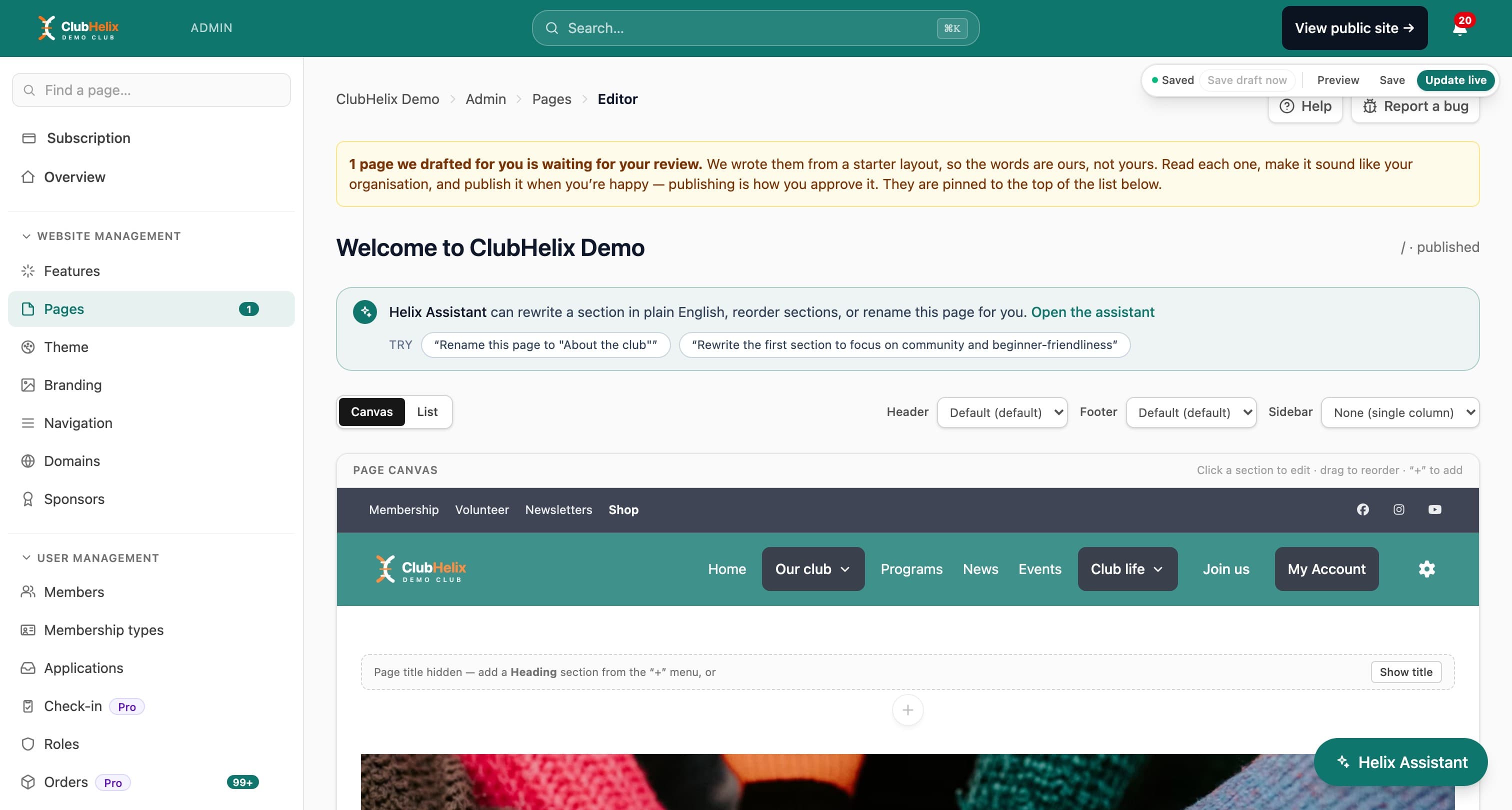
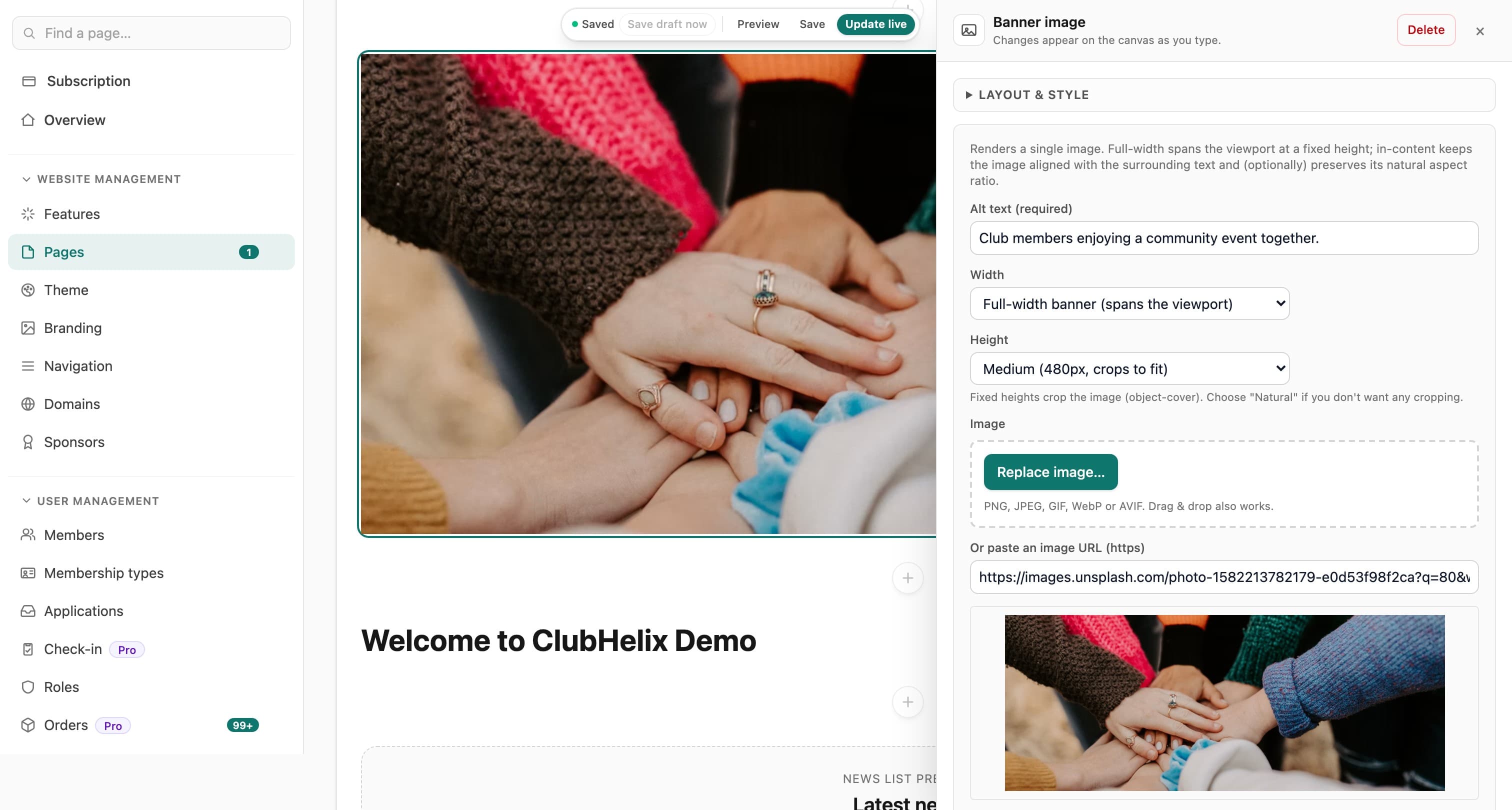
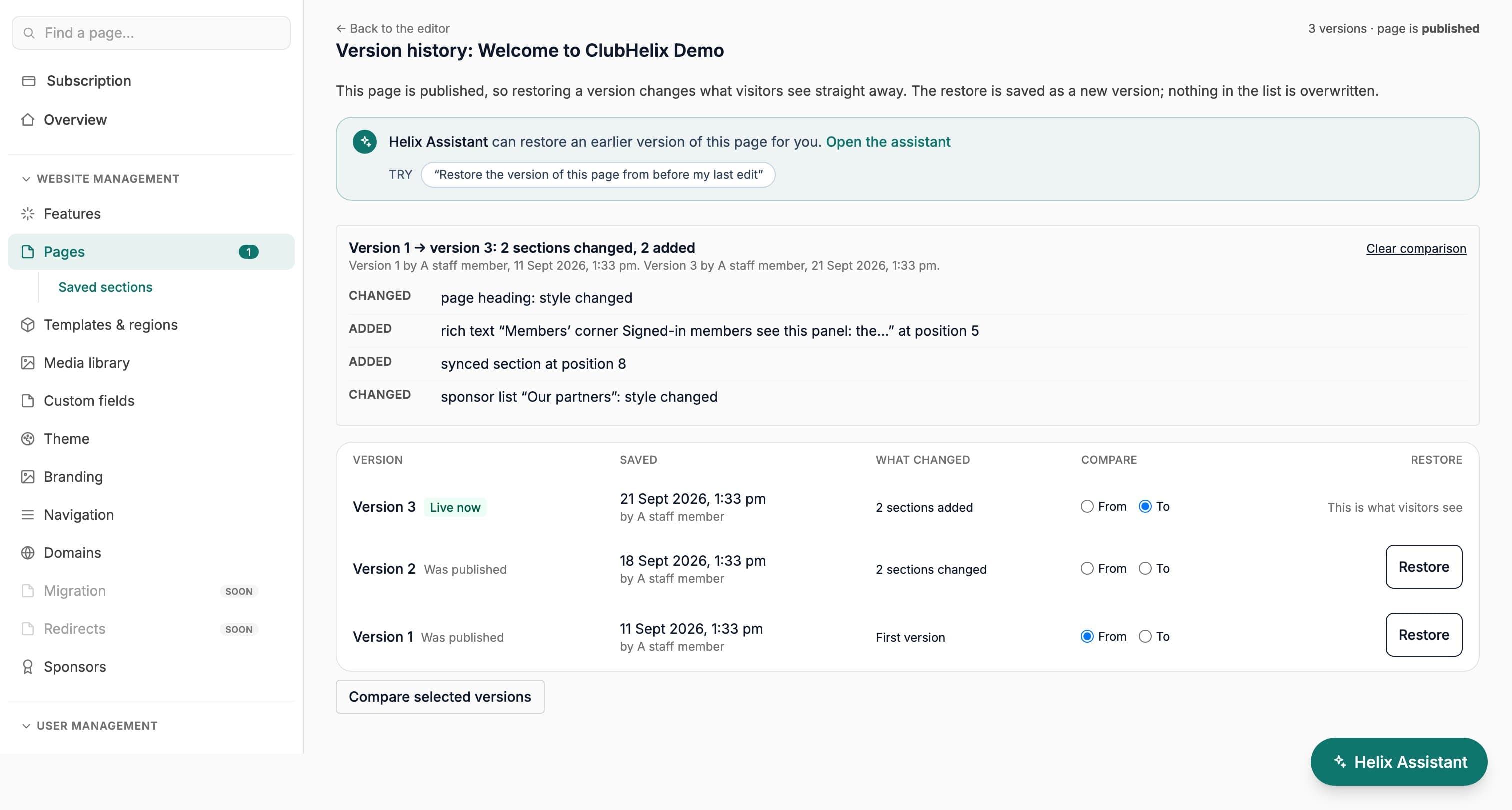
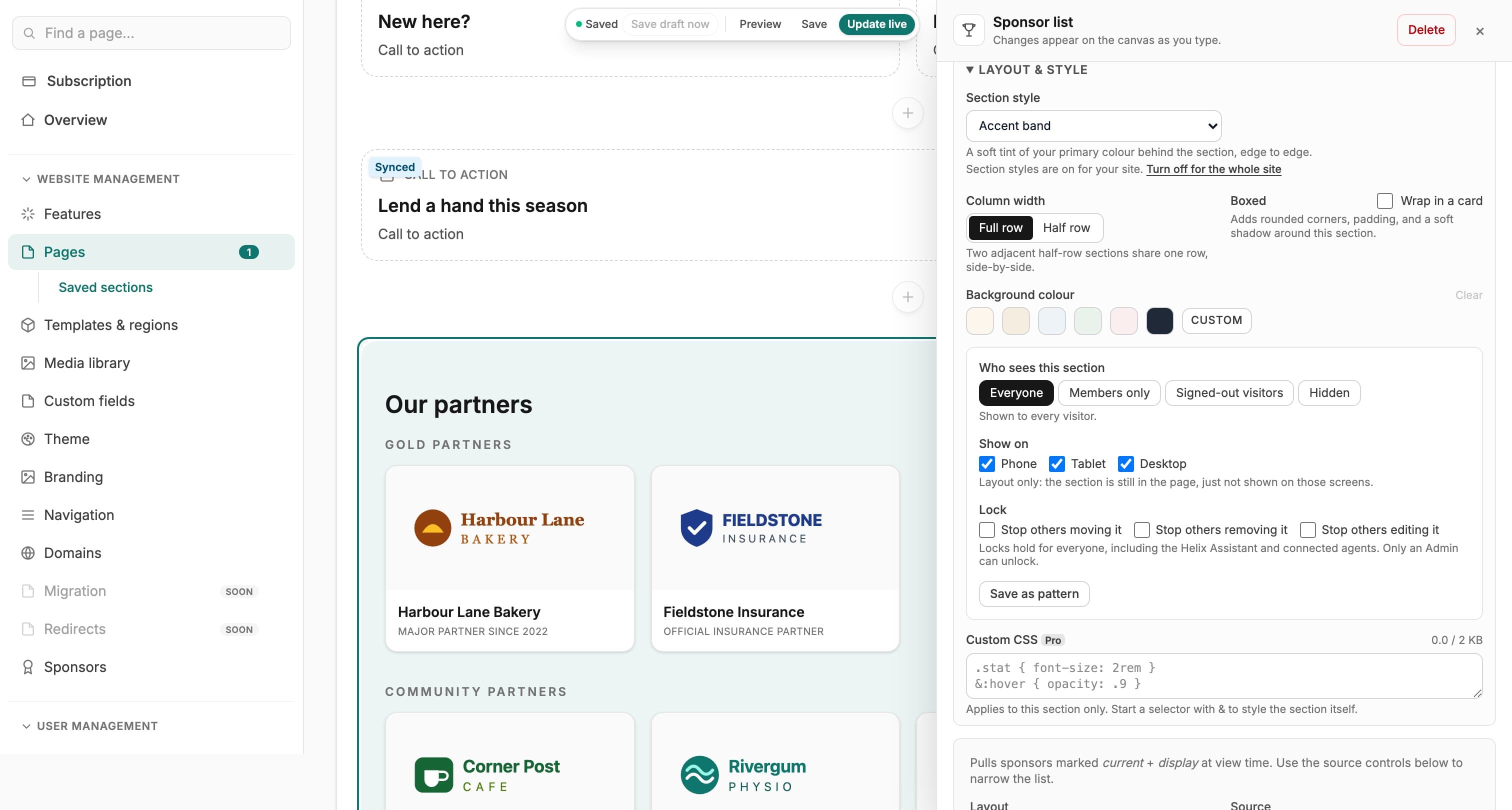
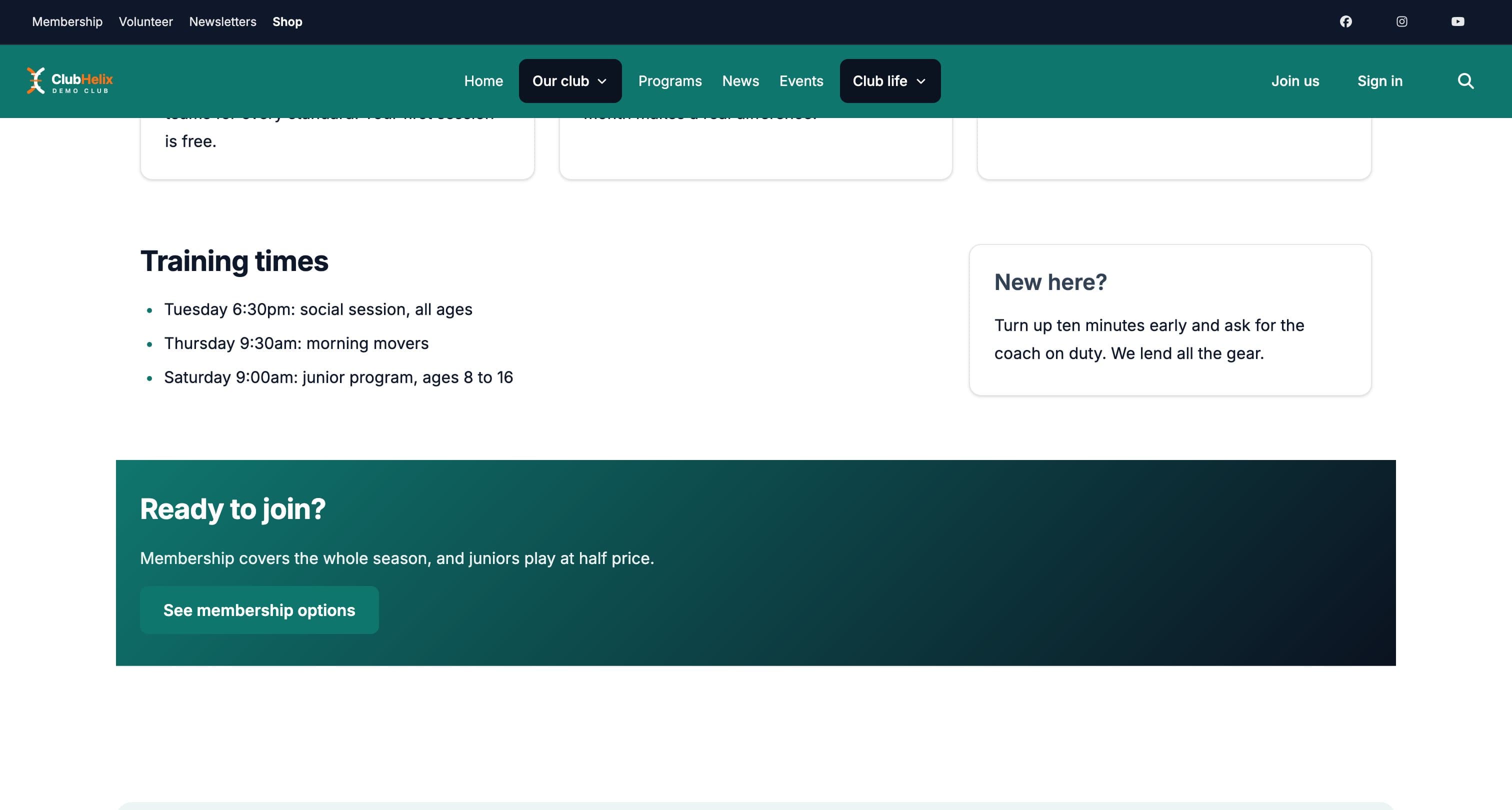
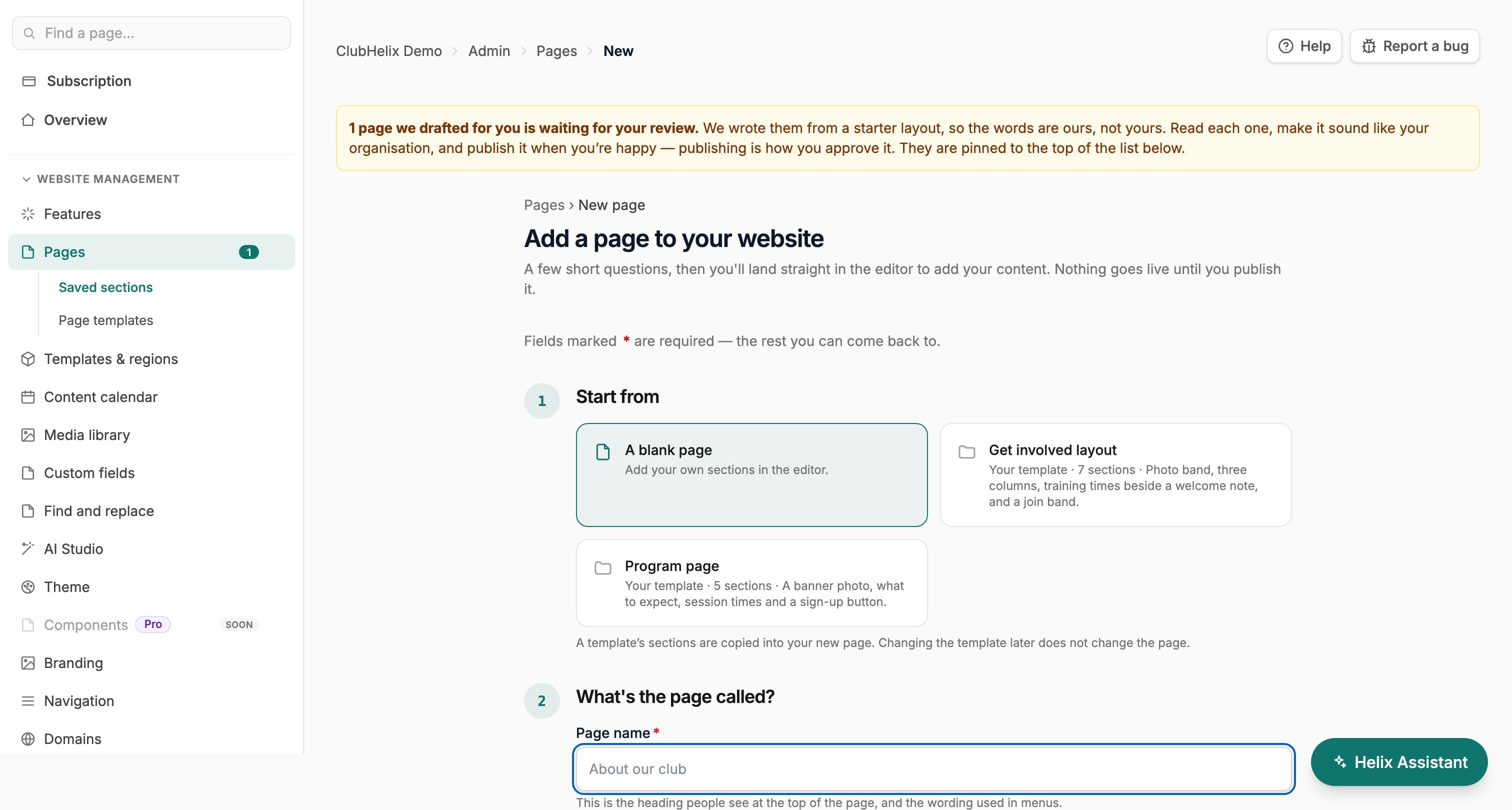
Most site builders make you edit a form on the left and hope the page on the right keeps up. The ClubHelix canvas editor is a genuinely no-code, drag-and-drop club website editor where the editor is the page — the same header, footer and theme your visitors see, with every section editable in place.
The canvas
Your real page is the editor
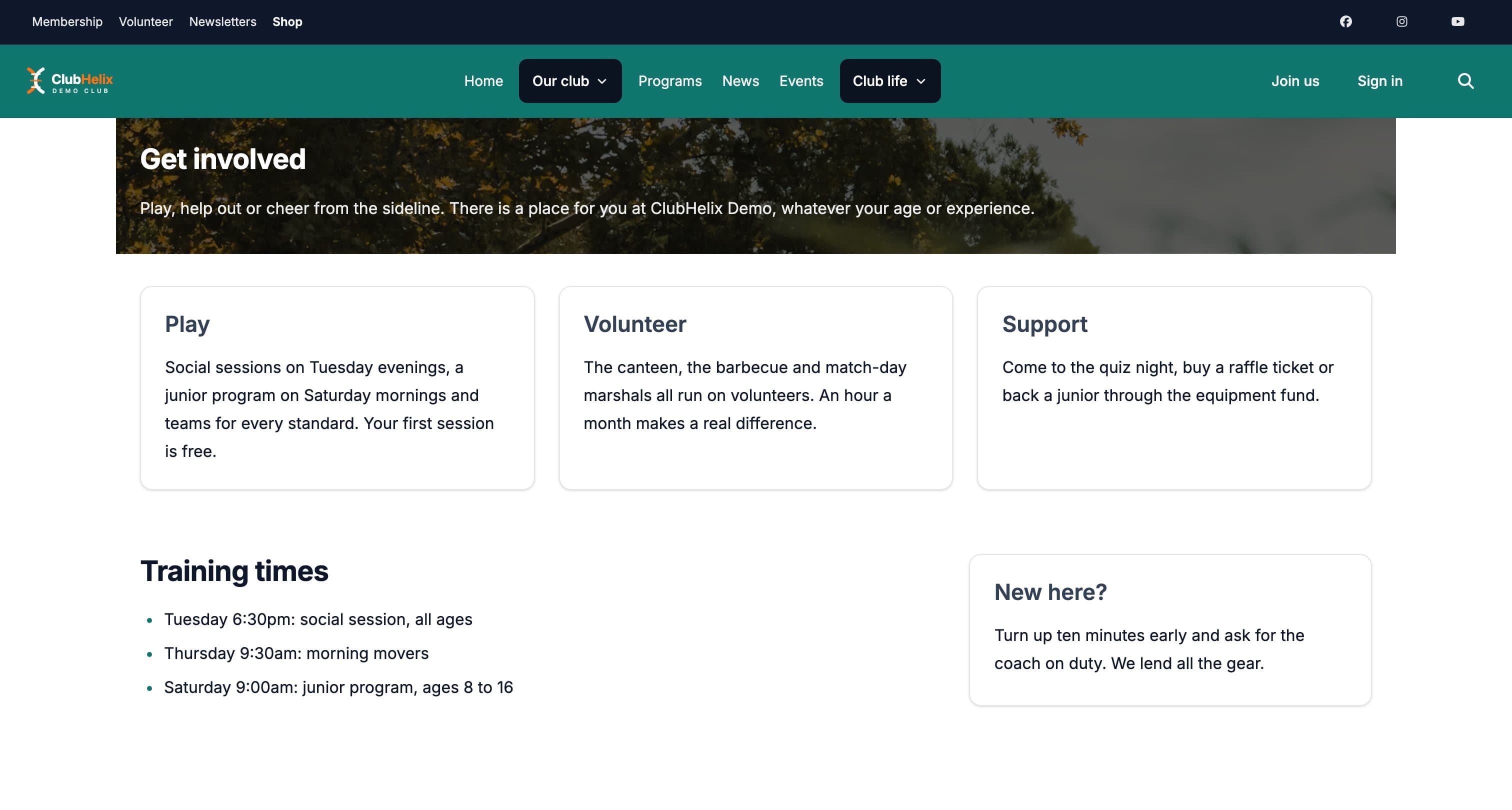
Open any page and it appears exactly as it will publish — your navigation, your theme, your footer. Click any section and a drawer slides in with its settings; changes appear on the canvas as you type. Click the page title to rename it in place, and check anything with Preview before it goes near your visitors.
Prefer working from a list? A toggle swaps the canvas for a card-based list view of the same page — both modes edit the same content, so you can change your mind mid-edit.
Sections
Every part of a sports club website, ready to drop in
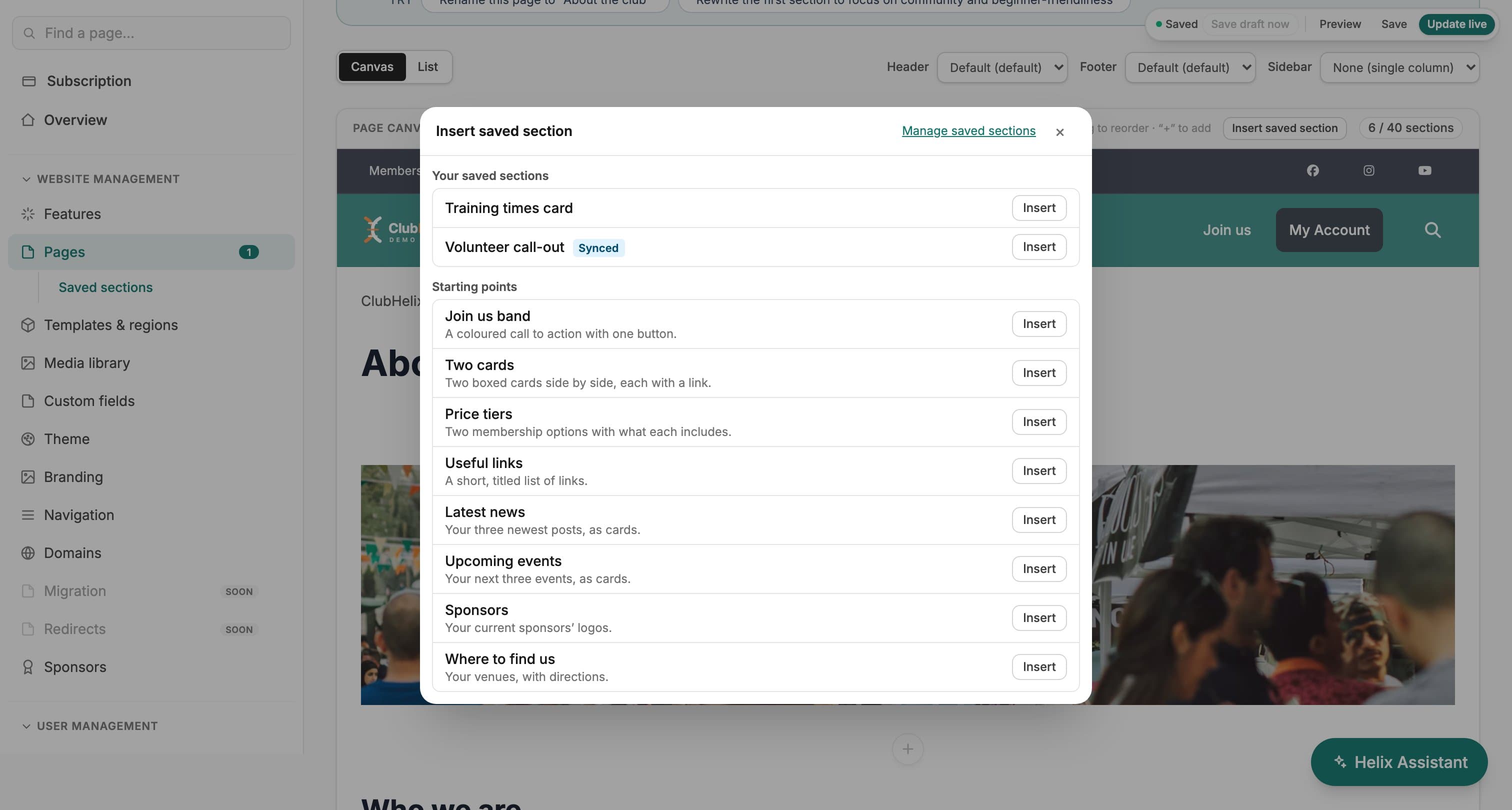
Drag a section by its grip to move it, use the “+” between sections to add a new one exactly there, and duplicate anything that is worth repeating. The section picker even has a search box — type “gallery”, press Enter, done.
- Rich text, headings, banner images, image and text blocks, cards, quotes and a club timeline for the storytelling
- Image galleries for your club photos — a club photo gallery on your website without a plugin in sight — plus YouTube video
- FAQs that open and close, training times tables, headline stats and coloured notices for the questions members actually ask
- News and events lists that update themselves as you publish
- Sections that fill themselves in from the rest of the platform: membership prices with a join button, programmes, teams, shop products, ground status, a roles section that lists your committee and shows which roles are vacant, and coaches with their public qualifications
- Live lists that read your club’s own records and link through to each one: upcoming classes, passes and punch cards, test days and test levels, fixtures and results, competitions, latest galleries, newsletters, match reports, bookable facilities, open forms, a donate card, raffles and your member clubs. Each works in the main column or a sidebar, and shows nothing until there is something to show
- Forms, members lists, sponsor walls, quick links, contact details and social links
Rows & backgrounds
Columns, backgrounds and in-page links
Put two, three or four sections side by side in a row, in equal columns or wide and narrow. On a phone a row stacks into one column, and four columns go two by two on a tablet. Set the space above and below a row, give a section a link name so a menu item or a button can jump straight to it, and choose how it appears as the page scrolls: fade, rise, zoom or not at all. Visitors whose device asks for less motion get none.
Give a row in the main column a background photo or one of five gradients between your theme colours, with a light, medium or strong overlay. The editor checks whether the text will still be readable and tells you in plain words; a medium or strong overlay keeps white text readable over any photo.
Layout
From notice board to landing page
Give any page a sidebar on the left, the right or both, and fill each one with up to eight sections: upcoming events, contact details, training times, quick links, ground status, a join button, sponsors. Almost every section type fits, and each switches to a compact layout for the narrow column. On a phone the sidebar tucks in below the page.
For a splash page, delete the title and breadcrumbs right on the canvas and open with a full-width banner: it sits flush against the navigation bar, the classic landing-page hero, and a sidebar still starts right underneath it.
Display options set the content width, spacing and padding per page — so a dense fixtures page and an airy welcome page can live comfortably on the same site.
Page options
Landing pages, private pages and quick copies
Turn a page into a landing page for a registration drive: no header, menu or footer, just the page and a link back to the rest of the site. On the Free plan the ClubHelix branding stays. Hide the page title from view and it stays in the page for screen readers, so every page keeps one main heading.
Password-protect a page for the committee or a squad. Visitors see only a password box, the page’s content never reaches anyone who has not entered it, repeated wrong guesses are refused for a while, and the page stays out of search results while it has a password. Duplicate page makes a draft copy to start the next one from, without the password or the schedule.
Who sees it
Show a section to the right people
Every section can be shown to everyone, to members only, to signed-out visitors, or hidden while you work on it. Members-only content is withheld on the server, so it never reaches a non-member’s browser. A section can also be limited to phones, tablets or desktops, which is layout only.
Admins can lock a section so it can’t be moved, removed or edited. The lock holds for everyone, including the Helix Assistant and connected agents.
Saved sections
Build it once, use it everywhere
Save any section to reuse as a copy, or sync it so one edit updates every page that uses it, with the texts each page may change chosen by you. Synced sections are public content, so they are never used for members-only material.
Save a whole page as a template and Start from it when you add the next one: the sections, their order, who sees each one and any locks come across, and the new page opens as a draft. The password, schedule, menus and theme stay with the original.
A governing body can ask the organisations below it to place a synced section, such as a child-safe notice or a national sponsor bar, and can share its page templates with them. Each club places the section or makes the page itself; the governing body sees only how many have.
Templates & regions
Add your own sections around the built-in pages
Add sections before or after every news post, event, team and programme, above the page-not-found message, in a shared sidebar beside single items and in a band above the footer on every page. They are edited in the same page editor, with the same history, visibility and scheduling.
Autosave
Tuesday night’s work, safe from Tuesday night
While you work, autosave keeps a recovery draft — on a two-minute countdown and whenever you press “Save draft now”. Close the tab mid-edit and the editor offers your draft back next time you open the page.
Editing alongside a co-admin? If someone else saves the page while you’re in it, the editor notices and tells you — before anyone’s work gets overwritten.
Day one
Your first pages are about your club, not somebody else’s
A new organisation never lands on a stranger’s website. Your homepage is written from your own words — the club name and description you gave us when you signed up, in the design you picked — and it is the one page that goes live immediately, so your address works from the first minute.
About, Membership and Contact are waiting in the editor as drafts, already laid out, each carrying a plain-English prompt for the parts only your club can answer — “tell visitors when you train and who is welcome”. No invented history, no placeholder Latin, nothing about your club we could not possibly know.
Publishing
Nothing goes live until you say so
New pages start as drafts, invisible to visitors while you build. Preview, save and publish all live in one floating pill, each save records a version, and nothing your visitors see changes until you hit Publish.
The same gate covers the pages you did not write yourself. Anything drafted for you — including whatever the Helix Assistant writes in the background — collects in a pinned “Needs your review” group at the top of Pages, with Review and Publish & next on every row, and a count beside Pages in your sidebar until the list is clear.
Publishing a page is approving it — one button, one idea, no second workflow to learn. So the promise holds for every word on your site: nothing we or the assistant wrote is visible to a visitor until a person publishes it.
Or schedule it. Set a time for a page to go live and, if it is only for a season, a time for it to come down. Times are in your organisation’s time zone, and schedules are checked every five minutes. News posts and events take a schedule the same way. Publishing or unpublishing by hand cancels a pending schedule, so the button always wins.
Page health
A second pair of eyes before you publish
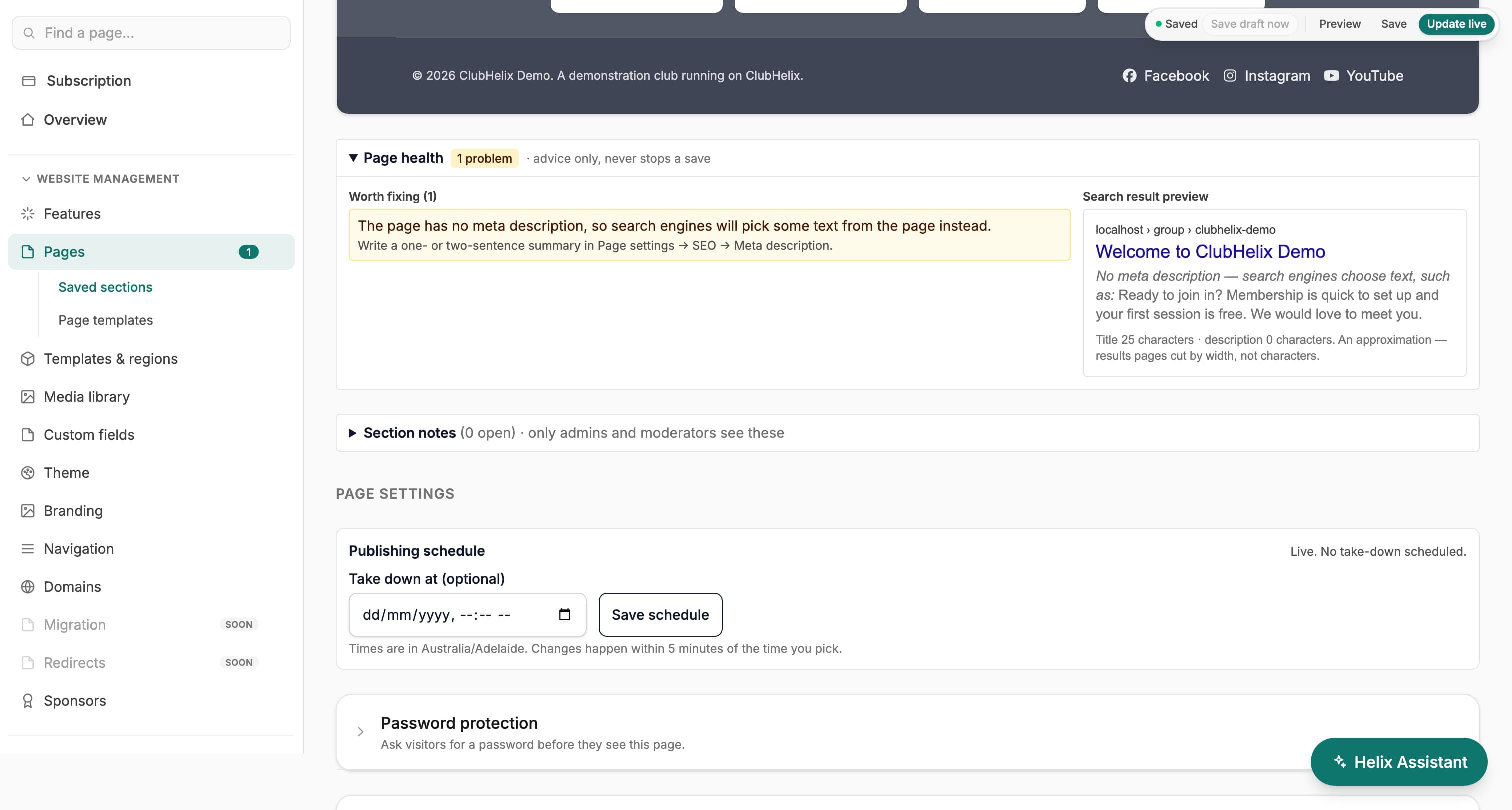
The Page health panel reads your draft as you edit and lists what to fix: images without a description, headings out of order, empty sections, links to pages that don’t exist or aren’t published, search titles and descriptions that are too long or too short, and text that may be hard to read on a coloured or photo background. Each item has a Go to section link, and a preview shows how the page could appear in search results. It is advice and never stops you saving, and anything it could not check is listed as not checked rather than passed.
Version history
Every save is a version you can go back to
The history screen lists each saved version and who saved it, shows what changed between any two (sections added, removed, moved or edited), and restores any of them. A restore on a live page goes live straight away, and the screen tells you so before you confirm; on a draft page it stays a draft.
Notes for reviewers. Staff can pin a note to a section, such as “check this date with the coach”, and resolve it once it’s done. Notes are seen by your admins and moderators only, never by visitors.
Media library
Every image in one place
The media library lists every image uploaded to your site with its description (alt text) and the pages it is used on. Fix alt text in one place, and delete what nothing uses: an image that is still on a page can’t be deleted until it comes off. A Re-index button picks up any image the list has missed.
SEO & visibility
Every page pulls its weight on Google
Each page carries its own search title, meta description and social share image, and can be hidden from search engines when it’s not for the public. Visibility runs deeper than SEO: any page can be public, members-only or restricted to a role. And if a page ends up orphaned — no menu item, no link pointing at it — the editor flags it with a “Not linked” badge, so good content never quietly disappears.
Find anything
Press ⌘K and go
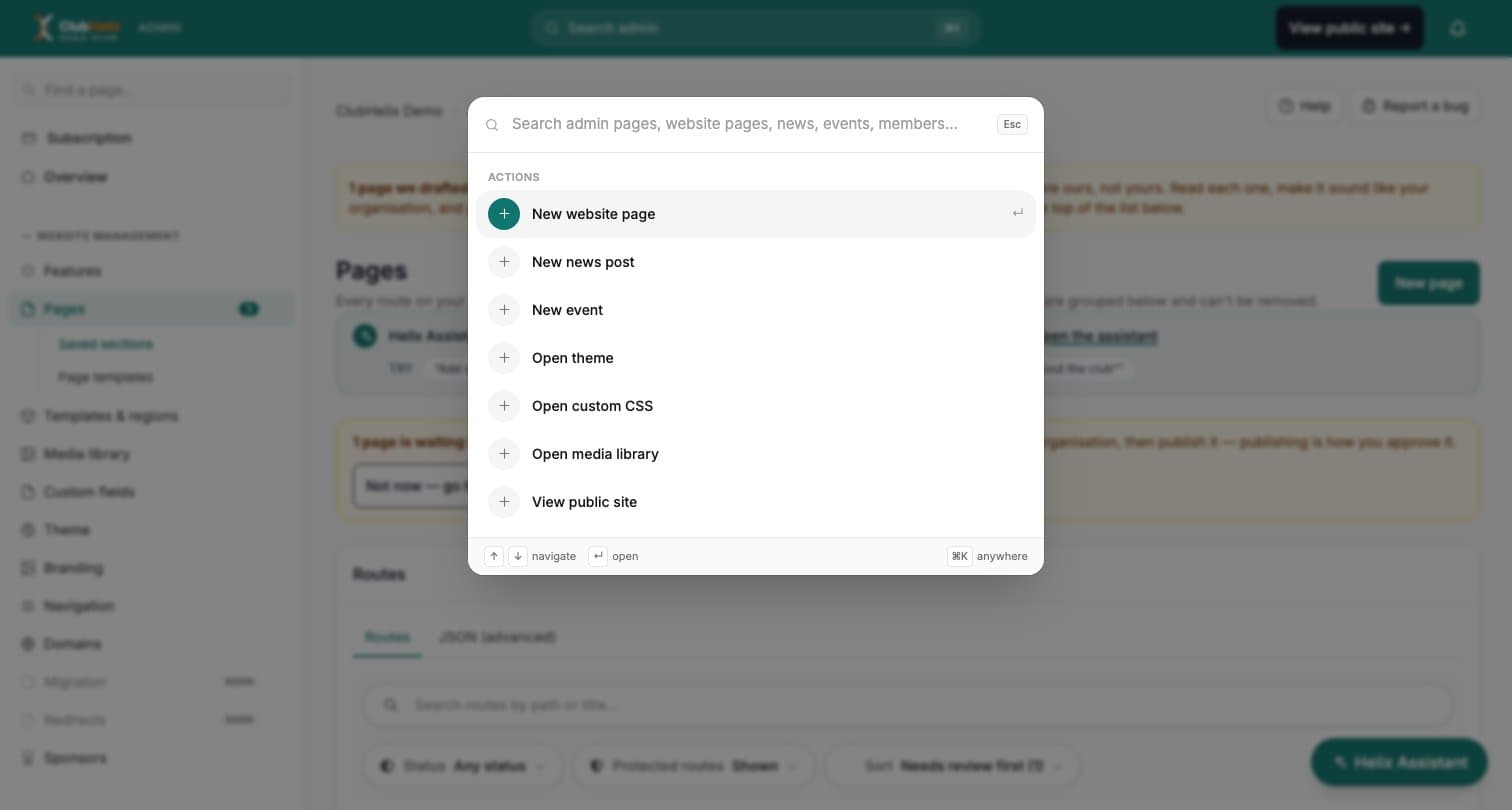
Press ⌘K (Ctrl K on Windows) or click Search admin to jump to any admin page, website page, news post, event or email template, or to start a new page, news post or event. It only offers what your sidebar offers you, so it never shows a page you can’t open.


See it with your club's name on it
Spin up a fully-branded site in under 30 minutes, free — no technical skills needed.