Scheduled publishing
Publish on the right day, not the day you had time.
Set a time for a page, a news post or an event to go live, and a time for it to come down. Your site updates itself while the committee gets on with the season.
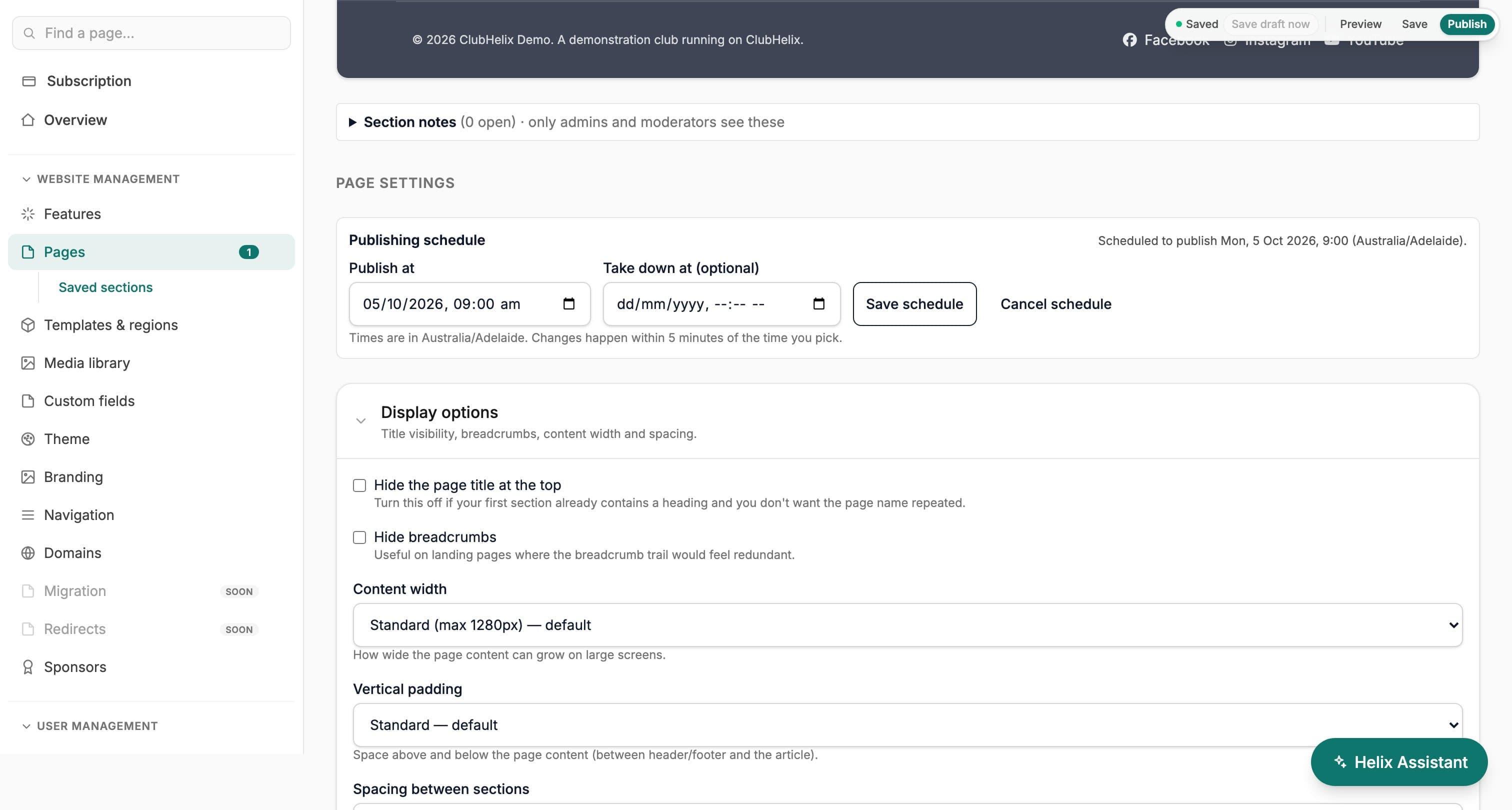
Most club updates are written when a volunteer has a spare evening, not on the morning they should appear. Scheduled publishing lets you finish the page, the news post or the event now and choose when visitors see it.
Go live
Pick a time, and walk away
Pick a publish time and the page goes live on its own. Add a take-down time and it comes down again, which suits holiday hours, a registration window or a notice that only matters for one weekend. A page that is already live can take just a take-down time.
Every schedule is in your organisation’s time zone, and an event uses the time zone of the event itself. Schedules are checked every five minutes, so a change lands within five minutes of the time you picked.
Control
The button always wins
The schedule sits in Page settings under the page editor, and on the news and event editors. Publishing or unpublishing by hand cancels a pending schedule, so the button always wins. Anyone who can publish can schedule; nobody else can.
See it with your club's name on it
Spin up a fully-branded site in under 30 minutes, free — no technical skills needed.