RSVPs & attendance
"Who is coming?" — answered.
Availability tracking and a training attendance register in one — going, maybe or can't make it, with QR and kiosk check-in on the day.
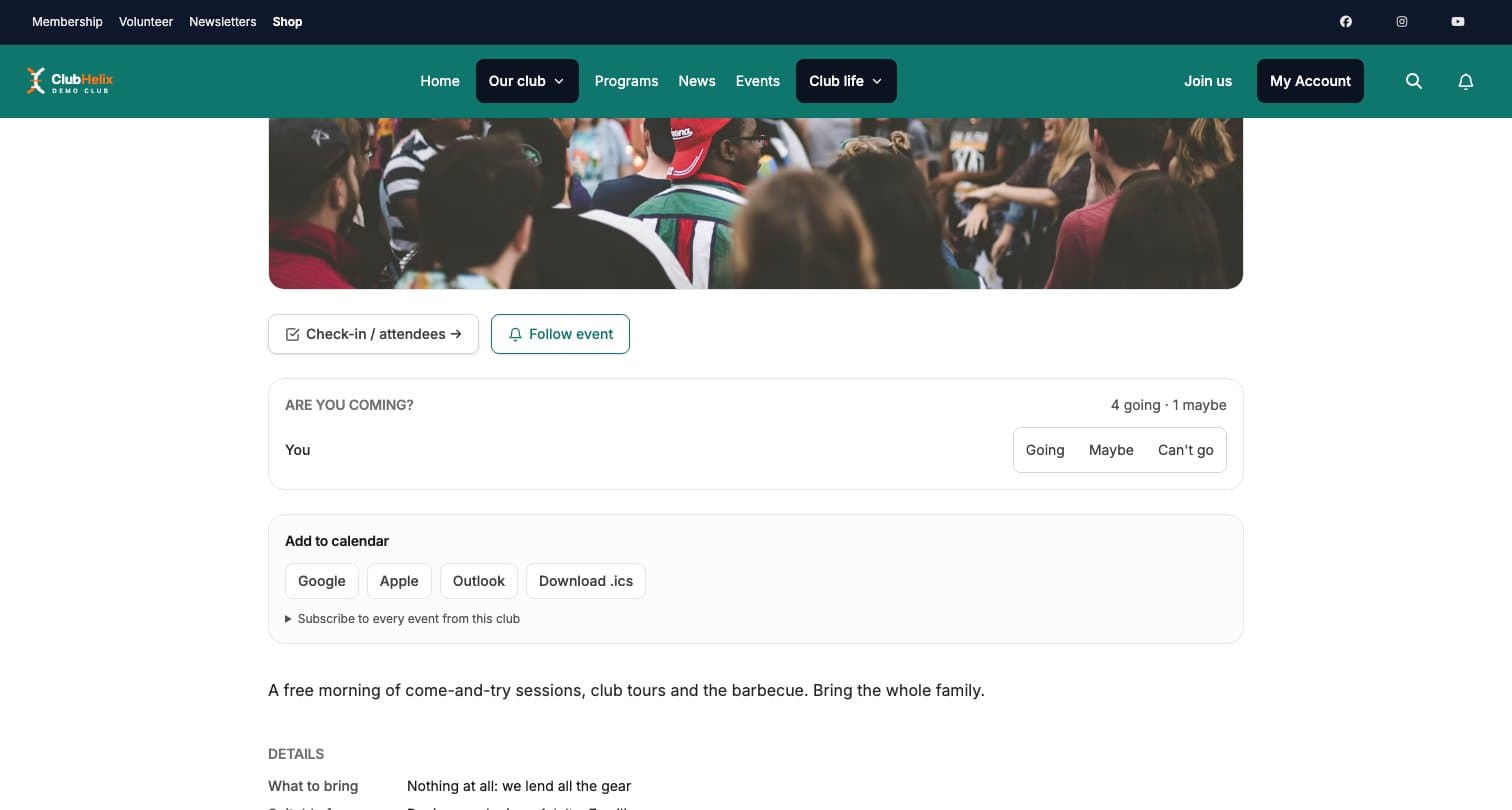
Availability tracking without the group-chat poll: members RSVP to events and training in one tap — going, maybe, or can’t make it — so “who is coming?” is answered with real numbers rather than guesswork.
Event RSVPs
“Who is coming?” — answered before you ask
Turn RSVPs on and the public event page grows an “Are you coming?” panel: signed-in members answer Going, Maybe or Can’t go in one tap, add guest counts, and guardians answer separately for each dependant — so the caterer gets a headcount, not a hunch. Visitors only ever see the totals, never who answered what.
Responses do real work, too: everyone who said Going or Maybe is automatically included in the event’s reminders and any reschedule or cancellation notice, and RSVPs close themselves when the event ends.
Training
A training attendance app for every squad
Weekly training runs on the same idea: roster members answer In / Maybe / Out per session in advance, and after the session coaches mark each player Present, Late or Absent — building the attendance record that matters at selection time.
Check-in
Three ways through the door
On the day, session check-in runs however suits — and not just for ticketed events. Create a check-in activity for anything (training nights, facility access, committee meetings) and take attendance your way:
- Tick people off from a staff list on any device, with check-out times and optional notes
- Scan the QR code on a member’s digital membership card — the scan verifies their live membership status on the spot
- Enforce a financial-members-only rule: lapsed members are flagged to staff and refused at the kiosk
Kiosk mode
A door that runs itself
Put a self-service kiosk at the door — any tablet or laptop, no sign-in needed — and members scan themselves in, greeted by first name. No card handy? They scan the kiosk’s own QR (or a printed A4 poster on the club room wall) with their phone and tap one big Check in button. Duplicate scans within two minutes are politely refused, and the kiosk never lists or searches your members — a public screen never exposes your roster. QR and kiosk check-in are Pro-plan features.
The register
A season of attendance, on the record
Every check-in writes itself into the attendance register — who, when, and how they checked in — so over a season each member builds a training attendance history coaches can actually consult before selections, awards night or renewal conversations. Members see their own recent attendance from their account; it lands on their member timeline for your admins — and never on anyone else’s screen.


See it with your club's name on it
Spin up a fully-branded site in under 30 minutes, free — no technical skills needed.