Helix Assistant
Say it. See it. Then save it.
An AI club admin assistant on every admin page: it writes real pages, answers detailed questions from the built-in docs, and takes you straight to the right screen — and nothing it writes is public until you publish it.
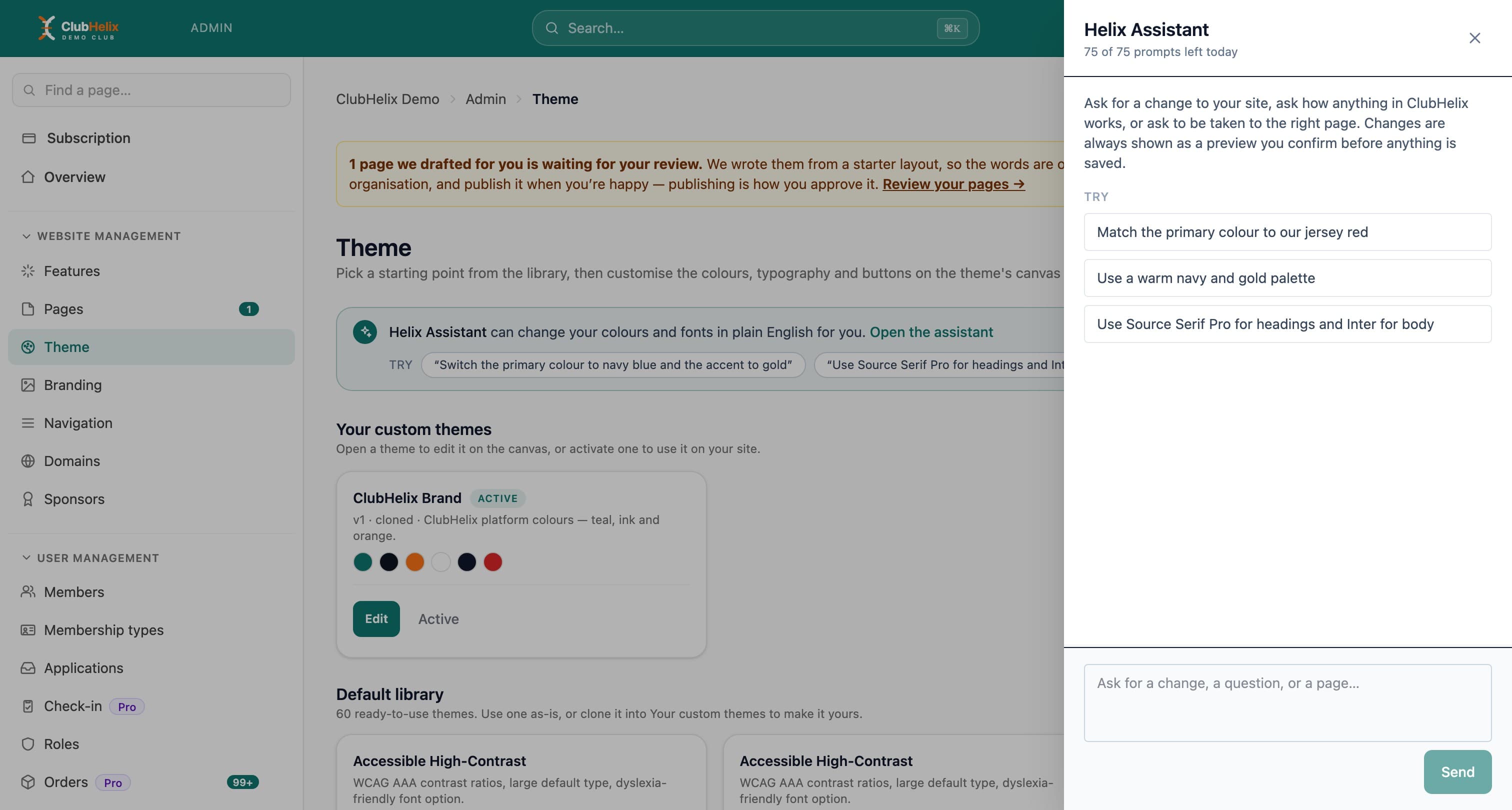
“Make the site match our jersey — navy with a gold accent.” The Helix Assistant is an AI assistant on every admin page that turns plain English into real changes — and it writes a page like a designer would, not a wall of text. Nothing it writes reaches your visitors until you publish it.
Site editing
Plain English in, real changes out
The assistant reads a request like “match our jersey colours” and restyles your theme to suit: colours, buttons, headings, the lot — shown as a full preview before it is applied. It builds pages, edits copy, wires navigation and flips whole modules on or off the same way.
Ask it for a page and you get a page. It writes structured copy — headings, lists, links and emphasis — and reaches for the same layout devices a person would:
- Every section kind on the platform, including a live “what’s on” events list and a where-to-find-us map
- Half-width columns, boxed cards and background colours — not one long stack of paragraphs
- Up to fifteen sections on a page: the same ceiling the canvas editor gives a person
- Your own club description, categories and where you sit in your sport as context, so the words are about your club
Answers
It reads the manual so you never have to
It knows the platform, not just your site: ask “how do I connect our own domain?” and it reads the built-in documentation before answering, and links the exact page. Answers are grounded in the same help docs your admins can read — not made up on the spot.
Drafting
A ghostwriter for the club secretary
AI Studio
Draft with Helix, right beside the field
The jobs that eat a volunteer’s evening now start with a draft. A Draft with Helix button sits beside the fields it fills: a news post or match report from the score and a few highlights, an event or shop description, a sponsor thank-you, the search title and description Google shows, and alt text written from the photo itself. Select Insert and the draft lands in the form, ready to check and save.
Helix writes in your organisation’s language and is told never to invent a fact: a score, a date or a name you did not give becomes a [placeholder] for you to fill in. Each draft uses one prompt from the same daily allowance as the assistant, and nothing is saved, sent or published until you do it yourself.
Everything else lives in AI Studio, one admin page with a writing tool for each job:
- Email and social: subject lines, a members email, Facebook, Instagram and X posts, a reply to a parent’s question, a new member welcome
- Committee paperwork: tidy rough notes into meeting minutes with decisions and action items, summarise a long document, draft a risk assessment
- Pro: a sponsorship proposal built from your packages, grant application answers from your project notes, and starting drafts of club policies
- Rewrite and translate: make any notice clearer, shorter or friendlier, or translate it into 19 languages for families who read another one
You approve
It never takes the wheel
Two paths, one guarantee: nothing the assistant writes is ever visible to your visitors until a person publishes it. Ask for something from the dock and you get a preview before it applies — accept it or throw it away. Anything it writes for you in the background lands in your page editor as a draft, pinned to the “Needs your review” list, where publishing the page is approving it.
Emails and posts work the same way: a draft appears, and you choose the audience and press send yourself. The assistant accelerates the work without ever taking over.


See it with your club's name on it
Spin up a fully-branded site in under 30 minutes, free — no technical skills needed.