
What this guide answers
- Can a club just use a normal website builder?
Yes, and plenty do successfully, when the site is genuinely a brochure and no money or membership data flows through it.
- Is a club website builder more expensive?
Compare the full stack rather than the sticker price. A general builder plan plus a form add-on, an email tool priced by contact count, a membership add-on and payment fees usually lands close to an all-in club…
- What is the biggest risk with a volunteer-built site?
Handover. Sites are lost every year because the login, the domain or the add-on licence sat in one person's personal account and that person moved on.
- Do we still need a separate email tool?
Only if your platform cannot segment your members. The point of a club platform is that your member list is the mailing list, so a message can go to one team, one program or everyone who has not renewed — without…
- Can we move our existing site across?
Usually, yes. Content moves by hand or by copy-paste in an evening or two, the domain points at the new host, and the important part is redirecting your old URLs so search results and links still land somewhere useful.
Someone on your committee has built a website before — for a small business, a school assignment, a friend's band. They open a general website builder, pick a template, drop in a photo of the senior side under lights, and by Sunday night your club has a site that looks better than anything it has had in a decade. That is a genuinely good outcome and nobody should sneer at it.
Then registration opens. Now the same site has to take four hundred sign-ups across three membership categories with a family discount, collect card payments into the club account, tell the registrar who has actually paid, publish a fixture list that changes every Wednesday night, let a team manager message eighteen parents when a round is called off, and keep working after the person who built it moves away. That is not a brochure. That is a small operations system with a brochure bolted to the front of it.
This guide compares the two honestly: what a club builder does that a general one does not, what the bill looks like once you have added the plugins and the payment tools, and the question that quietly decides it for most committees — whether the next secretary can update the thing without ringing anyone. We build a club platform, so weigh our conclusion accordingly; we have also written a section on when a general builder is the better answer, and we mean it.
Two products solving two different problems
A general website builder is a publishing tool. Its job is to turn a template into pages that look professional, quickly, for someone selling a service. It is very good at that job — better, usually, than the design layer of any club-specific product.
A club website builder is an operations system that happens to publish pages. It assumes the thing behind the website is a membership, a season, a set of teams and a bank account, and it is built around a rotating committee rather than one owner who knows everything.
| General website builder | Club website builder | |
|---|---|---|
| Core job | Publish pages that look good | Run the club, and publish pages |
| Assumes you are | One owner or marketer | A committee that changes every year |
| Knows about | Pages, posts, products | Members, teams, seasons, fixtures, payments |
| Money | A shop cart, or a payment link | Membership fees, renewals, tickets, subs status |
| Access control | One login, sometimes two | Roles — admin, treasurer, team manager, coach |
| When it changes | When you redesign | Every week, during the season |
| Failure mode | The site looks dated | The registrar cannot tell who has paid |
Neither column is "better" — they answer different questions. The mistake is answering the second question with the first product, then discovering the mismatch in week three of the season.
What a club site has to do that a brochure never does
This is the heart of it. Below is the honest job list a club website carries, and what each job turns into on a general builder.
| The job | On a general builder | On a club builder |
|---|---|---|
| Take a sign-up with categories, family pricing and a paid/unpaid flag | Form add-on emails the secretary a copy; the real register is a spreadsheet | The form writes a member record with payment status attached |
| Collect fees and reconcile them | Payment link or cart; the treasurer matches names to deposits by hand | Payment sits against the member and the season, and exports for the books |
| Show a members-only page | Password shared in a group chat | Logged-in members see it, everyone else does not |
| Publish a draw that changes weekly | Someone edits a table on a page, or uploads a PDF | Fixtures, results and ladders update from one entry |
| Message one team, not the whole club | Copy addresses out of a spreadsheet | Send to a team, a program or an age group |
| Prove a consent later | An email in someone's inbox | A stored, timestamped record you can find |
| Survive the day registration opens | Fine, if the form add-on is fine | Built for the spike, because that is the product |
| Hand over in October | "Who has the login?" | Add the new secretary as an admin, remove the old one |
Two of those rows deserve spelling out.
"Paid or not" is the whole treasurer's job. A brochure site can host a form. What it cannot do is connect the form to the money, so somebody ends up holding two lists — the sign-up list and the bank statement — and joining them by eye. That reconciliation is where volunteer evenings go, as collecting membership fees online sets out.
A club site changes far more often than a business site. A cafe updates twice a year. A club updates the fixture, the results, the wet-weather notice, the working bee date and the ticket link — during the season, while everyone is tired. Design tools optimise for the redesign; club tools optimise for Wednesday night.

The traffic spike nobody plans for
Every club has two or three days a year when the website carries real load — registration opening, the draw coming out, tickets going on sale for the big night. Know when yours land, because that is when a fragile stack of add-ons fails in front of your whole membership.
For most Australian clubs the crunch lands in the weeks before the winter season starts, plus a second, smaller one before summer competition. Registration day traffic is concentrated into about a fortnight, often on a single evening after a come-and-try session. If your site is going to fall over, that is the night it will do it — see how to run a club registration day for the run sheet around it.
The plugin stack, and the week one of them breaks
Nobody sets out to build a stack. It accumulates. A general builder gets you pages; then the club needs the rest, so you add:
- A form add-on, for registrations.
- A payment tool, or a shop plan on the builder itself.
- An email tool, because the builder's newsletter cannot segment by team.
- A calendar or events add-on for fixtures and functions.
- A membership or login add-on for the members-only area.
- Somewhere to keep files — team sheets, policies, the constitution.
Six tools, six logins, six renewal dates, six privacy policies, and — the expensive part — six slightly different versions of "the member list". Nothing joins them except a volunteer with a spreadsheet.
The failure mode is predictable. An add-on updates itself on a Friday. The registration form now errors on submit, but only on phones. Nobody notices until Sunday, because the club does not monitor its own site, and the person who assembled the stack is away. The remaining committee cannot tell which of the six tools is at fault, because the site is a jigsaw and they only ever saw the picture on the box.
Compare that with one system where registration, payment, member record and email are a single product. That is not marketing — it is just fewer joins, and fewer joins mean one place to look when something breaks.
What it actually costs once the club is running
Sticker price is where general builders look cheapest and club platforms look expensive. Run the whole line and the picture usually changes. Here is the shape of it, without numbers:
| Line item | General builder | Club platform |
|---|---|---|
| Base subscription | Business or commerce plan | Plan tier for your club size |
| Domain name | Bought and renewed separately | Bought separately, connected free |
| Registration forms | Paid add-on, often per submission or per form | Included |
| Payment handling | Gateway fee, sometimes plus a builder cut | Processor fee |
| Email to members | Separate tool, priced by contact count | Included |
| Members-only area | Paid membership add-on | Included |
| Fixtures and results | Add-on, or a volunteer editing tables | Included |
| Volunteer time | The real cost — reconciling, re-keying, chasing | Mostly absorbed |
That last row is the one committees systematically undercount. If a general-builder setup costs one volunteer two hours a week during the season and a club platform costs twenty minutes, the difference over a season is most of a working week of someone's life. You cannot invoice for it, which is exactly why it never gets counted.
As an illustrative Australian example — your quotes will differ — budget for a commerce-tier builder plan at roughly A$30-40 a month, a form add-on at A$20-30, an email tool that starts free and climbs past A$30 a month once you pass a few hundred contacts, a domain at A$20-30 a year, and card fees of roughly 1.75% plus a fixed amount per transaction. Against that, compare a club platform's all-in tier for the same member count. Grants can cover the setup year — see grants for sports clubs.
The handover test
Every year a club hands its website to someone new, and that single event does more damage than bad design ever has. Before you commit, score your candidate on this:
- A new committee member can be given their own login, without anyone sharing a password.
- At least two current people have full admin access right now.
- The domain is registered in an account the club owns, billed to the club.
- Every renewal date — domain, plan, add-ons — is in the club calendar with an owner.
- Somebody who has never seen the site can update the fixture page in five minutes.
- Editing content cannot accidentally break the layout.
- No add-on licence sits in a personal account or on a personal card.
- You can export the member list, today, without asking anyone.
- The site would survive its main volunteer being unreachable for a month.
A general builder can pass this list — but only if someone deliberately set it up that way, and almost nobody does, because the tool never prompts them to. A club platform passes it structurally: roles and permissions exist because committees change, and content editing is separated from layout so a new volunteer cannot break the front page by pasting in a photo. Pair this with our committee handover checklist at your next changeover.
The three questions to ask at the demo
- "Show me how a brand-new volunteer publishes a news post." Watch for how many steps and how much can go wrong.
- "Show me where I see who has paid." If the answer involves exporting to a spreadsheet, that is your reconciliation evening back again.
- "What happens to our site if we stop paying?" Ask about export, redirects and the domain. Get the answer before you need it.
Your address, and who is allowed to register it
The domain is the one asset that outlives every platform decision you will make. Own it in the club's name, keep it in a club-controlled account, and treat the renewal like an insurance premium. If you move platforms later, a domain you control makes it a Tuesday-night job; a domain in a former committee member's personal account makes it a saga. Our guide on buying a domain for a club covers the mechanics — and whichever platform you land on, check it lets you connect your own custom domain rather than parking you on a subdomain forever.
Australian clubs usually want a .com.au or .org.au address, and those come with eligibility rules tied to an ABN, ACN or registered business or association name. Incorporated clubs generally qualify; unincorporated groups sometimes do not, and .au registry policy changes over time, so confirm current eligibility with the registrar before you plan a rebrand around a name you cannot register.
Where a general builder is genuinely the better answer
We would rather you chose well than chose us. Pick the general builder when:
- No money moves through the site. A social walking group with free membership and a monthly notice genuinely has a brochure, and should pay brochure prices. Our guide on setting up a club website for free is a better starting point than any subscription.
- Your governing body already runs registrations, fixtures and results, and your site exists to look good and point at their links. In that case you are buying design, so buy the best design tool.
- You want an unusual visual identity — a gallery-led site for a photography club, a heavily art-directed page for an arts organisation — and design control matters more than admin.
- You have a designer on the committee who is staying, so the handover risk is genuinely low for a few years.
Be honest about the reverse, though: if fees, sign-ups, teams or a members-only area are in the picture, the brochure will not stay a brochure. It grows the machinery anyway, one add-on at a time, until you are running a stack nobody chose.
Moving from one to the other without losing your search results
If you decide to move, protect what the old site earned:
- Keep the same domain. Everything else is replaceable; the address is not.
- List your old URLs before you switch, from your analytics, and map each to its new home. Anything that had visits deserves a redirect.
- Keep the page titles that already work. If "junior registration" brings people to one page, do not rename it "sign up" for tidiness.
- Do not delete the old site the same day. Move the domain, confirm the new site is correct, and keep the old one reachable for a fortnight.
- Update the places that point at you — your directory listing, your social profiles, your Google Business Profile and any governing-body club page.
The full build sequence is in how to build a sports club website, and the money side is in how much a club website costs.
Running the club from the same place you publish it
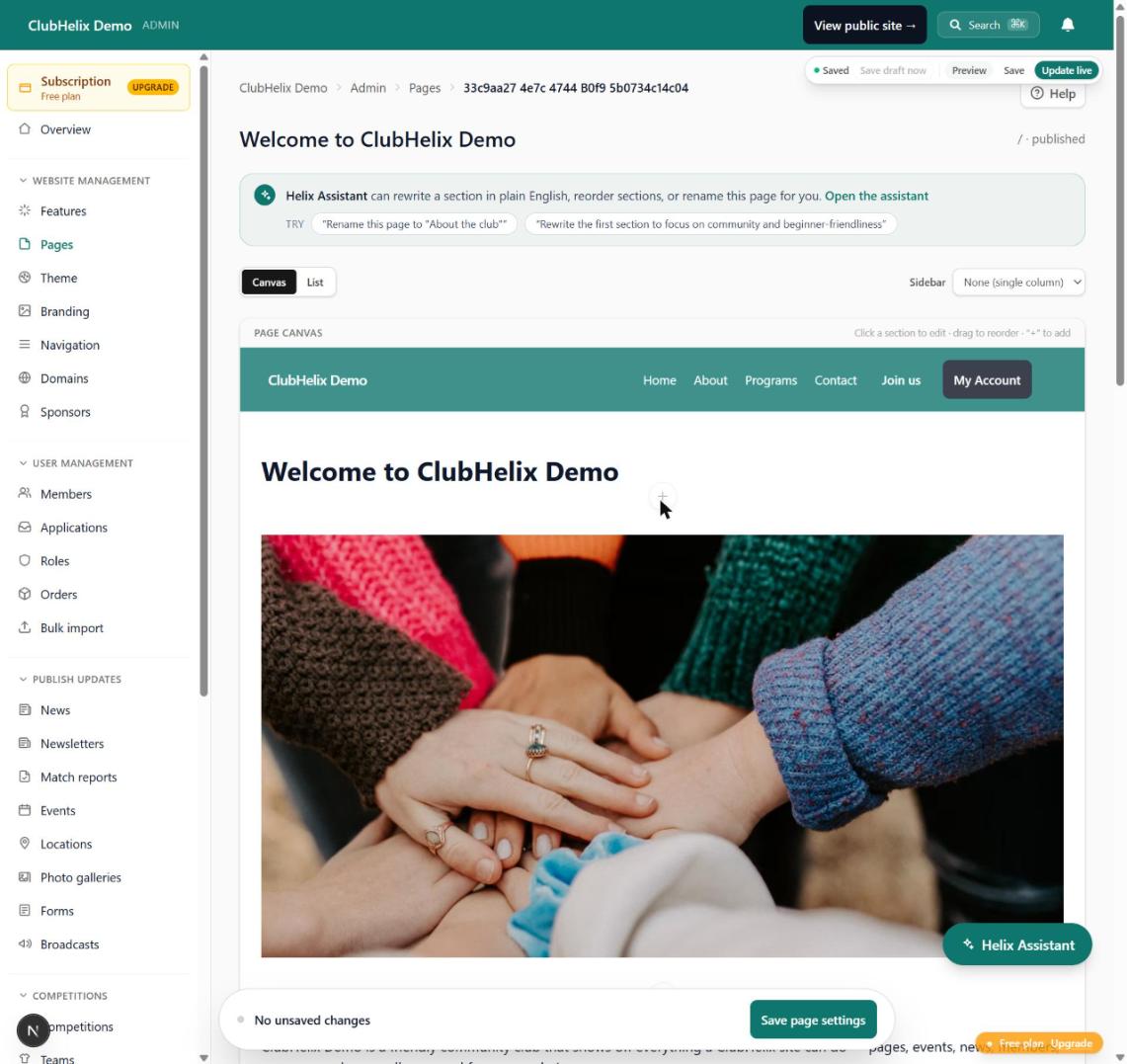
The argument for a club-specific builder is not that it makes prettier pages. It is that the page and the machinery are the same product. In ClubHelix, the canvas page editor gives your committee a real design surface — sections, photos, your own theme and branding, a choice of header and footer layouts, and on the Pro plan a custom CSS box that is checked and size-limited so it cannot break the site — while self-registration takes the sign-ups and the payments behind it, so the join button on the page you just edited actually creates a member and marks them paid.
The same goes for the parts of a site that repeat or are private. A sponsor strip or a call to join can be built once and synced to every page, placed under every news post or above the footer, and shown only to the visitors it is meant for: members, or people who haven't signed in yet. A general builder can get part of the way with reusable blocks and a membership add-on. On a club builder, members-only content uses the same accounts your members already sign in with to register and pay.
If that sounds like the stack you have been assembling by hand, you can stop assembling it. There is a free tier to try it on, transparent pricing when you outgrow it, and an independent team behind the whole thing rather than six unrelated suppliers. Most committees have a working site by the end of one evening — start building yours, or let us do the first build for you with done-for-you setup.
If you are weighing a general builder against a club platform line by line, the club software comparisons page lists our side-by-side write-ups, including one on general website builders.
Frequently asked questions
Can a club just use a normal website builder?
Yes, and plenty do successfully, when the site is genuinely a brochure and no money or membership data flows through it. The mismatch appears once the club needs registrations, payment status, members-only content and weekly fixtures — those arrive as separate add-ons that do not share a member list.
Is a club website builder more expensive?
Compare the full stack rather than the sticker price. A general builder plan plus a form add-on, an email tool priced by contact count, a membership add-on and payment fees usually lands close to an all-in club platform tier — before you count the volunteer hours spent joining those tools together each week.
What is the biggest risk with a volunteer-built site?
Handover. Sites are lost every year because the login, the domain or the add-on licence sat in one person's personal account and that person moved on. Whatever you choose, make sure at least two current committee members have full access and the domain is registered in the club's name.
Do we still need a separate email tool?
Only if your platform cannot segment your members. The point of a club platform is that your member list is the mailing list, so a message can go to one team, one program or everyone who has not renewed — without exporting anything.
Can we move our existing site across?
Usually, yes. Content moves by hand or by copy-paste in an evening or two, the domain points at the new host, and the important part is redirecting your old URLs so search results and links still land somewhere useful. Keep the old site up until the new one is confirmed live.
Keep reading — how to build a sports club website walks the whole build, and club website content ideas covers what to put on it once it exists.


