
What this guide answers
- When should youth sports registration open?
Work backwards from opening day. Most leagues open registration three to four months ahead and close it six to eight weeks before the season, which leaves time to form teams, screen coaches and order uniforms.
- What should a youth sports registration form include?
At minimum: the player's name and date of birth, parent or guardian contacts, a separate emergency contact, medical information, uniform sizes, a participation waiver and photo consent.
- Should we charge a late registration fee?
Many leagues do, because late sign-ups create real extra work after teams are planned.
- How do we handle a division that fills up?
Set the cap before you open, based on fields, roster sizes and confirmed coaches, and move later families to an ordered waitlist.
- Is online youth sports registration better than paper forms?
For most leagues, yes. Online registration takes payment at sign-up, checks required fields before submission, collects waivers with the registration and gives you one list instead of a stack of forms to type up.
For most of the year, a youth league's registrar is a parent with a spreadsheet. For about eight weeks, they are the most important person in the organization. Registration is when families commit, money arrives, coaches put their hands up and the board finds out whether the season has eight teams or eleven. Every decision that follows, from team formation to uniform orders to the field schedule, runs on the list that registration produces.
That makes it worth planning properly. The leagues that dread registration are usually not short of effort; they are short of a plan. They open late, collect the wrong things, chase payments by text, and discover on the night teams are formed that a quarter of the kids have no date of birth on file. This guide covers how to run youth sports registration from the first announcement to the final roster: the calendar, the form, the money, the waitlist and the late sign-ups, plus what to look for in youth sports registration software. ClubHelix appears in the last third as the worked example.
Build a registration calendar first
Registration has fixed points, and every one of them is set by something downstream: when you have to confirm team numbers with your field allocator, when the uniform supplier needs sizes, when coaches need to be screened by. Work backwards from those, write the dates down, and publish them before registration opens.
| Stage | Typical timing (illustrative) | What happens |
|---|---|---|
| Announcement | 2–3 weeks before opening | Dates, fees, divisions and the link go out to last season's families and schools |
| Early registration | First 2–3 weeks | Early-bird price; returning families and siblings get in first |
| Regular registration | Next 3–4 weeks | Standard price; coach and volunteer recruitment pushes hard |
| Close | 6–8 weeks before opening day | Numbers locked for team formation and field requests |
| Late registration | Until teams are formed, if at all | Late fee; placed only where a roster spot exists |
| Waitlist | After a division fills | Ordered queue; offers go out when places free up |
The exact spacing depends on your sport and your governing body's deadlines, but the order almost never changes. The single most useful thing you can do is make the close date real. A league that keeps quietly extending registration ends up forming teams with half the information, and the families who registered on time notice.
Decide what each registration form is for
Before you build anything, decide how your divisions map to forms. There are two common patterns:
- One form per division. 8U, 10U and 12U each get their own form, price and cap. This is clearer for families, makes division fees simple, and lets you close one division without closing the rest.
- One form for the whole league, with the division worked out from the child's date of birth. This is less to maintain, but it gets awkward the moment divisions have different prices, different questions or different close dates.
Most rec leagues end up with one form per division, plus separate forms for anything with a different shape: tryouts, clinics, camps, or a volunteer-only sign-up for coaches without a child in the league.
What a youth sports registration form should collect
A good registration form asks for everything you will need before opening day and nothing you will not. Every extra question costs you completions, and every missing one costs you a round of follow-up emails. Here is a working list.
| Field | Why you need it | Required? |
|---|---|---|
| Player's legal name | Rosters, insurance, governing-body registration | Yes |
| Date of birth | Division placement and eligibility | Yes |
| Proof of age | Many governing bodies require it for eligibility | Check your governing body |
| Gender | Only if your divisions are split by it | Only if used |
| School and grade | Some leagues group or balance teams by school | Only if used |
| Parent/guardian names and contacts | Every communication for the season | Yes, at least one; ideally two |
| Emergency contact (not the parent) | For when the parent is the one who can't be reached | Yes |
| Medical conditions, allergies, medications | So coaches can act safely | Ask, but let "none" be an answer |
| Uniform sizes | The supplier order | Yes, if you supply uniforms |
| Participation waiver | Your insurer and your governing body will expect it | Yes |
| Code of conduct (player and parent) | So expectations are set before the first complaint | Recommended |
| Photo and media consent | Before any photo appears on your site or social media | Yes, as a genuine choice |
| Volunteer interest | Head coach, assistant, team parent, field and concessions | Recommended |
| Team or buddy requests | Carpools and friendships, within your written policy | Optional, with the policy stated |
A few principles keep the form honest and short:
- Collect from the parent or guardian, not the child. The adult is the one agreeing to the waiver and paying the fee.
- Collect only what you will use. If nobody reads the "previous experience" answers, delete the question.
- Say who will see medical information. Families are more open when they know it goes to the coach and the safety coordinator, not to everyone on the team.
- Keep it phone-sized. Most families will register on a phone, at night, with a child asking for a snack. Test it that way before you open.
For more on moving away from paper, see our guide to paper forms versus online registration.

Take payment at registration, and make it flexible
A registration that is not paid for is a maybe. Taking payment at the point of registration turns interest into commitment, and it saves your treasurer from spending September chasing families one by one.
Decide these before registration opens:
- Pay in full, or in installments? For a modest rec fee, pay-in-full is usually fine. For travel programs with fees in the thousands, installments stop cost from quietly deciding who gets to play.
- Early-bird pricing. A small discount for registering in the first few weeks gives you numbers early. Put the deadline on the form so nobody argues about it later.
- Sibling and family pricing. A reduced rate for the second or third child, or a cap on what one family pays, is standard in youth sport. Decide the rule once and apply it the same way for everyone.
- Scholarships and fee assistance. Decide who can ask, how they ask, who decides and how the family is told, and keep it private. Our guide to youth sports league budgets and fees covers how to fund it.
- Refunds. Write down what happens if a child withdraws before the season, after the first game, or through injury. Publish it on the registration page. Nothing drains goodwill faster than a refund policy invented case by case.
Caps, waitlists and the division that fills first
Some divisions will fill before others, usually the ones with the fewest fields or the fewest coaches. Decide in advance what "full" means for each division: the number of teams you can field multiplied by the roster size, limited by the coaches you actually have.
When a division fills, move new registrations to a waitlist rather than turning families away. A waitlist tells you how much unmet demand you have, which is the best argument you will ever take to the parks department or to a parent thinking about coaching. Run it in order, set a deadline on each offer, and tell families roughly where they stand. "You are fourth on the list" is a far better answer than silence.
Late sign-ups and walk-ups
Every league gets them: the family that just moved to town, the child whose friend just joined, the parent who genuinely missed every email. Decide your rule before they arrive:
- Late registrations are accepted only where a roster spot exists in that division.
- A late fee applies after the close date, stated on the form.
- After teams are formed, late players go to the team with the most room, not the team they request.
Consistency is the whole point. The fourth exception you make is the one someone else hears about.
Registration nights still have a place
Online youth sports registration has replaced most in-person sign-up nights, but a single evening at a school or community center still helps some families: those without reliable internet, those who want to ask questions face to face, and those who want to try on uniform samples. Run it as a help desk for the online form rather than a paper alternative, so everyone ends up in the same list. Our guide to running a registration day covers the logistics.
After registration closes
Closing registration starts the next set of jobs, and the quality of your registration data decides how smooth they are:
- Check eligibility. Ages against your cutoff, proof of age where required, and any governing-body registration each player needs.
- Chase what is missing. Unsigned waivers, missing medical answers, unpaid balances. Chase the families who are missing something, not everyone.
- Form teams. Using whatever your policy says: balanced by evaluation, by school, by buddy request or at random.
- Confirm coaches. Every head coach and assistant screened and trained before they meet their team.
- Tell families. Team, coach, first practice, and what to bring, in one message per team.
The registrar's job description is worth reading if this role is new to your league: see what a club registrar does.
What to look for in youth sports registration software
Whatever tool you use, check it against the jobs above rather than the feature list on its homepage:
- Families register themselves, on a phone, with one account covering several children.
- Your questions, your waiver, your terms, not a fixed form someone else designed.
- Payments with installments, early-bird pricing and sibling rules applied automatically, so the treasurer is not doing arithmetic.
- Money settles to your league's own account, not held by the software company and paid out later.
- Waitlists that queue families in order when a division or program is full.
- Reports and exports: who is registered, who is paid, who owes, and a roster the coaches can use.
- Records that survive a board handover. Next year's registrar should inherit last year's data, not a login to someone's personal account.
Running registration with ClubHelix
ClubHelix is youth sports registration software built into a whole league platform, so the registration list is the same list your teams, emails and reports work from. Here is how the jobs above map onto it, limits included.
Registration on your own site. Families register through self-registration on your league's website, with your questions, consent checkboxes and terms. A parent signs up several children as dependants from one account and pays once, and each child lands on the roster under their own name. Paid registration forms, one per division with its own fee, are part of the Standard plan.
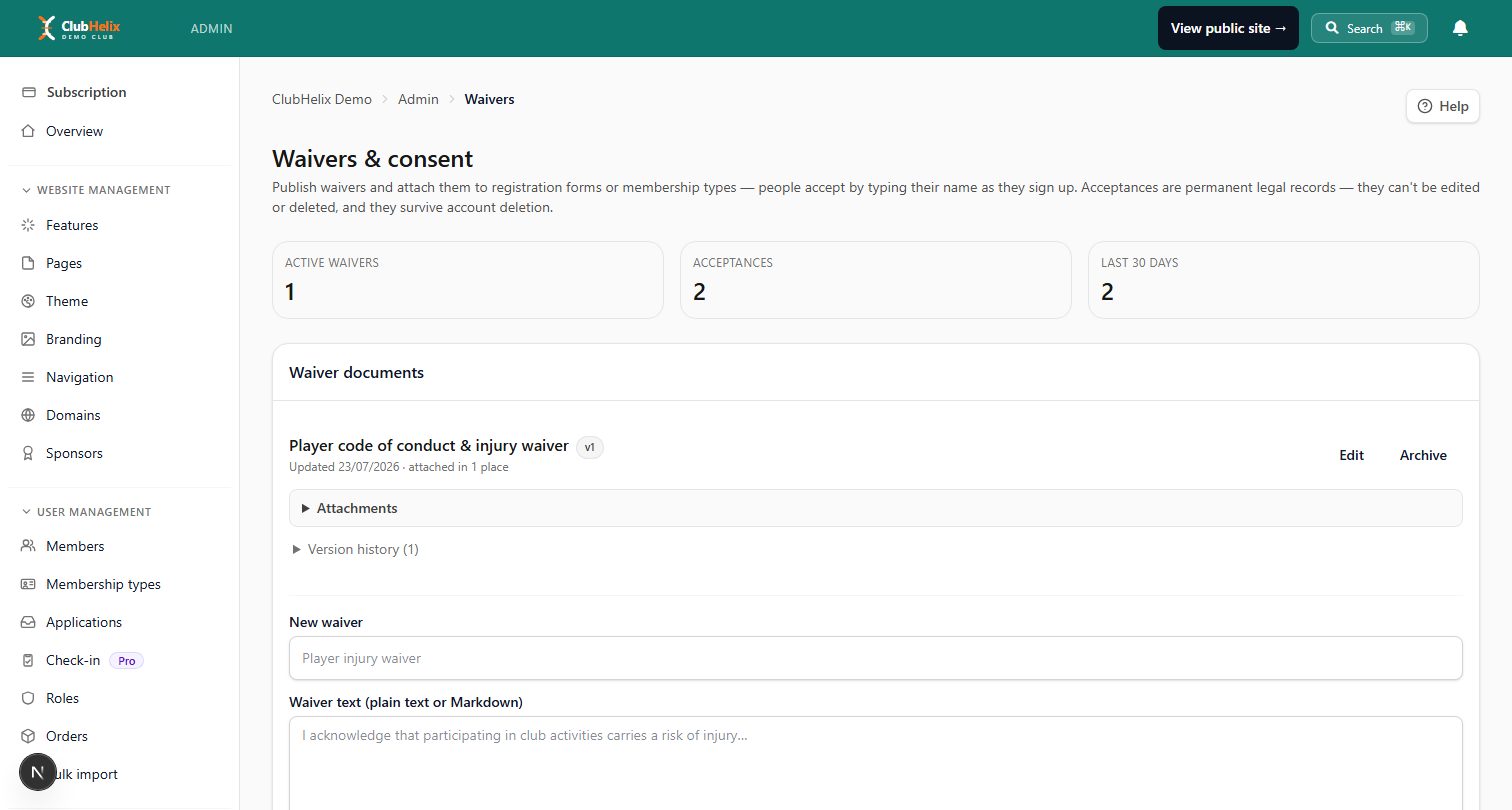
Waivers at checkout. Digital waivers attach to the registration form, so the guardian accepts the current version with a required tick-box and a typed-name signature before paying. The acceptance is recorded against each child by name, and when you update the wording next season, earlier acceptances still point at the exact text each family agreed to.
Installments, early birds and siblings. Registration can take payment in 2 to 12 installments, weekly, every two weeks or monthly, with pro-rata pricing for a player who joins mid-season. An early-bird cutoff is a date and a discount on the form itself, applied automatically before the deadline. Sibling rates and a family maximum are set once and come off the total at checkout with no code to type. For a scholarship, the board issues a single-use discount code to that family privately; who qualifies is your board's decision, not a rule in the software.
Caps and waitlists, honestly. A registration form does not hold a headcount of its own. For a rec division, watch the per-form count and close the form once the division is full. Anything that must cap itself and queue the overflow, such as a clinic, camp or tryout with a hard limit, runs as a program enrollment instead, which carries a capacity and an ordered waitlist that offers freed places in turn (Pro plan).
Money and reports. Payments settle directly into the league's own Stripe account; ClubHelix never holds your funds, and its published platform fee is never surcharged to families. Reports show who is paid, part-paid and outstanding, so you chase the families who are behind rather than emailing all of them.
For the whole-league picture, including teams, field permits and schedules, see the youth sports leagues page; running tryouts and season fees for a select team is covered on the travel teams page. There is a free plan with no time limit, and paid plans carry a 14-day free trial and bill on a 28-day cycle. The details are on the pricing page, and you can set up your league before your next registration opens.
Frequently asked questions
When should youth sports registration open?
Work backwards from opening day. Most leagues open registration three to four months ahead and close it six to eight weeks before the season, which leaves time to form teams, screen coaches and order uniforms. Your field allocation and governing-body deadlines set the real limits.
What should a youth sports registration form include?
At minimum: the player's name and date of birth, parent or guardian contacts, a separate emergency contact, medical information, uniform sizes, a participation waiver and photo consent. Add proof of age, volunteer interest and a code of conduct as your league needs them, and leave out anything you will not use.
Should we charge a late registration fee?
Many leagues do, because late sign-ups create real extra work after teams are planned. State the fee and the close date on the form, apply it consistently, and accept late players only where a roster spot exists.
How do we handle a division that fills up?
Set the cap before you open, based on fields, roster sizes and confirmed coaches, and move later families to an ordered waitlist. Tell them where they stand, and offer places in order as they free up.
Is online youth sports registration better than paper forms?
For most leagues, yes. Online registration takes payment at sign-up, checks required fields before submission, collects waivers with the registration and gives you one list instead of a stack of forms to type up. Keep a help desk option for families who need it.


