
What this guide answers
- What age should a kids coding club start at?
Around seven or eight is where most clubs find self-paced project work starts to click, though block-based programming and unplugged activities work with younger children given enough adults in the room.
- How many adults do you need to supervise a kids coding club?
Set a written ratio and stick to it, with more adults for younger groups, and never run a session with only one adult present.
- Do volunteers at a children's coding club need a background check?
Almost always, yes, and the scheme, the process and who arranges it differ depending on where your club is and who hosts it.
- What games are appropriate for a youth gaming club?
Work from the age rating as a minimum, then apply your own approved list — a rating says nothing about open voice chat, matchmaking with strangers or in-game purchases, which are usually the real issues.
- Should a kids coding club charge fees?
Many run free in a library or community space and cover their costs with grants; others charge a modest per-term fee that pays for kit, licences and room hire.
USA edition. This guide is written for volunteer-run clubs in the United States. Where rules differ — grants, tax, incorporation, safeguarding — follow the USA-specific pointers below or check with your national body.
Nine-thirty on a Saturday morning. A borrowed room with not quite enough power points, fourteen kids, four laptops that belong to the club and ten that came from home. Two of the kids have built something genuinely clever. One has quietly opened a tab that has nothing to do with the project. A parent is standing at the back with her coat still on, deciding whether she can leave.
That last decision is the one your club actually runs on. Coding and gaming clubs for children are unusual among community groups because the subject matter is the easy part — there is more free curriculum, more tutorial series and more project material online than any volunteer could work through in a decade. What is hard is everything wrapped around it: who is allowed in the room, what is allowed on the screens, how a parent knows their child is safe when they are not there, and how you collect enrolments for next term without a shoebox of paper forms.
This guide is for the volunteers running that room — a library code club, a school-holiday game-making program, a weeknight gaming club at a community centre, or a junior arm bolted onto an existing club. It covers choosing a format, supervision and volunteer screening, age-appropriate titles and online safety, the consent pack parents actually sign, term structure and enrolments, and the showcase day that turns a term of work into next term's waiting list.
Decide which club you are actually running
"Kids coding and gaming club" describes at least six different Saturday mornings. Pick one deliberately, because supervision, kit and money all follow from the choice.
| Format | What a session looks like | Suits |
|---|---|---|
| Drop-in code club | Kids work on self-paced projects, mentors circulate | Libraries and community centres, mixed ages, free entry |
| Termly course | A fixed 8-10 week arc with a project due at the end | Fee-paying clubs, steady mentors, clear parent value |
| Game-making club | Building games rather than playing them, engine of your choice | 10-14 year olds who arrived for gaming and stayed to build |
| Social gaming nights | Supervised play on club or personal machines, rotating titles | Youth groups, teen drop-in spaces, low equipment budget |
| Junior competitive squad | Training nights, scrims, a season in a school-age league | Older teens, a coach who knows the title |
| Robotics and hardware | Kits, soldering-free electronics, a build-to-demo cycle | Clubs with storage and a per-kit budget |
Most clubs end up as a hybrid — a course for the younger group and drop-in or gaming for the older one — and that is fine as long as each session has its own plan, its own supervision and its own age band. What causes trouble is running an eight-year-old beginners' table and a fifteen-year-old shooter tournament in the same room at the same time.
If the competitive end is where you are headed, the mechanics of squads, scrims and league seasons are covered in more depth in our guide to running an esports club; the rest of this article assumes a mixed-age junior club where most members are under sixteen.
Supervision, screening and the two-adult habit
This is the section that earns your club the right to exist. Treat everything here as a policy your committee adopts and writes down, then check it against your venue's conditions, your insurer and the requirements of any body you are affiliated with — those requirements vary and they override anything a guide can tell you.
An example supervision policy
The ratios below are an illustration of the shape a small club's written policy usually takes, not a legal standard. Set your own numbers, put them in writing, and be able to explain them to a parent.
| Session type | Adults on the floor (example) | Notes |
|---|---|---|
| Under-8 beginners, 12 children | 3 | Younger groups need more hands, not more expertise |
| 8-12 mixed drop-in, up to 20 | 3-4 | One adult on the door and the sign-out sheet, not on a laptop |
| 12-16 project or gaming night, 20 | 2-3 | Screens visible from a standing position at the back |
| Off-site excursion or showcase | Higher than a normal session | Add a named adult per small group and a meeting point |
Four habits do more for safety than any ratio:
- Two unrelated adults present, always. Never one adult alone with children, and never a mentor and one child in a closed room. If a conversation needs privacy, have it in the open with a second adult in sight.
- Screens face the room. Arrange tables so every monitor is visible from where an adult stands. This one furniture decision replaces most monitoring software.
- Sign in and sign out. A register at the door with arrival time, departure time and who collected each child. Agree in advance which children may leave on their own, and get that in writing from the parent rather than from the child.
- A named late-pickup procedure. Two adults wait, the child stays in the room, you call the numbers on the enrolment form in order, and nobody drives a child home in a private car. Write it down before you need it.
Volunteer screening
Everyone who works with your members needs to be screened, including the parent who "only helps with the snacks" if they are in the room. Screening takes time to arrange, so start it before the term does — a club that opens enrolments in week one and then discovers three mentors are not cleared has a very awkward week two.
Background-check expectations vary by state and, in practice, by whoever owns the room — a school district, a library system, a parks department or a national youth organisation will each have their own requirement, and the strictest one wins. Many youth-serving organisations pair a criminal background check with mandatory child-protection training and a code of conduct signed annually. Ask your host and your insurer what they require before you set your own policy.
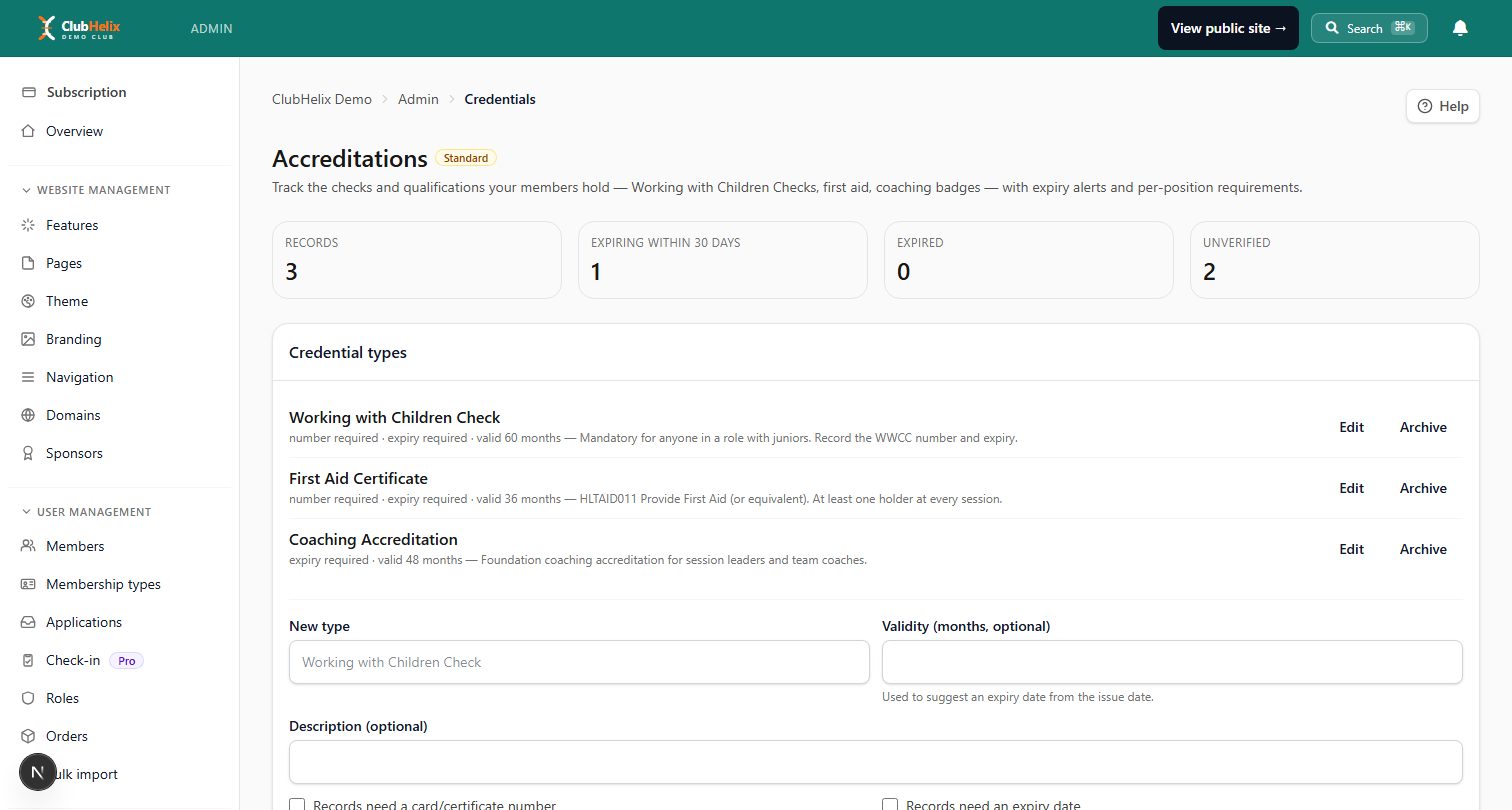
Whatever the regime, the practical job is the same: hold a register of who is cleared, what they hold and when it expires, and chase renewals before they lapse rather than after. ClubHelix tracks that for you — accreditations and screening records sit against each volunteer's profile with expiry reminders, so a lapsed check surfaces in a report instead of in an incident.
Kit, venue and the network you do not control
A junior coding club runs on other people's infrastructure, and that is where sessions fail.
- Machines. Club laptops give you a controlled environment; bring-your-own gives you capacity. Most clubs run both and keep four to six club machines for the families who cannot supply one — quietly, without making it a thing. Number them, and keep a spare charger for each.
- The network. Filtered venue wifi is the single most common reason a planned session collapses: the site your project needs is blocked, the download is throttled, or guest access expires every ninety minutes. Test the exact tools you plan to use, from the exact room, on a weekday before the term starts. Have an offline fallback — a downloaded engine, a paper-based algorithm exercise, or a pre-loaded USB.
- Power and layout. Count power points, then bring three more boards than you think you need and tape the leads down. Set the room up so screens face inward and the adult walking path runs behind the seats.
- Headphones. Cheap wired headphones solve a surprising amount of behaviour management in a gaming session, and they are a legitimate line in a small grant application.
- Accounts. Decide the rule before day one: club-owned accounts on club machines, personal accounts only on personal machines, and no account created during a session without a parent present. Never let a mentor set up an account using their own email as the recovery address.
A short setup checklist, run by whoever opens the room, is worth more than a long policy: room unlocked, tables laid out, power boards down, wifi tested on two machines, register printed, first-aid kit located, second adult present.
What is on the screens, and what parents have agreed to

Age ratings are a floor, not a decision. A rating tells you what a classification body thought about the content; it tells you nothing about whether a title works in a room of mixed ages with open voice chat and a stranger in the lobby. The clubs that avoid awkward conversations keep their own approved list, review it each term, and can explain every entry to a parent in one sentence.
ESRB ratings — E, E10+, T, M and AO — are the standard, and while the system is industry-run rather than legislated, most retailers and most school districts enforce it. For a club, the practical rule of thumb is E or E10+ for under-12 sessions and nothing above T on the approved list. If you run in a school or library building, ask for their acceptable-use policy and adopt whichever is stricter.
Online safety rules worth writing down
- Voice and text chat with strangers is off by default. Private lobbies, club-only servers, friends-list-only matchmaking. If a title cannot do that, it does not belong in a junior session.
- Handles, not names. Members choose a display name that is not their surname, their school or their birth year. Say why — it lands better than a rule.
- Nothing personal in a public project. Published projects, repositories and game builds carry first names at most. Check before anything goes public.
- Purchases are a parent decision. No in-game currency, no marketplace, no linked payment method on club machines, and no member "just borrowing" a card.
- Report, don't retaliate. Teach members to screenshot, leave and tell a mentor. Log what happened the same day.
The parent consent pack
One document, signed once a term, that covers everything you might otherwise have to ask about mid-session. A workable pack includes:
- Emergency contacts, two if possible, plus any medical or access needs the club should know about.
- Who may collect the child, and whether they may leave unaccompanied.
- Photo and video permission, with a real choice — no photos, internal use only, or public use — and a note that permission can be withdrawn any time.
- Agreement to the club's online safety rules and code of conduct, ideally counter-signed by the young person.
- Account and platform consent — which services their child will sign in to, and whether the club may create an account on their behalf.
- Excursion and showcase consent if your term includes one.
Collect it as a form, not a PDF someone has to print. ClubHelix handles this with digital waivers and consent forms that parents sign on a phone at enrolment, with a countersignature field for the member and a record you can actually find in March.
Terms, enrolments and the showcase day
Shape the term
An eight to ten week block with a visible arc beats an open-ended series of one-off activities. Kids need something to be finishing, and parents need something to see.
| Weeks | Focus | What the room looks like |
|---|---|---|
| 1 | Setup, ground rules, quick win | Everyone leaves with something that runs |
| 2-4 | Core skills through small builds | Short demos, long build time, mentors circulating |
| 5 | Project pitch | Each member or pair commits to what they will show |
| 6-8 | Build weeks | Mentors move from teaching to unblocking |
| 9 | Polish and rehearsal | Test on the actual showcase machine, write a 60-second pitch |
| 10 | Showcase | Families in the room, members presenting their own work |
Run enrolments like a program, not a mailing list
Term-based clubs have a specific admin shape: a cap per session, a waitlist that actually converts, sibling and hardship places, and a refund position you decide once rather than per argument. Publish the cap and the waitlist position openly — it does more for perceived value than any amount of promotion, and it stops the "can we just squeeze in one more" conversation at the door.
Set out in writing, before enrolments open: the cap, the age band, what the fee covers, what happens if a session is cancelled, and what happens if a family withdraws in week three. Then take enrolments online with payment attached, so your registrar is checking a list rather than reconciling transfers. ClubHelix runs this through programs and term enrolment, with per-term caps, waitlists and a roll you can mark from a phone using attendance tracking.
The showcase day run sheet
The showcase is not a nice extra. It is the single most effective retention and recruitment event a junior club runs, because it converts a term of invisible effort into something a grandparent can see.
| Time | What happens |
|---|---|
| -45min | Room set, machines tested with the actual projects loaded, signage up |
| -15min | Members arrive, final run-through, name cards on tables |
| 0:00 | Welcome, two minutes, thank the venue and the mentors by name |
| 0:05 | Round of 60-second presentations, youngest group first |
| 0:35 | Open floor — families walk the room and members demo one-to-one |
| 1:05 | Certificates, next-term dates and enrolment link on the screen |
| 1:15 | Pack down, and a five-minute mentor debrief while it is fresh |
Two details make the difference: every member presents something, however small, and next term's enrolment opens that day while families are standing in the room feeling good about it.
Money, mentors and keeping parents in the loop
Costs for a club like this are modest but real: venue hire, club machines and their eventual replacement, licences and subscriptions for the tools you use, consumables for hardware sessions, insurance, and a printing budget you will underestimate. Income is usually a mix of term fees, a small drop-in charge, and grants.
Community foundations, municipal parks and recreation programs, library system grants and school district partnerships are the usual funding routes, and corporate STEM giving is unusually well developed — technology and engineering employers often run both a grants program and an employee volunteering scheme. A ten-week session at $8 to $15 a week is a common shape for a community club, with scholarship places held back each term and named as such in your promotion.
Whatever the source, a grant application for a junior club is easier than most because the outcome is countable — members enrolled, sessions run, projects finished. Our guide to writing a grant application covers the structure.
Mentors are the harder resource. The people who make good ones are not always the strongest programmers: a patient parent who can ask "what do you think it will do?" is worth two experts who take the keyboard. Recruit from parents, senior members ageing out of the club, university students who need practical hours, and local employers with volunteering allowances. Give each of them a one-page role description, an induction that covers your safeguarding rules before anything technical, and a real job title. The volunteer recruitment playbook applies here as much as it does at a sports club, and running a junior program covers the pathway side.
Parent communication is your other retention lever. A short note after each session — what we did, what to try at home, what to bring next week — turns a drop-off into a shared activity. Send term dates and enrolment links well ahead, keep cancellations to a channel people check on a wet Saturday morning, and never make a parent phone someone to find out whether the session is on.
Putting the paperwork somewhere it cannot go missing
Everything above is administration: screening records with expiry dates, consent forms that need finding six months later, term caps and waitlists, a roll, and a parent list you can email without exporting anything. That is precisely the pile ClubHelix was built to absorb. Your club gets a real website with term enrolment and program management, digital consent forms, volunteer screening records with expiry reminders and a session roll you can mark from your phone — all on one member record, so nobody is cross-referencing a spreadsheet against a folder of scanned PDFs.
There is a free tier that suits a small drop-in club, and clear pricing as you grow into terms and fees. You can create your club site in an afternoon, and if you would rather not, our done-for-you setup will build it with you. Youth and community groups running the same shape of program can see how it fits on our youth groups page.
Frequently asked questions
What age should a kids coding club start at?
Around seven or eight is where most clubs find self-paced project work starts to click, though block-based programming and unplugged activities work with younger children given enough adults in the room. Run narrow age bands rather than one wide one — a six-year-old and a fourteen-year-old need different sessions, not different tables.
How many adults do you need to supervise a kids coding club?
Set a written ratio and stick to it, with more adults for younger groups, and never run a session with only one adult present. Check your venue's conditions and any requirements from the organisation you are affiliated with, because those override whatever you decide internally. Two unrelated adults, screens facing the room and a sign-in and sign-out register cover most of the practical risk.
Do volunteers at a children's coding club need a background check?
Almost always, yes, and the scheme, the process and who arranges it differ depending on where your club is and who hosts it. Ask your venue, your insurer and any body you are affiliated with, then keep a register of who is cleared and when each clearance expires. Start the process before the term does, because clearances take time to come back.
What games are appropriate for a youth gaming club?
Work from the age rating as a minimum, then apply your own approved list — a rating says nothing about open voice chat, matchmaking with strangers or in-game purchases, which are usually the real issues. Keep chat restricted to private lobbies or club-only servers, and be able to explain every title on the list to a parent in one sentence.
Should a kids coding club charge fees?
Many run free in a library or community space and cover their costs with grants; others charge a modest per-term fee that pays for kit, licences and room hire. If you do charge, publish exactly what the fee covers and hold back a few quiet, no-questions-asked free places each term so cost never decides who gets in.
Does a small coding club need its own website?
Yes, because it answers the questions that otherwise arrive as messages — what age is it for, when does the next term start, what does it cost, is my child safe there. A site that also takes enrolments and consent forms online removes most of the volunteer admin that burns committees out.
Keep reading: how to start a junior program for the pathway side, and how to run a youth group for the wider duty-of-care picture.


