
What this guide answers
- How long should a club software demo actually take?
Twenty focused minutes per product is enough for a first pass with this checklist, because most platforms disqualify themselves quickly on one of the big four: the export, the family registration flow, the editing…
- Who from the committee should sit in on demos?
The people who will live in the product weekly: the registrar, the treasurer, and whoever maintains the website and sends the emails.
- What should we do straight after each demo?
Score it while it is fresh — the same day, in writing, against the jobs list from your selection process.
- Is a read-only demo enough, or do we need a trial?
They answer different questions. A read-only demo of a fully populated club shows you the product as it looks in use — real screens, real data shapes, no setup effort — which is ideal for shortlisting.
USA edition. This guide is written for volunteer-run clubs in the United States. Where rules differ — grants, tax, incorporation, safeguarding — follow the USA-specific pointers below or check with your national body.
Twenty unsupervised minutes inside a product will tell your committee more than an hour of slides about it. The catch is that unsupervised time is only valuable if you know what to look at — wander aimlessly through an unfamiliar admin and you will come away with an impression ("seemed nice", "felt clunky") rather than evidence. Impressions are how clubs end up on their fourth platform in eight years.
This is the test plan we suggest committees bring to any club software demo — a scripted twenty minutes that exercises the jobs community clubs actually depend on. It works whether you are driving an open demo yourself or sitting through a guided one; in the guided case, it doubles as the list of things to ask the presenter to show you live, unrehearsed. It pairs with our broader guide on how to choose club management software, which covers the decision process around the demo; this article is just the demo itself, and club management software explained is the background if the category itself is new to you.
One note before you start the clock: test on a phone as well as a laptop. Your registrar will admin from a desk, but your members will meet this product almost exclusively through a phone screen at 9pm. A registration form that is fine on a monitor and miserable on a phone fails the test.
Minute 0–5: registration and members
Registration is where most clubs bleed the most volunteer hours, so it goes first — if a platform fails here, you can stop early.
Walk the join flow as a parent. Find the public sign-up, and register a fictional family: one adult, two children, different age groups. Count the steps and the typing. Look for the things that save a real family time — family registration in one sitting, saved details for returning members, and payment inside the same flow rather than a "we'll invoice you" dead end.
Now find that family in the admin. Open the member list. Can you filter to unpaid members? To one age group? Can you see, on one screen, who has registered but not paid — the list every registrar actually works from in March?
Demand the export. Find the button that produces a full member spreadsheet, and press it. This is the single most diagnostic click in the entire demo: it tests whether your data is yours. If the export is missing, incomplete, or "available on request", you have learned the most important thing this demo will teach you.
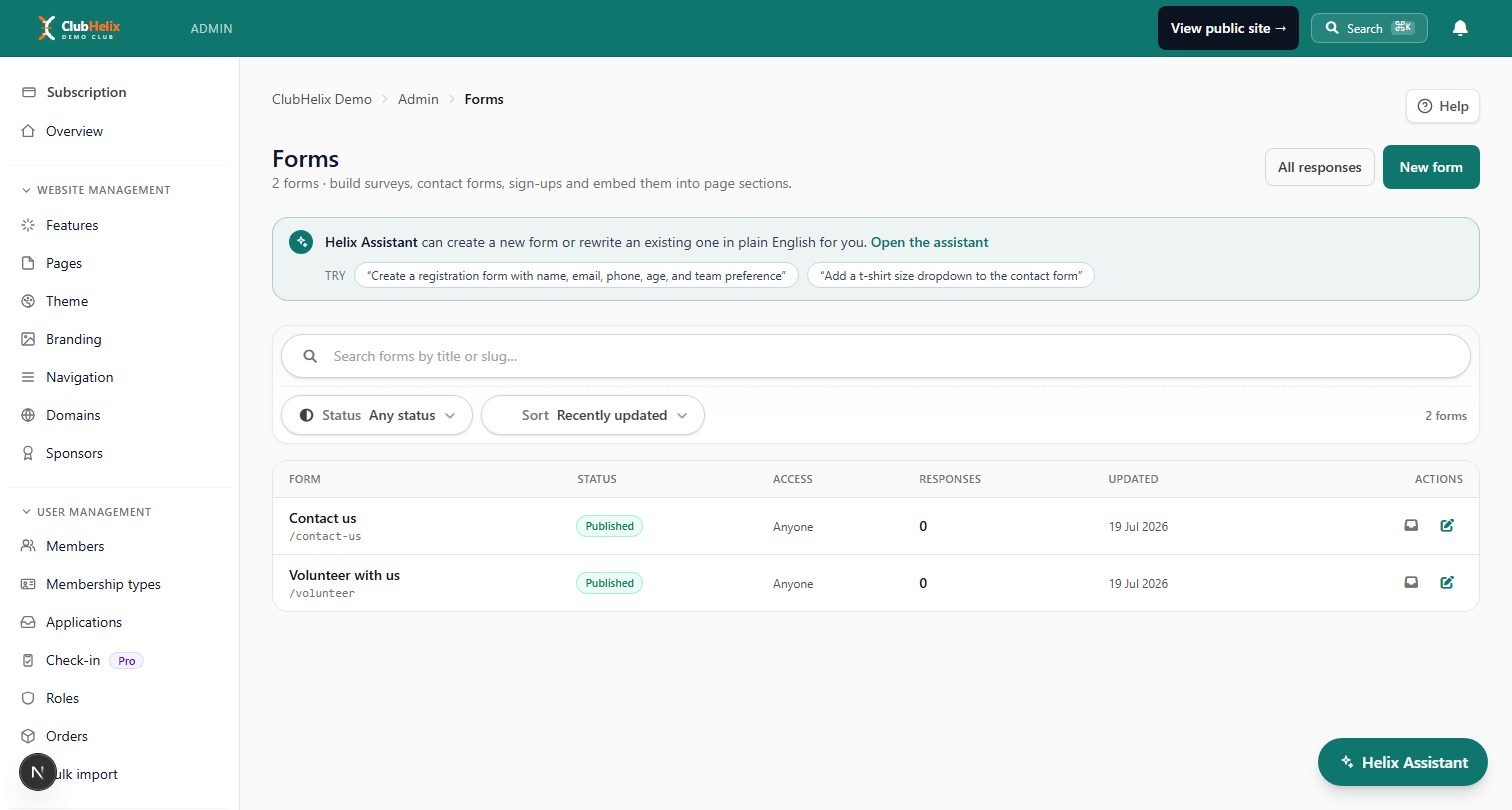
Check the form builder. Your club has questions the platform did not anticipate — medical details, photo consent, playing history. Open the forms tooling and add a custom question to the registration flow. If custom questions require a support ticket, registration season will too.
Minute 5–10: the money
Bring your treasurer to this section, or be ready to answer to them.
Find who-has-paid. From the admin, produce the paid/unpaid picture for your fictional family. How many clicks did it take? Is payment status attached to the member record, or living in a separate payments area the registrar has to cross-reference?
Read a real transaction. Open a payment and check what the record shows: gross amount, processing fee, what the club nets. Vague money records produce vague treasurer reports.
Check the fees on the fees. Somewhere in the product or its pricing page is the processing rate the club pays per transaction. Find the number in writing and note it next to the subscription price — the two together are the real cost, and our guide to what a club website actually costs shows how to model them over three years.
Look for the levers you will need in September. Discounts and early-bird codes, partial payments or instalments, refunds. You do not need to test each deeply — just confirm they exist as buttons a volunteer can press rather than promises in a brochure.
Minute 10–15: the website and the weekly drumbeat
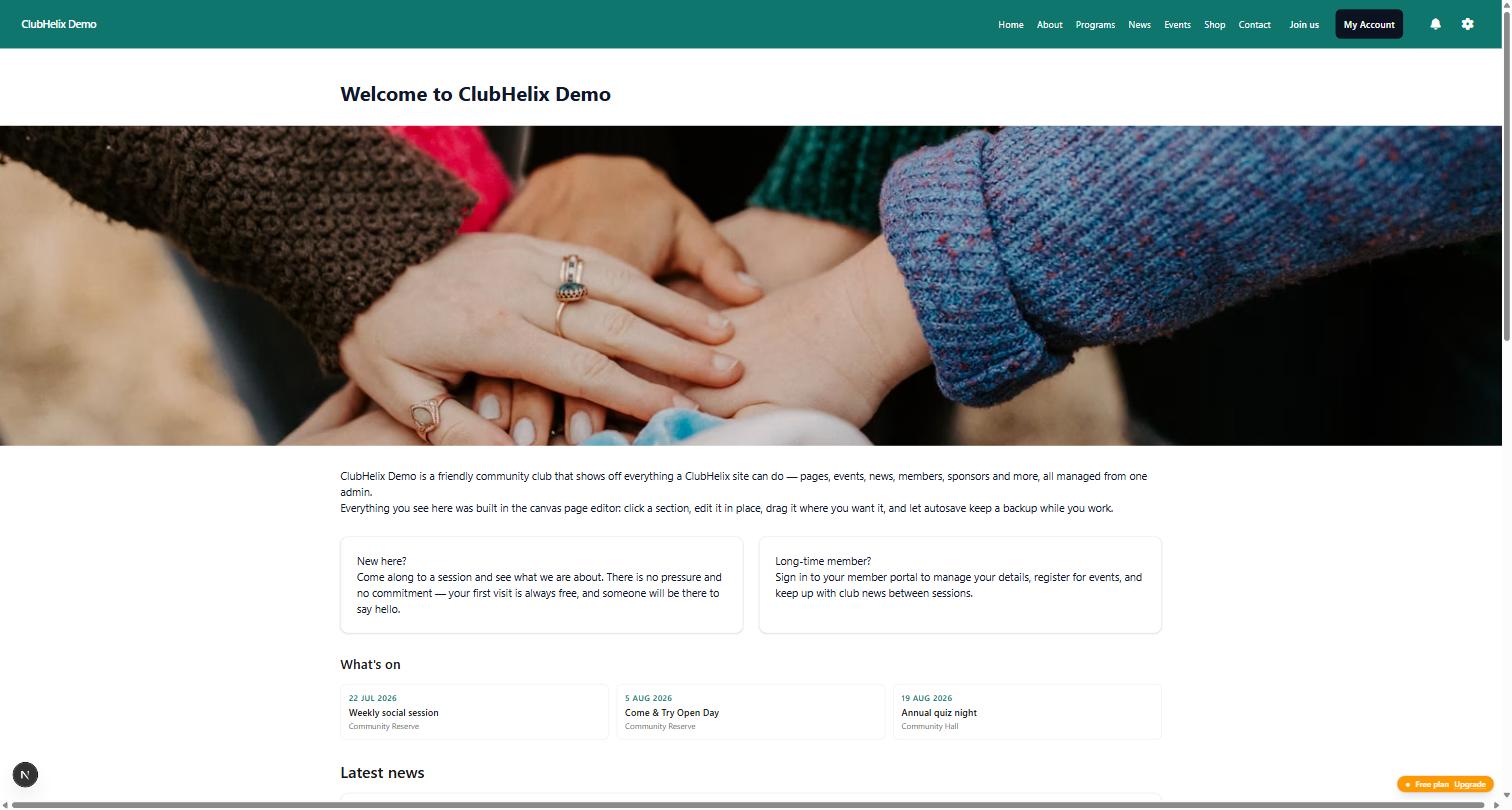
Edit a page. Open the site editor and change something — a headline, a photo, a sponsor logo. The test is not whether the editor has features; it is whether the least technical person on your committee could make Saturday's change without a phone call. A page editor either passes that test in ninety seconds or it does not.
View the public site as a stranger. Open the club's public page on your phone. Is the next fixture, the ground address and the "join" button reachable without hunting? Google will judge this page, and so will every prospective member.
Send something. Find the email or announcement tool and draft a "training cancelled" message. Check who it would go to, how the audience is chosen, and whether the club can see what was sent last month. Communication is a weekly job; it should feel like one screen, not a project.
Minute 15–20: reports, handover and the exits
Open the reports your committee meeting needs. Membership numbers, income for the season, whatever the committee actually tables each month. The test: could the secretary paste this into the minutes without re-typing it into a spreadsheet?
Simulate the handover. Every club role changes hands. Find where a new admin is added, what they can and cannot see, and how the old admin is removed. A platform without real roles and permissions becomes a shared password within a season.
Ask the exit questions out loud. Where is the full data export? Who owns the domain name? What happens to the website if the club stops paying? In an open demo you can answer the first one yourself; the other two belong in writing before anyone signs.
Guided demo or open demo — and why the difference matters
Everything above assumes you can actually drive. That assumption sorts the market into two camps.
A guided demo — the booked call with a screen-share — shows you the product's best angles at the presenter's pace. Run this checklist there too: ask the presenter to do the export live, to build the custom question live, to show the unpaid-members list live. A good product handles it cheerfully. A scripted demo that resists going off-script is telling you something.
An open demo hands you the keys. We keep one permanently open because we think it is the honest way to sell software: a complete working club — public website and the entire admin — that anyone can explore, read-only, without creating an account, booking a call, or handing over an email address. The read-only guard is enforced at the database, which is why we can leave the whole thing open to the internet; everything you see is otherwise exactly what a paying club gets. Bring this checklist to it, and bring the same checklist to every other product on your shortlist. Where a vendor offers no way to drive before you commit, weigh that as evidence, and check the platform comparison guide for what else separates the supplier models.
Red flags that end a demo early
- The member export is missing or gated. Your data is the club's institutional memory; leaving it hostage is not a pricing tier, it is a trap.
- Every question gets "our support team can do that for you". Support-does-it means volunteers can't. You are buying a dependency, not a tool.
- The payment costs are not written down anywhere. Per-transaction margins that only exist in a call are margins that can change.
- The product cannot be seen without a sales conversation. Sometimes this is enterprise habit; sometimes it is concealment. Either way, you are entitled to weigh it.
- Nobody can tell you what happens when something breaks. Ask how a volunteer reports a bug and what happens next — here is what a good answer looks like, and how we handle it is public on our security and trust page.
Frequently asked questions
How long should a club software demo actually take?
Twenty focused minutes per product is enough for a first pass with this checklist, because most platforms disqualify themselves quickly on one of the big four: the export, the family registration flow, the editing experience, or the money visibility. Products that survive the first pass deserve a longer second visit — ideally a free-tier or trial setup with a slice of your real data, which is where the remaining differences surface.
Who from the committee should sit in on demos?
The people who will live in the product weekly: the registrar, the treasurer, and whoever maintains the website and sends the emails. The president's opinion matters least, in the friendliest possible sense — presidents chair the decision, but they rarely operate the software. If only one person can attend, have them screen-record the session so the others can judge the workflows they will own.
What should we do straight after each demo?
Score it while it is fresh — the same day, in writing, against the jobs list from your selection process. One line per checklist section: what you did, what you saw, what you could not find. Two products blur into each other within a week, and the written record is what stops the eventual committee decision from collapsing into competing recollections.
Is a read-only demo enough, or do we need a trial?
They answer different questions. A read-only demo of a fully populated club shows you the product as it looks in use — real screens, real data shapes, no setup effort — which is ideal for shortlisting. A trial with your own club answers the setup question: how long until your site, your fees and your forms are real. Do the demo first, and spend trial effort only on products that passed it.

