
What this guide answers
- What should I do if the whole platform seems down during a club event?
Check the vendor's status page first — that tells you in one click whether it is a platform-wide incident (in which case it is already being worked on, and your report adds little) or something specific to your club…
- The bug is embarrassing or minor — is it worth reporting?
Yes, and minor ones especially. Vendors fix what they know about, and the minor irritation your committee has silently worked around for a year — the report that needs re-sorting every time, the button that needs two…
- What if we report bugs and nothing ever changes?
Track it like a committee would track anything: note what was reported, when, and the response.
- Should we give the vendor a member's details so they can investigate?
Only through the vendor's official support channel, only the minimum needed, and ideally only after they ask.
It is 8:40pm on the first night of registration. A parent messages the club: the payment page "isn't working". The registrar tries it, sees something odd, and now a volunteer with no technical background is the sole witness to a software failure, holding a phone, deciding what to do about it.
What happens in the next ten minutes decides whether this bug gets fixed this week or resurfaces every registration night for a season. Two things determine the outcome, and the club controls only one of them. The first is the quality of the report — most bug reports fail not because vendors don't care but because "it isn't working" gives an engineer nothing to act on. The second is the vendor's process: whether there is a low-friction way to report from where the problem happened, and machinery on the other end that notices failures even when nobody reports them at all.
This guide covers both halves — how to write a report that gets acted on (a skill worth having for any software your club uses), and how to judge a platform's reliability process before you sign up, which is the moment you still have leverage.
First, thirty seconds of triage
Not everything that looks broken is a bug, and the fastest fixes are the ones you make yourself. Before reporting, check three things:
Is it just you? Ask one other person to try the same thing on a different device. If it works for them, suspect the local end first — an out-of-date browser tab (refresh it), an overzealous ad blocker, or a venue wifi network doing something strange. If it fails for both of you, it is real.
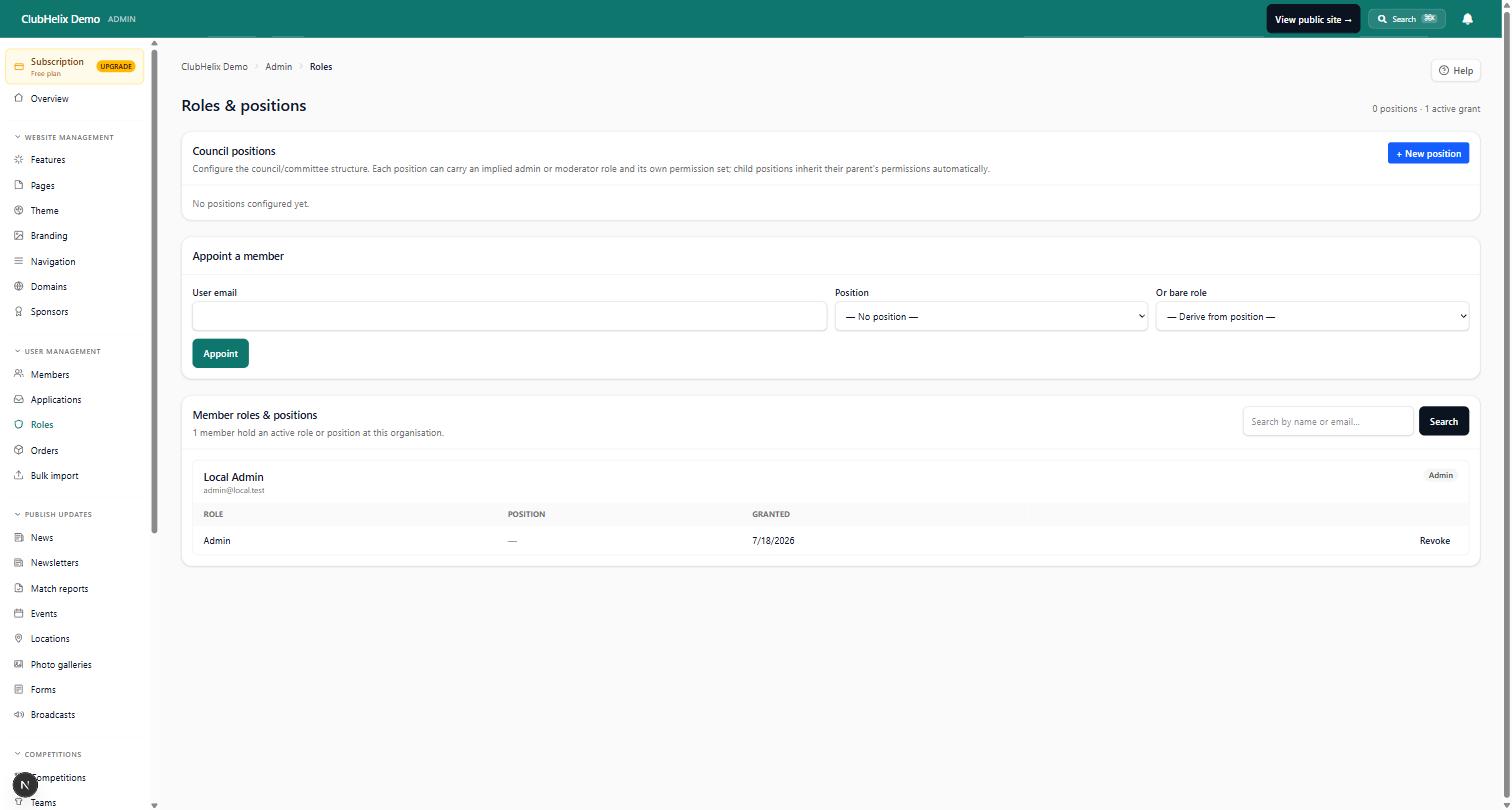
Is it a permission, not a failure? Club platforms show different people different things by design. A committee member who "can't see the members list" may simply not hold the role that grants it — worth checking how roles and permissions are set before reporting that a page has vanished. On ClubHelix, an admin can check the audit log to see whether someone changed a setting, which resolves a surprising share of "the software lost our data" moments — usually the software did exactly what a different admin told it to.
Is it actually a different system? Emails "not arriving" is the classic — the message usually arrived and went to spam, which is a configuration story, not an outage. We wrote a separate guide on why club emails go to spam because it is so often mistaken for a bug.
Thirty seconds on these three saves everyone an hour. If the problem survives triage, report it — and report it well.
Writing a report an engineer can act on
An actionable bug report answers five questions. Write them in this order and you cannot really go wrong; put them in a note on your phone as a template if your club reports software issues more than occasionally.
- What did you do? The exact steps, in order, starting from a page the reader can find: "Opened the registration form from the club home page, filled in two children, pressed Pay."
- What did you expect? One sentence: "Expected the card payment screen."
- What actually happened? Describe what you saw, verbatim where possible. An error message quoted exactly — or better, screenshotted — is worth ten paraphrases. "A red box said 'something went wrong'" and "the button greyed out and nothing happened" are different bugs.
- When, and on what? Time (roughly is fine), device, and browser: "about 8:40pm Tuesday, iPhone, Safari." Timestamps let engineers find the failure in their logs; the device tells them where to reproduce it.
- Who was affected? "One parent" and "every family that tried tonight" are different emergencies. Include how the person was using the system — signed in or not, member or admin — but do not paste members' personal details into a bug report. "A parent registering two juniors" identifies the scenario; names, emails and card details identify people, and support channels are not the place for them.
That is the whole craft. A report with those five answers, one screenshot, and no interpretation ("I think your database is down") beats a page of frustrated prose every time. And send it through the channel the vendor actually watches — an in-product report button if there is one, the official support address if not. A bug mentioned in the club's social media comments has been vented, not reported.
What a good vendor process looks like
Here is the part clubs rarely see, and should ask about while choosing a platform: the difference between software that happens to receive bug reports and software built to notice its own failures.
The weakest process is a support inbox and nothing else — every problem must be witnessed by a user, described by that user, and triaged from prose. The strongest inverts it: the platform detects most failures itself, and user reports become the safety net rather than the only net.
We will describe our own machinery, because it is the process we can speak for honestly — and because it is a reasonable benchmark to hold any platform to:
- Errors report themselves. When a page crashes or a background job fails, that failure is captured automatically with the technical context attached — no volunteer needs to witness it, describe it, or even be aware of it.
- Silent failures are hunted too. The worst bugs never show an error: the button that does nothing when pressed, the request that fails invisibly behind the scenes. Our monitoring watches for exactly those — a click that produces no visible response is itself reported, because "nothing happened" is the one failure users almost never write in.
- Reporting is one click from where it broke. Every signed-in user has a report-a-bug button close to hand — throughout the admin, on their account page, and on any error screen. The report automatically carries the page, recent errors, and the technical fingerprint of any crash on screen — so a volunteer types two sentences, and the engineer receives those two sentences attached to the crash they describe, not a mystery to reproduce from scratch.
- Diagnostics respect privacy. Screen recordings are captured only around errors, with text, inputs and media masked by default — member rosters and payment fields stay out of diagnostics. Reliability tooling must not become a surveillance problem.
- Health is public. Synthetic checks exercise the platform continuously, and the live status page is open for anyone to check — so "is it just us?" has a one-click answer. The full picture is on our security and trust page.
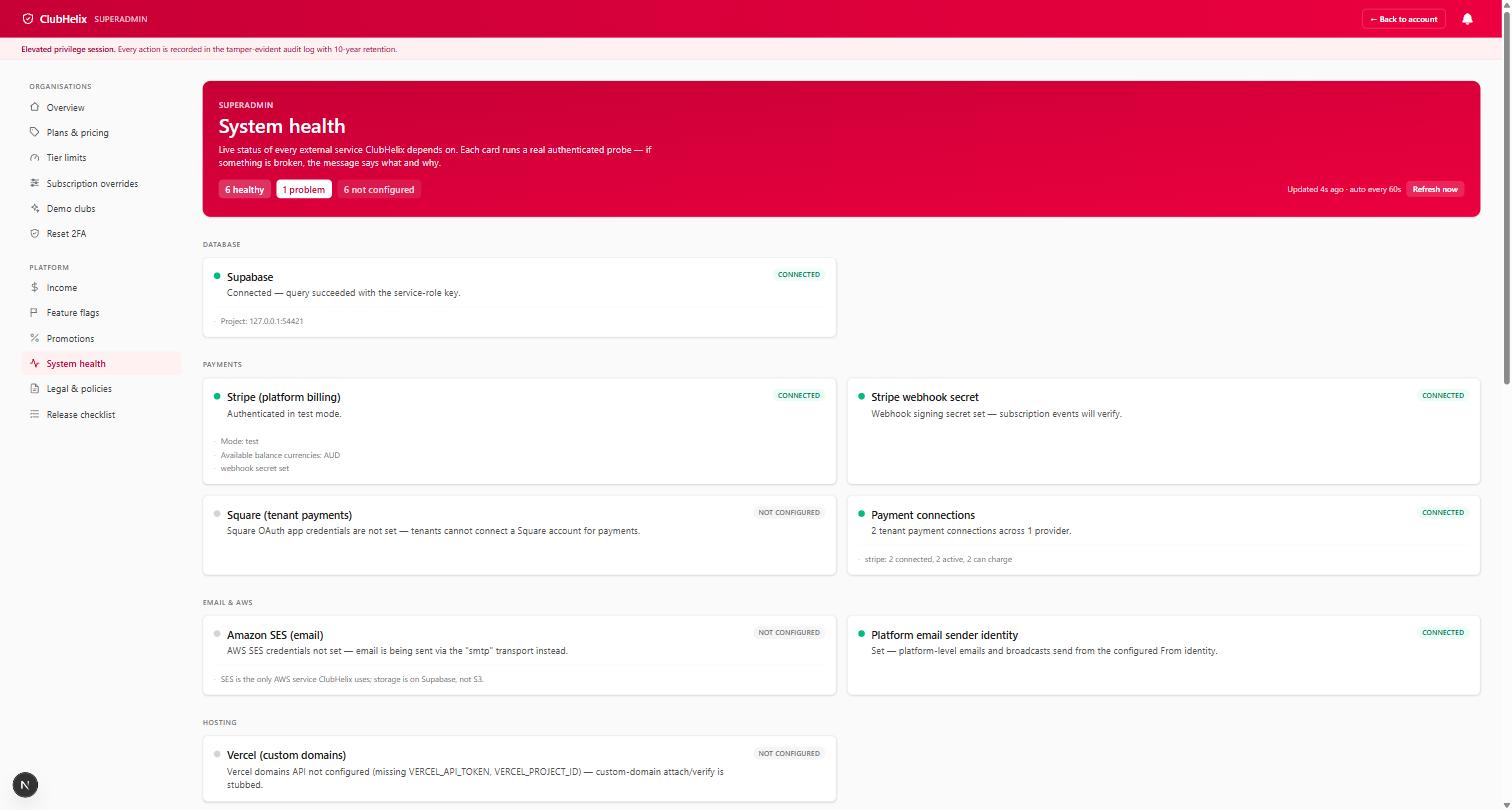
No process makes software bug-free, ours included. The honest claims are narrower: that failures get noticed — mostly by machinery, sometimes by people — that reporting one takes a volunteer seconds rather than a support-ticket evening, and that a report lands with the evidence attached so it can actually be fixed.
Judge the process before you need it
The time to evaluate all of this is before you sign up, alongside everything else in our guide to choosing club management software. Four questions belong in every evaluation, and none of them require technical knowledge to ask:
- "How does a volunteer report a problem, and from where?" The answer you want involves the product itself, not a separate portal with its own login.
- "How do you find out about bugs nobody reports?" Platforms with real monitoring answer this specifically. Platforms without it change the subject to their support team's friendliness.
- "Where do we check whether the platform is down?" A public status page is a small thing that signals a large attitude.
- "What happened with your last significant outage?" Every real platform has had one. You are not disqualifying them for it — you are listening for whether the answer is candid.
Run these during your demo of each product, and weigh vague answers as data. A vendor's reliability process is like a club's incident-report book: the quality of the system tells you what will happen on the bad day, and the bad day is the day you chose the platform for.
Frequently asked questions
What should I do if the whole platform seems down during a club event?
Check the vendor's status page first — that tells you in one click whether it is a platform-wide incident (in which case it is already being worked on, and your report adds little) or something specific to your club (in which case your report is valuable — send it with the five answers above). Then tell your members what you know through a channel you control, like the club's social media or SMS. For a registration-night failure, take names on paper and process them when service returns; clubs ran on paper for a century, and a one-hour outage only becomes a crisis if the queue walks away.
The bug is embarrassing or minor — is it worth reporting?
Yes, and minor ones especially. Vendors fix what they know about, and the minor irritation your committee has silently worked around for a year — the report that needs re-sorting every time, the button that needs two presses — is often a five-minute fix that nobody reported. One well-written report improves the product for every club on the platform. Silence, by contrast, is indistinguishable from satisfaction.
What if we report bugs and nothing ever changes?
Track it like a committee would track anything: note what was reported, when, and the response. One unfixed bug is normal — priorities exist. A pattern of acknowledged-then-abandoned reports over months is information about the vendor, and it belongs in your renewal decision alongside price. This is also why asking about the reporting process before signing up matters: a platform that cannot describe how reports reach engineers is telling you in advance what will happen to yours.
Should we give the vendor a member's details so they can investigate?
Only through the vendor's official support channel, only the minimum needed, and ideally only after they ask. Never post personal details in community forums, chat groups or social media when seeking help. A good vendor can usually investigate from the technical details alone — the time, the page and the error — without needing the member's identity at all, and their privacy documentation should say how support access to club data is controlled. Ours is on the security and trust page, alongside how backups protect the data itself.


