
What this guide answers
- Who should be notified when someone submits a club form?
The person who acts on that form, plus one backup. For a registration form that's usually the registrar, with the secretary behind them; for a volunteer form it's the volunteer coordinator.
- Should the whole committee get every notification?
No. Alerts sent to everyone tend to be acted on by no one, because each person assumes somebody else has it.
- Why can't I clear some notifications?
Because they're jobs, not news. In ClubHelix, a notification for a task or meeting action item assigned to you stays in place until the work is done, dropped or reassigned, and then clears itself.
- A notification opened the right page but didn't highlight anything. Why?
The highlight needs the row to be on the page as it loads. If the item has been filtered out of the current view, or was deleted after the notification was sent, you land on the right page with nothing highlighted.
- How do we stop alerts going to a volunteer who has left?
Route alerts by role, so they move with the job. In ClubHelix, notifications about shop orders, form responses and reported absences reach people through their role, position or permissions, so changing someone's…
South Africa edition. This guide is written for volunteer-run clubs in South Africa. Where rules differ — grants, tax, incorporation, safeguarding — follow the South Africa-specific pointers below or check with your national body.
The order came in on a Tuesday: two junior hoodies and a drink bottle, paid in full. The alert went to the merchandise coordinator, which would have been fine, except the merchandise coordinator had stepped down at the AGM and nobody had changed where the alerts went. The family emailed the club's general address the following Wednesday asking where their order was. The secretary, who didn't know there was an order to fill, forwarded it to the president, who didn't know either.
Every club has a version of this story. A volunteer application sits unread in someone's personal email. A registration form with a medical note gets read a fortnight late. A committee member is given a job at the meeting, receives an email about it, and loses it under the school newsletters. None of these is a failure of effort. They're failures of routing: the alert went to a person instead of a job, or to everyone, or to nobody in particular.
This guide is for the secretary, the president, or whoever ends up owning the club's systems. It covers where admin alerts go wrong, how to route them to roles rather than inboxes, an alert map you can copy, the difference between an alert that is news and one that is a job, landing people on the exact item, when a digest beats one alert per item, a five-minute routine for clearing the list, and what to do at handover. It pairs with our guides to committee task management and setting up online club forms, which cover the work itself. This one is about making sure the right person hears that the work is there.
Where club alerts go to die
Admin alerts fail in three predictable ways.
The personal inbox. A form's responses email the volunteer who built it. Shop orders go to the treasurer's own address. It works until that person changes roles, goes on holiday or simply stops checking, and then the alerts keep arriving somewhere nobody is looking. When they leave the committee, the history leaves with them.
Everybody. The opposite fix is to send every alert to the whole committee "so nobody misses it". Now nine people see each order, and each assumes one of the other eight has it in hand. On a volunteer committee that looks like an order everyone saw and nobody packed. It's also a privacy problem: a registration form with a medical note has no business sitting in nine inboxes.
The group chat. Someone forwards alerts into the committee chat. They scroll away within the hour, can't be marked done, and can't be found by the time anyone needs them.
All three attach the alert to the wrong thing. It belongs to a job.
Route alerts to roles, not people
The rule is easy to state: an alert should reach whoever holds the job this week, and stop reaching them the week they hand it over.
In practice that takes three decisions, made once:
- Name the job that acts. Not "the committee". The merchandise coordinator packs orders, the registrar reviews registrations, the volunteer coordinator reads volunteer sign-ups, and the compliance officer chases expiring accreditations.
- Give the alert to the job, not the person. If your system routes alerts by position or permission, the new registrar inherits the registration alerts the day they're appointed. If it routes by email address, write the address changes into the handover checklist, because nobody will remember them otherwise.
- Add one backup, not five. A second person sees the alert and acts if the first hasn't within an agreed time. For most alerts that's the secretary or the president. Two people is resilience; nine is the everybody problem again.
Keep sensitive alerts narrow. An incident report, a hardship request or a form carrying medical information should reach the person who acts on it and the person who oversees them, and nobody else.
The alert map
Copy this into the committee handbook and adjust the roles to your club's structure.
| When this happens | Who should hear | What they do | How fast |
|---|---|---|---|
| A shop order is paid | Merchandise coordinator, with the treasurer as backup | Pack it or arrange pick-up, and tell the member | Within a few days |
| A registration or membership form comes in | Registrar, with the secretary as backup | Review it and follow up any missing details | Within a week, and sooner before a season |
| A volunteer or expression-of-interest form lands | Volunteer coordinator | Reply, then roster them | Within a week |
| A committee task is assigned | The person or position it's assigned to | Do it, or hand it back early | By its due date |
| A meeting action item is assigned | Its assignee | Do it before the next meeting | By its due date |
| A member's accreditation is about to expire | Compliance officer, and the member themselves | Chase the renewal | Before the expiry date |
| A participant reports an absence from a program | Program coordinator | Offer a make-up session or a credit | Before the next session |
Three things to notice. Every row has one named job. Every row says what done looks like. And the "how fast" column is a promise the committee is making to members, which is the real reason routing matters: a family waiting a fortnight for an order doesn't care whose inbox the alert went to.
News or a job: two kinds of alert
Not every alert asks for something. "A page was published" is news. "A task has been assigned to you" is a job. Treat them the same and action items get cleared away with the noise.
- News alerts are read and cleared. Nothing is lost if one is dismissed unread.
- Job alerts shouldn't be clearable while the job is open. They should stay pinned until the work is done and then disappear on their own, so the list of notifications doubles as a to-do list that can't drift out of date.
Be sparing with the second kind. If every alert refuses to go away, people stop opening the list, which is the very problem you were trying to fix. Keep it for work with an owner and a finish line: assigned tasks and action items.
How ClubHelix handles it
In ClubHelix, admin alerts follow permissions rather than email addresses. A paid shop order notifies every club admin, plus anyone whose position or individual permissions include viewing orders. A new form response notifies everyone who manages forms or can view form results, and a reported absence from a program notifies the club's admins and moderators. Because positions carry permissions, appointing a new registrar or merchandise coordinator hands them the alerts along with the job, and future alerts stop reaching the person who held it before, unless that person is also a club admin, because admins receive these alerts whatever position they hold.
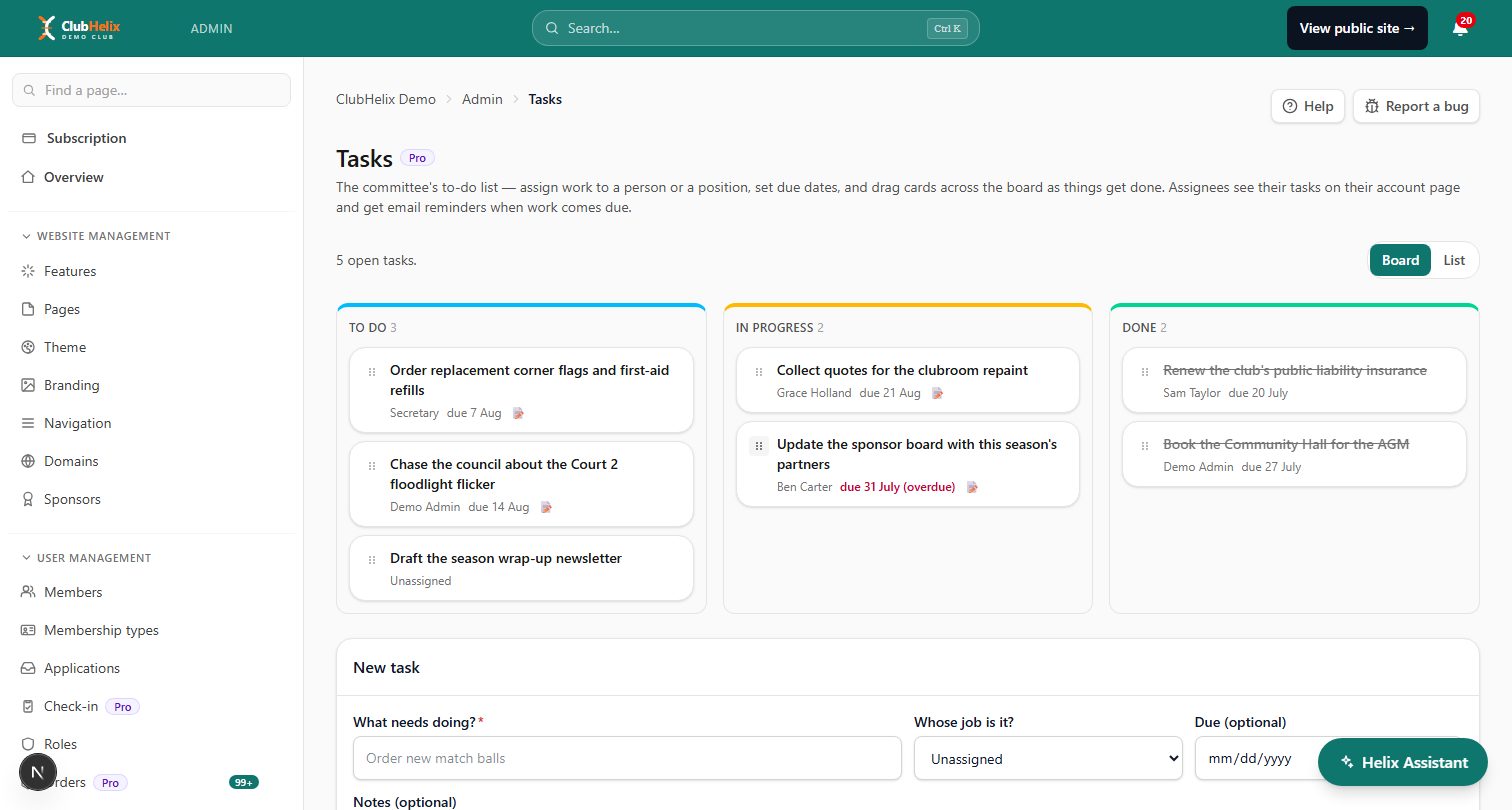
Committee tasks and meeting action items are the job alerts. Assigning one raises a notification that shows a pin and Until done where the clear button would be. It survives Clear all, can't be cleared while the work is open and still yours, and clears itself when the task is done, dropped, reassigned or deleted. Work assigned to a position rather than a person belongs to whoever holds that position, so a job assigned to "Secretary" follows the role through a change of secretary.
Forms are on every plan; accreditations start on Standard; committee tasks, meetings and action items, the shop and programs are on Pro.
Land on the item, not the page
A notification that says "New form response" and opens a table of three hundred responses has done half its job. The reader still has to find the one it meant, and on a phone, between other things, that is often where it gets abandoned.
A good admin alert takes the reader to the exact item. In ClubHelix, clicking anywhere on a notification marks it read and opens the page it's about, and for several kinds it goes further, scrolling to the exact row and highlighting it briefly:
- A task or meeting action item assigned to you lands on it in the My tasks card on your account page, where you can start it or mark it done.
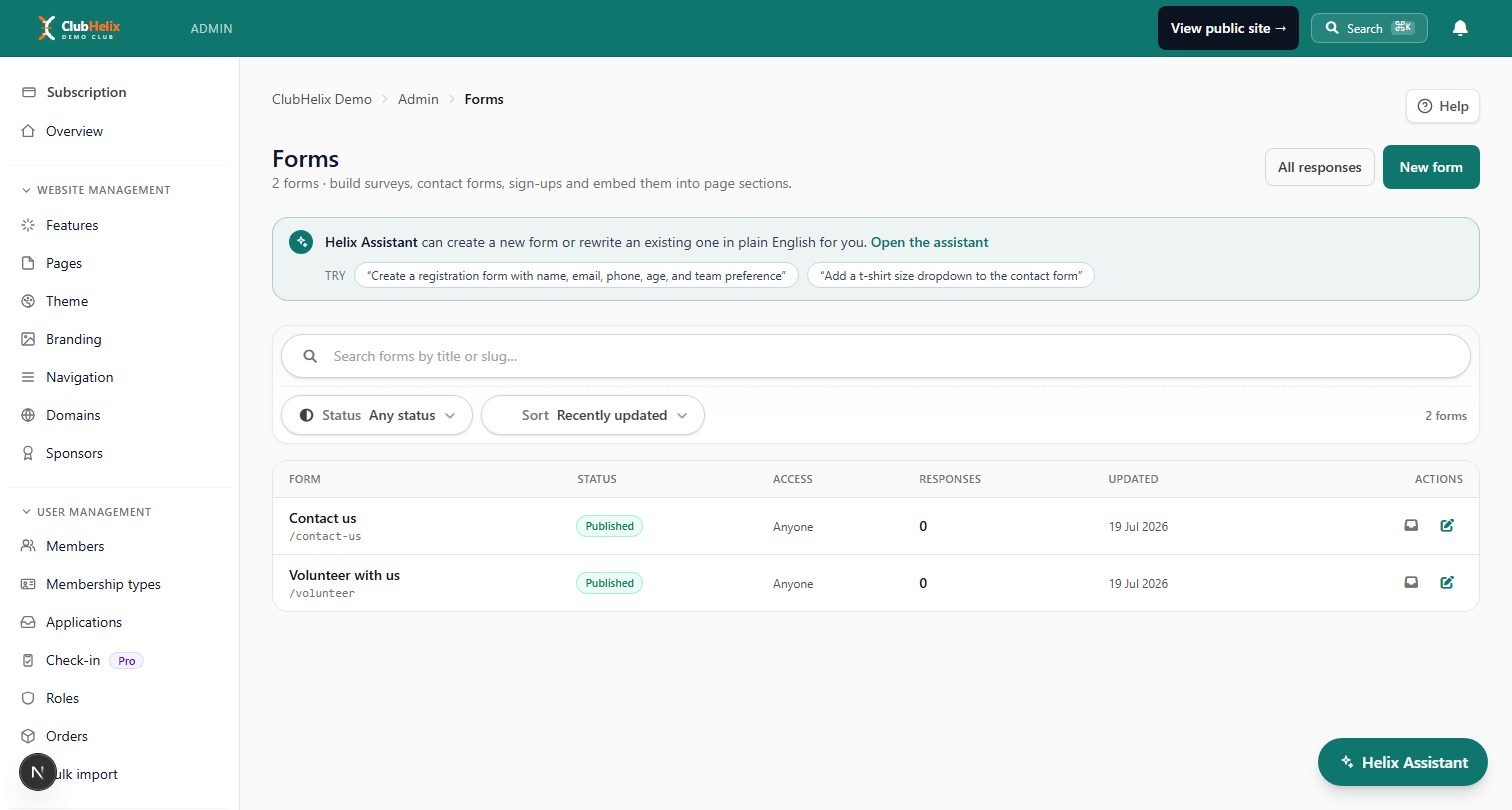
- A new form response lands on its row in that form's responses, for surveys and polls as well as ordinary forms.
- An expiring accreditation lands the people who manage accreditations on that record's row in the member records table.
- A reported absence lands on the absence in the program's credits page.
- A new shop order opens that order's own page.
Where a notification is also emailed or pushed, the email and the push carry the same link. One honest limit: a highlight can only land on a row that's on the page as it loads. If a response has been filtered out of the current view, or deleted since, you get the right page without the highlight.
One alert per item, or a digest?
Some alerts are worth hearing about the moment they happen. Most are better bundled.
- One per item suits things that are infrequent, time-bound and need a person: a paid order at a club that sells a handful of hoodies a month, a new registration the week before the season starts, an absence reported the night before a session.
- A digest suits deadlines. Nobody needs an email per task. They need one message saying these three are due this week and this one is overdue.
- Busy streams should collapse. A chat channel with forty new messages doesn't need forty notifications.
If a volunteer gets more than a handful of individual alerts a day about the same kind of thing, that stream should probably become a digest, or go to someone else.
In ClubHelix, committee tasks and meeting action items with a due date feed a reminder digest. Each assignee gets one email covering their work that has come due within three days or gone overdue, rather than an email per item, and a member who doesn't want it can switch that email off in their notification settings. Chat notifications in the bell collapse to one per channel while unread.
The five-minute routine
Alerts only work if someone opens them. Give the habit a fixed shape:
- Pick a time. Once a day in season, a couple of times a week out of it. The same time each day beats "whenever I think of it".
- Work from the top. For each alert, do it now if it takes two minutes, pass it on if it belongs to someone else, or leave it unread if it genuinely needs a longer sitting.
- Clear the news. Anything that was only information can go.
- Don't mark everything read to feel better. "Mark all read" is for after you've scanned the list, not instead of scanning it. An unread count that means nothing is worse than a large one that's honest.
- Look at what's pinned. A job alert that has sat for a week is a conversation for the next committee meeting, not a nag in the group chat.
Two signs that the routing, rather than the routine, needs fixing: you regularly have more unread alerts than fit on one screen, and you keep clearing alerts that were never yours to act on. Both mean alerts are going to the wrong job, or to too many people.
In ClubHelix the notification bell sits in the club admin header. The badge counts every unread notification, not just the ones in view. The panel lists the newest twenty, each with an icon for its kind, and says so ("Showing 20 of 31") when there are more. There's no separate full-page inbox, and the bell shows what had arrived when the page loaded, so reload the page to check for anything new.
Handover: the alerts leave with the job
The AGM is when alert routing quietly breaks. Months later the outgoing merchandise coordinator is still receiving order emails, and the incoming one doesn't know there are orders.
Add these to the committee handover checklist:
- List every alert the role receives and where each one goes today.
- Move each alert to the new holder: by position or permission where your system allows it, by email address where it doesn't.
- Remove the outgoing holder's access and alerts on the same day.
- Walk the new holder through any open, pinned jobs.
- Send a test, such as a test form submission, and check it reaches the right person.
Where alerts follow positions, most of that list collapses into appointing the new holder, which is the best argument for setting alerts up that way from the start. The club secretary is usually the natural owner of the list itself, and spreading the alerts across the right jobs is one of the quieter ways to stop the same volunteers burning out.
Frequently asked questions
Who should be notified when someone submits a club form?
The person who acts on that form, plus one backup. For a registration form that's usually the registrar, with the secretary behind them; for a volunteer form it's the volunteer coordinator. Avoid sending every response to the whole committee, because it spreads responsibility too thin and puts members' personal details in more inboxes than necessary. In ClubHelix, form responses notify the people who manage forms or can view form results, so the list is set by permissions rather than by whoever built the form.
Should the whole committee get every notification?
No. Alerts sent to everyone tend to be acted on by no one, because each person assumes somebody else has it. Give each kind of alert to the job that acts on it plus one backup, and share a summary at the committee meeting instead.
Why can't I clear some notifications?
Because they're jobs, not news. In ClubHelix, a notification for a task or meeting action item assigned to you stays in place until the work is done, dropped or reassigned, and then clears itself. Every other notification can be cleared on its own or with Clear all.
A notification opened the right page but didn't highlight anything. Why?
The highlight needs the row to be on the page as it loads. If the item has been filtered out of the current view, or was deleted after the notification was sent, you land on the right page with nothing highlighted. Clear the filter and you'll find it in the list, provided it still exists.
How do we stop alerts going to a volunteer who has left?
Route alerts by role, so they move with the job. In ClubHelix, notifications about shop orders, form responses and reported absences reach people through their role, position or permissions, so changing someone's position or removing their access stops future alerts reaching them. The exception is anyone who is also a club admin: admins receive these alerts whatever their position (and moderators also hear about reported absences), so a volunteer who stays on as an admin keeps getting them until that role changes too. Anything still going to a personal email address has to be changed by hand, which is why it belongs on the handover checklist.
ClubHelix sends admin alerts to the job, not to somebody's inbox: committee tasks and meeting action items that stay pinned until done, form responses that open on the exact row, shop orders that open on the order itself, and roles and permissions that hand the alerts over with the position. Forms are on every plan; tasks, meetings and the shop are on Pro — compare plans.


