Committee tasks
“Someone was going to do that”, written down.
A kanban or list board for the jobs between meetings — assignees (a person or a position), due dates, and due-soon and overdue email reminders that go to whoever holds the job now.
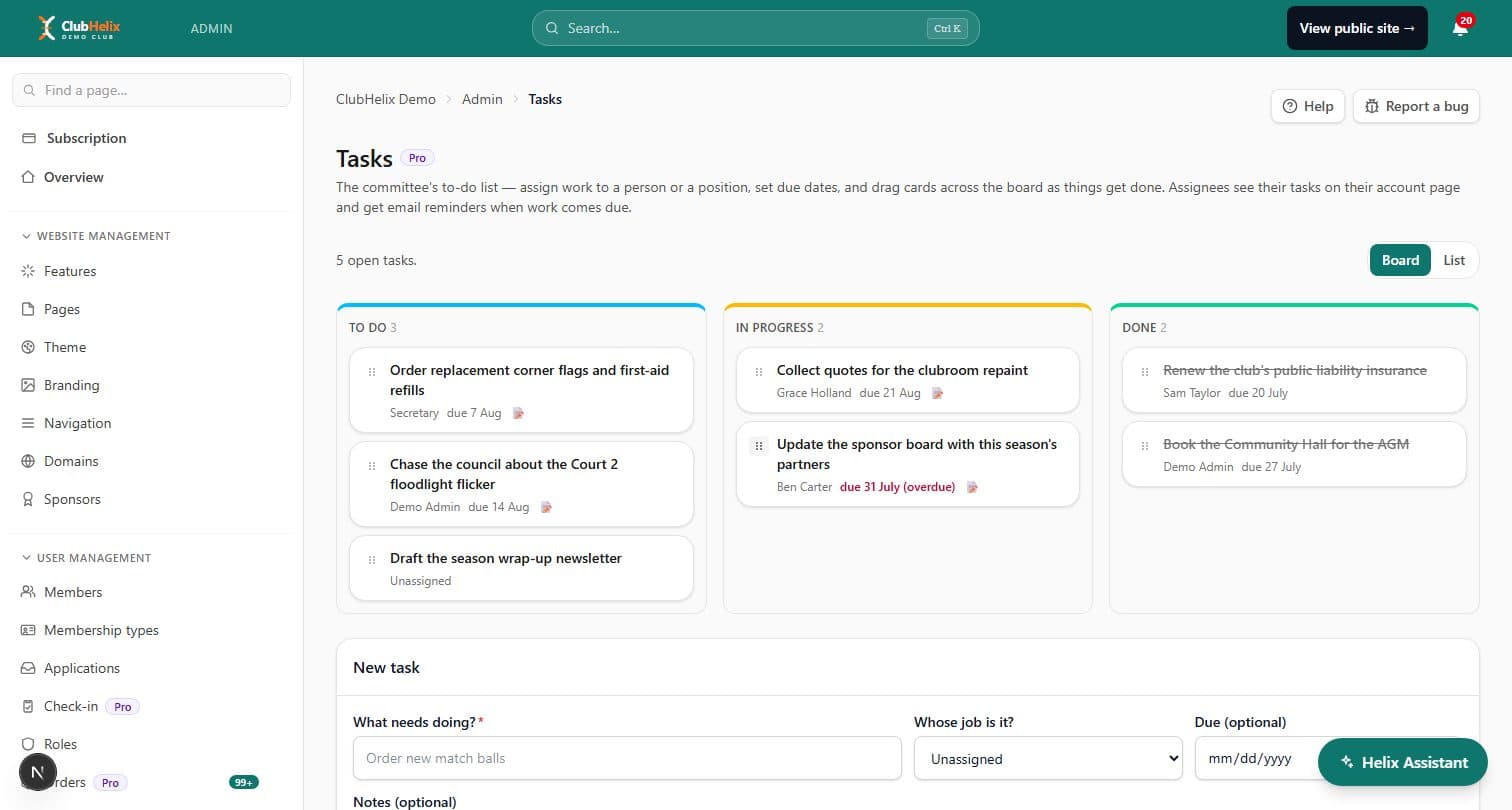
The committee task board is club task management for the jobs between meetings: order the trophies, chase the council about the light tower, renew the insurance before the season opens. Every card has an owner and a date, so the answer to “who was doing that?” is on a screen rather than in somebody’s memory of a conversation in a car park.
The board
A board or a list, whichever way your committee thinks
Three columns — To do, In progress, Done — and you drag cards between them, by mouse or by keyboard. Or switch to the list view and work straight down by due date, with undated jobs at the bottom; the view you chose is the view you get back next time.
A card is deliberately four fields: a title, an assignee, a due date and notes. There are no priorities, no sub-tasks and no custom columns, because a committee board that needs configuring before it can be used is a board nobody uses.
- Overdue dates show themselves in red on the card and in the list
- A card with notes on it says so, so you know there is context to open
- Drag-and-drop has a keyboard path, not just a mouse one
Handover
Assign the job to the position, not the person
Assign a task to a position — Secretary, Registrar, Grounds Officer — instead of a named person, and handover takes care of itself: when the position changes hands at the AGM, the open tasks belong to whoever holds it now. It is the same positions tree that roles & permissions uses, so you are not maintaining a second list of who does what.
Name a person instead when the job really is theirs. Either way the assignee does not need admin access: their open tasks appear in a My tasks card on their own account page, where they can start one or mark it done.
Reminders
Chased by email, not by you
Being assigned a task raises an in-app notification that cannot be dismissed while the job is still open and still yours — the one kind of nag that is genuinely useful — and a push notification too, if that person has them switched on.
Dates are chased by email instead: one digest three days before something is due, and another once it is overdue, sent once per date so nobody is emailed daily about the same job. Everything owed by one person at one club arrives in a single email, with anything overdue first, and meeting action items from governance & meetings ride along in the same message. Move a due date and the reminder re-arms for the new one.
Who sees it
Private to the people running the club
The board is admin-side only — it is never published to your club website, and a member who is not assigned anything sees nothing. Managing it needs the Manage meetings & documents permission, which administrators have already and which suits a Secretary position; assignees need nothing beyond their own account.
Committee tasks are a Pro plan feature and share the governance module’s switch, so if meetings and documents are on for your club, the board is too.


See it with your club's name on it
Spin up a fully-branded site in under 30 minutes, free — no technical skills needed.