
What this guide answers
- Isn't MCP just an API with extra steps?
It uses the same plumbing, but the design centre is different.
- Can we use all three at the same time?
Yes, and most clubs that get this far end up doing exactly that.
- What happens if a token is stolen?
Revoke it, on that screen, in one click. Then look at the audit log to see what was done with it.
- Do we need a developer for any of this?
For an API key or a webhook, yes — somebody has to write the code that consumes them.
- Which one should a small club start with?
Usually none of them, and that is a legitimate answer. Most clubs get further by using what the admin already does than by connecting anything at all.
South Africa edition. This guide is written for volunteer-run clubs in South Africa. Where rules differ — grants, tax, incorporation, safeguarding — follow the South Africa-specific pointers below or check with your national body.
Every committee has one. The person who fixed the scoreboard laptop, wrote the macro that tidies the registration spreadsheet, and now asks the sharp question at the end of the meeting: "hang on — if the platform has an API, why do we need this AI connection thing at all?"
It is a fair question and it deserves a real answer rather than a brochure. A club platform can offer three genuinely different kinds of connection. They are not competing versions of the same idea, they solve three different problems, and picking the wrong one is how a volunteer loses a weekend building something the platform was already willing to hand over. This guide lays out all three, side by side, in language a committee can follow — and it is honest about where an AI connection is the wrong tool entirely.
Pull, push, and ask
Strip away the jargon and the three shapes come down to who starts the conversation.
- A REST API key lets your code pull data out, whenever your code decides to ask. You write the code; it does exactly what you wrote.
- A webhook lets the platform push a message to your system the moment something happens — a member joins, an order is paid, someone checks in.
- An MCP token lets an AI assistant ask for things from a menu the platform publishes, with every single request re-checked against the live permissions of the person whose token it is. You write no code at all.
Pull, push, and ask. That is the whole taxonomy, and once you hold those three verbs in your head the rest of this guide is detail.
One practical note before the detail: in ClubHelix all three live on the same admin screen — System → API & webhooks — and that page is visible only to people with the organisation admin role. They do not share a plan, though: the assistant connection is available on every plan, while the REST key and webhooks need Pro. A moderator cannot reach it, and neither can someone holding a permission override. If you are weighing these options up, that is one screen to look at, not three.
Shape one: a read-only API key
An API key is the oldest and least mysterious of the three. You create a key in the admin, it is shown to you once, and you send it as an Authorization: Bearer chk_… header on ordinary HTTPS requests to /api/v1/…. In ClubHelix those keys are read-only, and the resources they reach are members, membership types, events, orders and check-ins.
That read-only line matters more than it looks. A key that can only read is a key that cannot be made to delete anything, cannot be tricked into changing a price, and cannot become an incident if it ends up pasted into the wrong chat window. It can still leak data, which is why it is revocable, but the blast radius of a mistake is bounded by design rather than by good intentions.
What an API key is genuinely good at is anything you want to be deterministic and repeatable. A spreadsheet that refreshes the membership numbers for the treasurer's report. A screen in the clubhouse showing tonight's fixtures. A dashboard the president likes because it is the same eleven numbers in the same eleven boxes every week. Code does what you wrote, forever, without opinions.
The trade is that somebody has to write it and somebody has to keep it working. A key is also on demand only — it knows nothing until your code asks, so if you want to know about a payment within seconds of it happening, a key means polling the same endpoint over and over and throwing away the answer when nothing has changed. That is the problem the next shape exists to solve.
Shape two: webhooks
A webhook turns the relationship around. Instead of your code asking the platform "anything new?", the platform posts a small JSON message to a URL you nominate, when the thing actually happens.
In ClubHelix you add an endpoint — it must be an https:// URL — and pick which events it should receive. Leave the filter empty and it subscribes to everything. The events available today are:
member.createdandmember.updatedmembership_order.paiddonation.paidshop_order.paidfacility_booking.paidraffle_order.paidprogram_enrolment.paidprogram_pass.paidcheckin.created
Each delivery is a JSON body carrying the event name, the organisation it belongs to, the data for that event and a timestamp. It is signed with your endpoint's own secret — an HMAC-SHA256 digest of the exact bytes we sent, in an X-ClubHelix-Signature header — so your receiver can verify the message really came from us before acting on it. Failed deliveries retry up to five times. The admin screen carries a Send test event button and a log of recent deliveries with their response codes, so you can see whether your end answered or fell over.
Webhooks are the right answer whenever the sentence in your head starts with "tell my system when…". Tell the rostering spreadsheet when a coach is enrolled. Tell the accounting tool when an order is paid. Light up a display in the foyer when someone checks in. They are also the honest answer for anything that needs to run unattended, overnight, every night, for the next three seasons — a machine that reacts to events is exactly the kind of thing that should be a machine.
The trade here is that you need something that is always listening and always reachable from the public internet, and it has to verify that signature and cope with the same event arriving twice. Deliveries are queued rather than instantaneous, so think "within a few minutes of the event", not "the same millisecond". For most club purposes that is indistinguishable from instant; for a turnstile it is not.
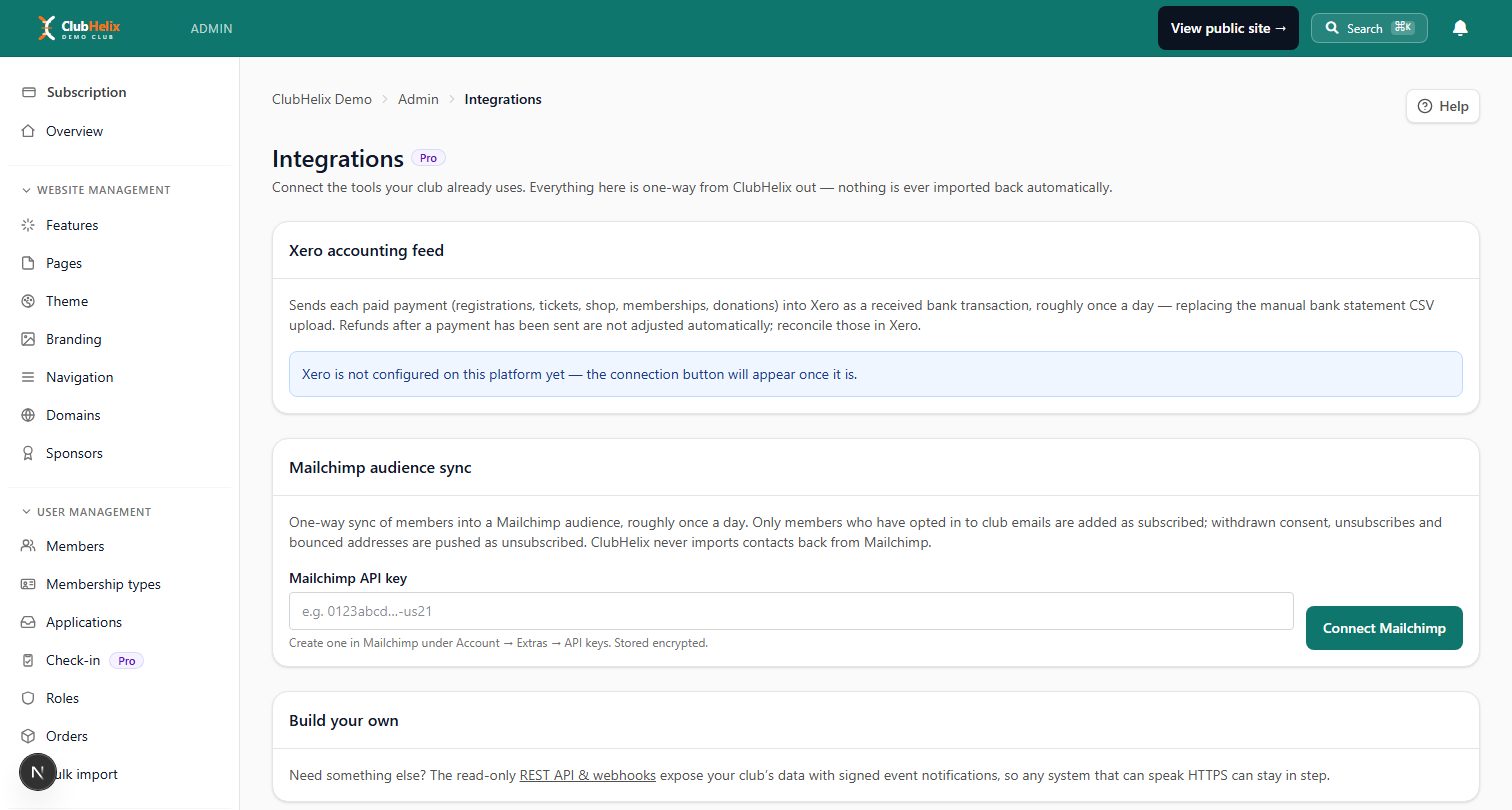
You can read more about what connects to what on the integrations feature page.
Shape three: an MCP token
The third shape is the new one, and it is the one worth understanding properly rather than by analogy.
MCP stands for Model Context Protocol. It is an open standard for letting an AI assistant use a piece of software — not by clicking around a screen pretending to be a person, and not by being handed somebody's password, but by reading a menu of tools that the software itself publishes. The assistant sees the menu, picks the tool that fits what it has been asked to do, and sends the request. The platform then decides, on the spot, whether that request is allowed.
So the division of labour is completely different from an API key. With a key, you decide in advance exactly which calls to make and in which order, and you write that down as code. With MCP, you say what you want in a sentence — "which members haven't renewed, and what did we take through the shop last month?" — and the assistant works out which tools to call. You write nothing.
In ClubHelix the connection is a token prefixed chmx_, created on the same admin screen, with a name, an expiry (the default is 90 days) and two checkboxes that are both off to begin with: Allow changes and Allow publishing. Both off means a read-only assistant. Allow changes lets it create and edit content without deciding what is published — it can write a draft, and it can correct the wording of a news post or an event that is already live, but it cannot put something new on the site or take something off it. Allow publishing — which stacks on top of changes — is what lets it make something visible to the public. There is also an optional panel for narrowing the token further, permission by permission, whose own on-screen wording is the clearest description of it: tick nothing and the token can do everything you can do; tick some and it can do only those things.
If you want the full walk-through — creating the token, pasting the connect command, checking it worked — that lives in our guide on connecting an AI assistant to your club data. This guide is about whether you want one, not how to make one.
Why the fixed menu is the whole safety story
Here is the part that usually settles the argument with the technical committee member, because it is a structural claim rather than a promise.
The menu is written by the platform, not by the assistant. An assistant cannot invent a tool. If "delete every member" is not on the menu, it is not a thing that can be asked for — not through a clever prompt, not by accident, not by an assistant that has been fed a malicious instruction hidden in a web page. The set of possible actions is finite, it is ours, and it is the same set for everybody.
Every request is checked when it arrives, not when the token was made. This is the difference between a key and a hatch. A token acts as the person who created it, against the live answer to "can this person do this, right now, at this organisation?" Take that person's admin role away and the token stops working on its very next request. Nothing has to be remembered, revoked or cleaned up for that to happen — although revoking is one click if you want it gone anyway. Writes are gated on the specific permission they need, and the token's own narrowing is applied on top; narrowing can only ever take capability away, never add it. The same roles and permissions model that governs what a person sees in the admin is what governs the assistant.
And the menu itself has a hard edge. There are more than 200 tools, and not one of them sends an email or an SMS, takes a payment, or issues a refund. Say that out loud in a committee meeting, because it is the sentence that makes the risk legible: a publish-scoped agent can put a page live, and still cannot send a single email to a member. The tools that mention email and SMS at all are delivery reports, suppression lists and configuration readouts. Broadcasts get drafted, never sent.
Two more guardrails worth naming. Every tool that changes anything dry-runs by default — it reports what it would do and stops, and only proceeds when it is explicitly told to confirm, which means a human sees the plan before the change happens. And every read and every write lands in the club's audit log under the real person's name, so "what did the assistant do on Tuesday?" is a question with an answer. Connections are also rate-limited at 120 requests a minute per token.
How to pick
| Compared on | REST API key | Webhooks | MCP token |
|---|---|---|---|
| Who writes the code | You | You | Nobody |
| Who starts it | Your code | The platform | The person asking |
| Direction | Pull, on demand | Push, on the event | Ask, conversationally |
| Can it change data | No — read only | No — outbound only | Only if you tick the boxes |
| Runs unattended | Yes | Yes | No — it is driven by a person |
| Best at | Repeatable reports and dashboards | "Tell my system when X happens" | One-off questions and drafting work |
| Worst at | Knowing something the second it happens | Anything conversational | Anything that must run at 2am, identically, forever |
And in "pick this if" form:
- Pick a read-only key if you have someone who writes a bit of code, and you want the same numbers in the same shape on a schedule you control.
- Pick webhooks if another system needs to react to club events — accounting, rostering, a display, a messaging workflow you run elsewhere.
- Pick an MCP token if the work is a person asking questions, comparing this season against last, drafting a newsletter from real numbers, or tidying a batch of pages — work where the shape of the task changes every time you do it.
- Pick more than one if that is what the job needs. They are not alternatives, and nothing stops a club running a nightly webhook feed and an assistant connection side by side.
Where MCP is the wrong tool, honestly
An agent connection is not a replacement for the other two, and we would rather say so than sell you the wrong thing.
A nightly sync belongs in a webhook. If the requirement is "every paid order must appear in the accounts within the hour, unattended, forever", you want a machine reacting to an event, not an assistant that has to be asked. Agents are driven by a person with a question; a scheduled job is driven by a clock.
A fixed report belongs in an API key. If eleven numbers go into the same eleven boxes every week, write it once and stop thinking about it. Determinism is a feature and code has it in a way a conversation does not.
And nothing at all belongs in an agent if a human wouldn't be allowed to do it. A token is a person's own access, narrowed. It is never a way around a permission, and it is not a way to give a helper the powers their role does not carry.
The limits worth reading before you mint anything
Three caveats, stated plainly rather than buried.
An MCP token bypasses the step-up multi-factor prompt you get when signing into the browser admin — as any API token does, because there is no browser there to prompt. That is precisely why tokens expire, why they are revocable in one click, and why every request is audited. Give them a sensible expiry and treat one like a spare key to the clubhouse.
Member-data tools return aggregates — counts by status and payment standing — not names, email addresses or medical details. That is a deliberate floor, and it is worth knowing before you form expectations about what an assistant can tell you. Our guide on AI safety and privacy for clubs goes further into the questions a committee should ask.
The screen is admin-only in every case. The AI assistant connection works on every plan, including the free one; the REST key and webhooks are a Pro capability, because both are bulk data taps for another system. Our pricing page has the detail.
Frequently asked questions
Isn't MCP just an API with extra steps?
It uses the same plumbing, but the design centre is different. An API is a contract between the platform and code you wrote, so the safety question is whether your code is correct. MCP is a contract between the platform and software making its own decisions, so the safety question becomes whether the platform refuses properly. That is why the interesting features are the refusals: a fixed menu, a live permission check on every request, a dry run before every change, and an audit entry for all of it. You could build the same discipline on top of an API by hand. The point of an open standard is that you don't have to, and that any compliant assistant gets the same treatment.
Can we use all three at the same time?
Yes, and most clubs that get this far end up doing exactly that. A webhook feeds the accounting tool, a read-only key powers the display in the foyer, and an assistant token lets the secretary ask questions and draft next week's news post. They are created, listed and revoked from the same admin screen, and each one is independent — revoking the assistant token does not touch the webhook.
What happens if a token is stolen?
Revoke it, on that screen, in one click. Then look at the audit log to see what was done with it. What limits the damage in the meantime is that the token could never do more than the person it belongs to — and that no token of any kind can send an email or an SMS, take a payment, or issue a refund. Those tools simply do not exist on the menu. If you never ticked "Allow publishing", it could not make anything visible to the public either.
Do we need a developer for any of this?
For an API key or a webhook, yes — somebody has to write the code that consumes them. For an MCP token, no, and that is the genuine change. Creating one is filling in a name, choosing an expiry and deciding whether to leave two checkboxes off; connecting it is pasting one line into the assistant. Whether a club should connect one is a committee decision about member data, not a technical one, which is why we would rather you read the safety guide and the AI agent access page before the how-to.
Which one should a small club start with?
Usually none of them, and that is a legitimate answer. Most clubs get further by using what the admin already does than by connecting anything at all. If something is genuinely missing, start with the shape that matches the sentence you keep saying: "I wish I could see…" is a key or a report, "I wish it told the other system when…" is a webhook, and "I wish I could just ask…" is an assistant.


