
What this guide answers
- Do we need to know CSS to have a good-looking club website?
No. Colours, fonts, buttons, header and footer layouts and section styles are all set without code.
- Why was part of my CSS removed when I saved it?
Because it asked for something the rules refuse, such as loading a file from another website, pinning a fixed overlay over the page, or styling outside your site.
- Can custom CSS break our admin screens?
No. Custom CSS applies to your public website only, so you can always get back in to fix a mistake.
- What happens to our CSS if we change plans?
It is kept but not shown below the Pro plan. Move back to Pro and it appears again, unchanged.
- Can we use our own web font?
Not through custom CSS: loading fonts from other websites is refused.
New Zealand edition. This guide is written for volunteer-run clubs in New Zealand. Where rules differ — grants, tax, incorporation, safeguarding — follow the New Zealand-specific pointers below or check with your national body.
Somewhere on most committees there is a person who knows a little CSS. They built a site for their business, or they did a web course, or they simply like fiddling. Sooner or later they look at the club website and say, "I could fix that spacing in two lines if it would let me."
Custom CSS lets them. Used well, it is the last ten per cent of polish that makes a club site feel like yours. Used badly, it is a tangle of rules nobody else understands, which breaks the first time the platform changes and turns into a handover problem at the next AGM.
This guide covers when a club website actually needs custom CSS, what to try first, what a safe custom CSS feature should allow and refuse (with the reasons), and the habits that keep a stylesheet useful after its author has moved on.
What CSS is, in one paragraph
CSS is the language that controls how a web page looks: colours, sizes, spacing, borders, fonts and layout. The page's content says "here is a heading, here is a photo, here is a list of sponsors"; the CSS says "headings are dark green and bold, photos have rounded corners, sponsor logos sit in a row with space between them". A custom CSS box lets you add your own rules on top of the ones the platform already uses.
Try the built-in settings first
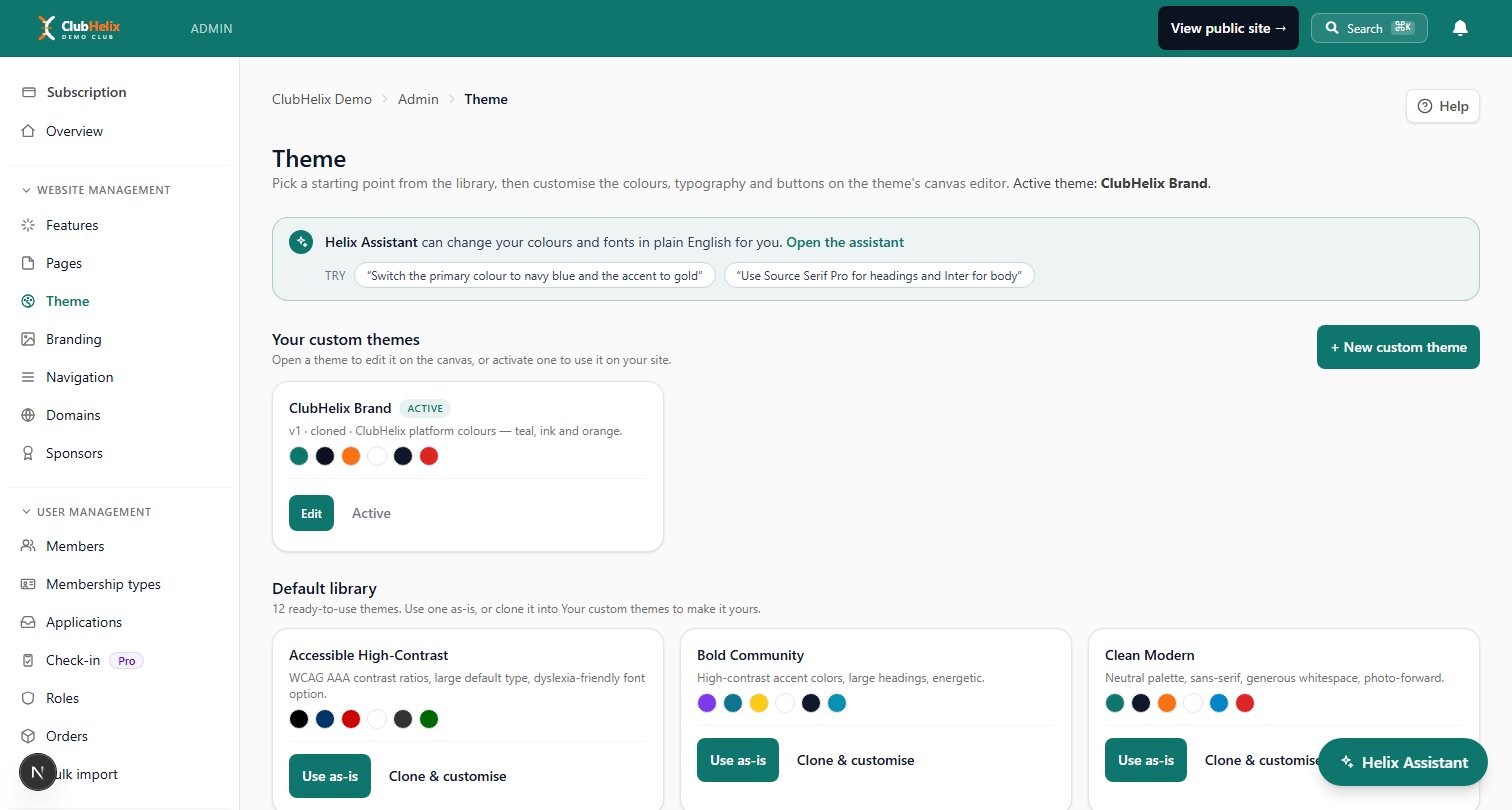
Most of what clubs reach for CSS to do can be done without writing any. Before anyone opens a stylesheet, check whether the built-in settings (the theme, the navigation editor and section styles in the page editor) already cover it:
- Colours. Your club colours as the site palette, applied to buttons, headings and links everywhere.
- Fonts and headings. Font choices, heading sizes and weights, and headings that scale between phone and desktop sizes.
- Shape. Corner radii on cards and buttons, and button styles.
- Header and footer layouts. Where the logo sits, how the menu is arranged, the header background, and a footer with a sponsor band.
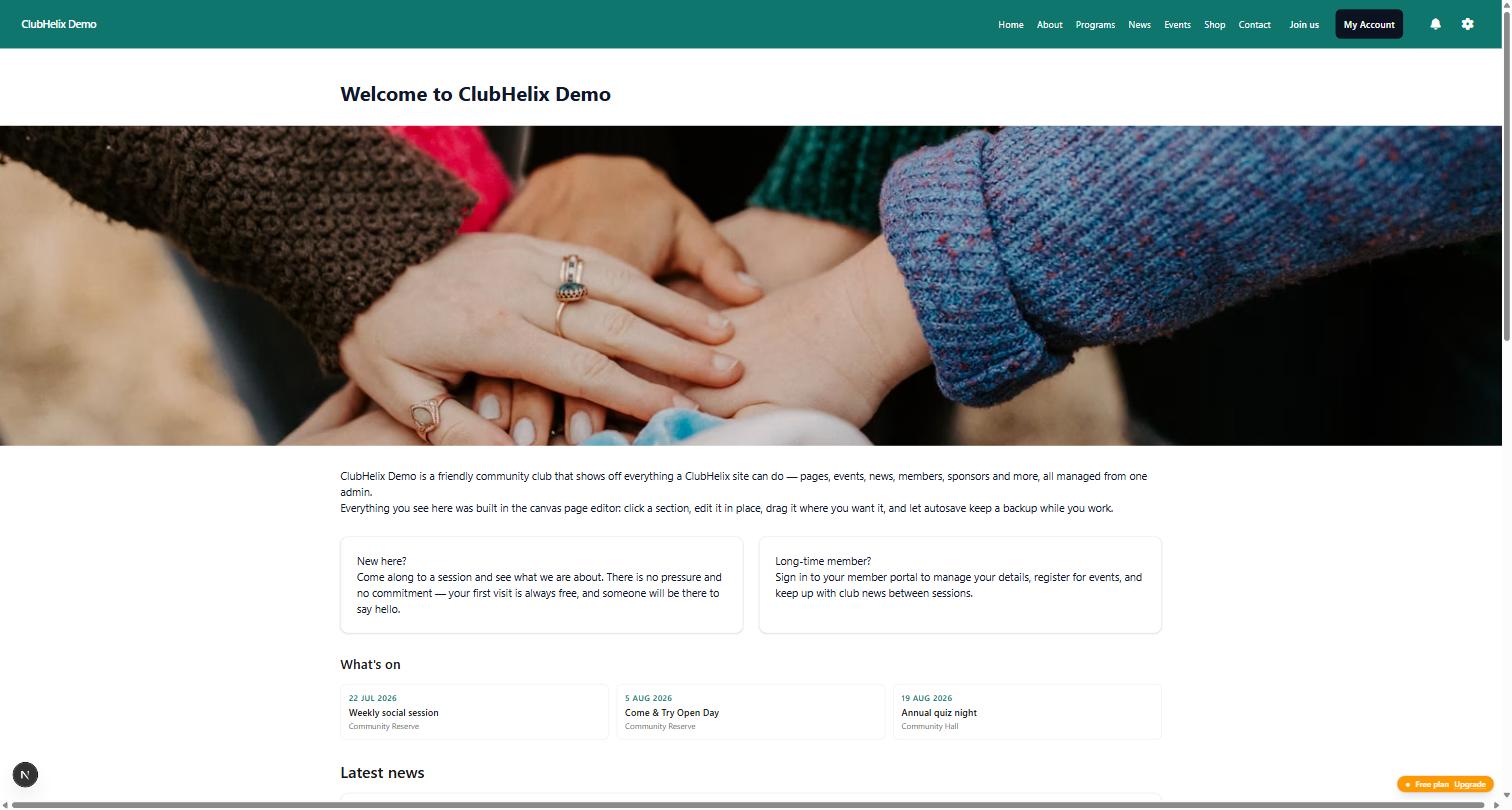
- Section styles. A hero banner, an accent band in your brand colour, a narrow reading column, two columns or a full-width image, applied to one section at a time.
Built-in settings have two big advantages over CSS: the next volunteer can see and change them without reading code, and they keep working when the platform is updated. If a setting can do it, use the setting. Our guide to designing a club logo covers the brand decisions that should come before any of this.
Good reasons to use custom CSS
Custom CSS earns its place for small, specific adjustments the theme was never going to have a setting for:
- Tightening or loosening spacing on one kind of section that feels cramped or sparse.
- Giving photos rounded corners, a border or a subtle shadow so they match the style of your printed material.
- Adjusting a single section such as a sponsor strip, a results table or a quote, without affecting the rest of the page.
- Small screen tweaks using a media query, for a section that reads better on a phone with a slightly different size.
- A gentle transition or hover effect on cards or buttons.
Notice the pattern: every one of these is small and cosmetic. A stylesheet made of rules like these is easy to read and easy to delete.
Bad reasons to use custom CSS
Some uses of CSS cause more trouble than they solve:
- Hiding content you would rather not maintain. If a section is out of date, update it or remove it. Hidden content is still sent to every visitor and still read by search engines.
- Rebuilding the layout. If you are rewriting how the whole page is arranged, you are fighting the platform. Use sections and sidebars instead, or ask for help.
- Low-contrast colour tricks. Pale grey text on a white background looks elegant in a mock-up and is unreadable on a phone in the sun. The accessible club website guide explains why contrast matters for your members.
- Copying a big stylesheet from somewhere else. A stylesheet written for another site is written for that site's markup. Most of it will do nothing, and some of it will do something strange.
What a safe custom CSS feature allows, and what it refuses
A custom CSS box is powerful precisely because the browser trusts it. That is also why a platform that hosts hundreds of club sites has to put limits on it. Here is how ClubHelix draws the line, and why.
What you can do. Style layout, spacing, sizes, borders, colours, backgrounds, typography, transforms, transitions and animations. Use media queries, feature queries, container queries and keyframes. Read your theme's own colour and font variables, so your rules follow your theme when it changes.
What is refused, and why:
- Loading anything from another website. Importing another stylesheet, loading a web font, or pulling in an image from elsewhere is refused. Anything loaded from another site lets that site see your visitors and can change without you knowing. Images in your CSS can only come from your own uploads.
- Fixed and sticky overlays. Positioning something so it stays over the page is refused, and stacking order is capped at a small number. An overlay is how a page gets covered by a box that should not be there, whether that is an accident or something worse.
- Styling outside your site. Every rule is automatically limited to your public site. Rules aimed at the whole browser window, such as the root or body of the page, are refused with a message rather than quietly rewritten, because they could never do what you meant. Your admin screens are never affected, so a mistake can never lock you out of fixing it.
- Defining new variables. You can read theme variables, but not declare your own, because a variable can be used to smuggle in a value the rules would otherwise refuse.
- Selecting form fields by their contents. A known CSS trick can read what someone types into a form, one character at a time, using attribute selectors. Those selectors are refused on form fields.
Everything is checked twice: when you save, and again every time a page is served. If a rule is removed, the editor tells you which one and why, and keeps the rest.
How it works in ClubHelix
Custom CSS is part of the Pro plan. There are two places to put it:
- Site-wide, on Theme → Custom CSS: one stylesheet of up to 20 KB for the whole public site.
- Per section, in the Layout & style panel of any section in the main column of a page: up to 2 KB, applied to that section only.
Custom CSS applies to your public website only. If your organisation moves to a lower plan, the CSS is kept but not shown, and it comes back when you return to Pro. The themes and branding page covers everything the theme can do without code, and the canvas page editor is where section styles and per-section CSS live.
Keep your stylesheet easy to hand over
A stylesheet outlives its author. These habits keep it from becoming the one part of the website nobody dares touch:
- Keep it short. If the site-wide stylesheet is growing past a screen or two, ask whether the theme or a section style could do some of it instead.
- One job per rule. A rule that adjusts one thing is easy to understand and easy to delete.
- Write down why. Keep a short note in your committee handover document: what each rule is for and which page it affects. The committee handover checklist is a good home for it.
- Check on a phone. Most visitors will see your rules on a small screen. Look there first.
- Check contrast. If a rule changes colours, check that text is still easy to read.
- Remove what you no longer need. Old rules for sections that no longer exist are harmless until they are not.
Frequently asked questions
Do we need to know CSS to have a good-looking club website?
No. Colours, fonts, buttons, header and footer layouts and section styles are all set without code. Custom CSS is for small adjustments after that, and plenty of clubs never use it.
Why was part of my CSS removed when I saved it?
Because it asked for something the rules refuse, such as loading a file from another website, pinning a fixed overlay over the page, or styling outside your site. The editor lists each removed rule and the reason, and keeps everything else.
Can custom CSS break our admin screens?
No. Custom CSS applies to your public website only, so you can always get back in to fix a mistake.
What happens to our CSS if we change plans?
It is kept but not shown below the Pro plan. Move back to Pro and it appears again, unchanged.
Can we use our own web font?
Not through custom CSS: loading fonts from other websites is refused. Choose from the twenty fonts the theme editor serves to every visitor, or, on the Pro plan, upload your club's own WOFF2 font files in the theme. Our guide to club website fonts and branding covers choosing a pair and checking a font's licence.
Want your club's site to look like your club, with or without code? Start free with ClubHelix and set up your theme tonight.


