
What this guide answers
- The status page says everything is operational, but our club site isn't working. Which is right?
Possibly both. The status page reports on the platform's services as a whole.
- Should we contact support during an outage that everyone is having?
If the status page already shows a disruption, our team has been alerted and is working on it, so a message describing the same symptom won't add much.
- Members say they never got their confirmation email. Is the system down?
Usually not. Check the email delivery row on the status page first.
- How do we know when it is working again?
Check the status page, then test the exact thing that failed yourself, on a phone and signed out if that is how families will use it.
- How can we see how ClubHelix handles this before we sign up?
Start with the status page and the reliability section of our security and trust page, then click around the public demo club, which our automated checks visit too.
UK edition. This guide is written for volunteer-run clubs in the UK. Where rules differ — grants, tax, incorporation, safeguarding — follow the UK-specific pointers below or check with your national body.
It is ten past six on registration night. The hall is filling up, the first families are queuing at the laptop, and the registration page shows nothing but a spinner. Or it is Saturday morning, the draw has changed, and a coach texts the committee: "Is the club website down?" Either way, a volunteer is now running a technology incident, with people waiting.
The first ten minutes decide how the rest of the night goes, and they should go on two questions. Is the problem really the website? If it is, how do we keep going without it? This guide walks through both, then covers the half you can't see from the hall: what a platform should already be doing by the time you notice, and how to check that before you choose one.
Minutes one to three: is it just you?
A surprising share of "the website is down" turns out to be one device, one network or one old tab. Rule those out first, because they are the problems you can fix on the spot.
Try a different network. Venue wifi is the usual suspect in a clubhouse or a school hall. Turn wifi off on your phone and load the page on mobile data. If it loads there, the website is fine and the venue network is the problem, so move the registration laptop onto a phone hotspot and carry on.
Try a different device and a private window. Ask someone else to open the same page on their own phone. A private or incognito window on your own device is a quick second test, because it starts without stored cookies or browser extensions. If the page works in a private window but not in your normal one, an extension (ad blockers are the common culprit) or a stale sign-in is getting in the way.
Reload the tab that has been open all afternoon. A page left open for hours can be running an older copy of the site than the one that is live now. A plain reload usually sorts it out. If your session has expired, sign in again before deciding anything is broken.
Check the address. An old bookmark, a link in last season's newsletter or a typo in a hand-typed address can all land on a page that no longer exists. Open the site from its home page and click through to the page you need. If the club uses its own web address and nothing at all loads on it, ask whoever looks after the domain whether its renewal is up to date. An expired domain looks exactly like a website that has gone down.
If two people on two different networks see the same failure, stop troubleshooting your own equipment. The problem is real.
Minutes three to five: is it a setting?
Club platforms do what they are told, and on a busy night nobody remembers who told them what. Before you treat a problem as an outage, rule out the ordinary settings that make things disappear:
- The registration form isn't open yet, or has already closed. A form set to open tomorrow morning looks broken tonight.
- A membership type or event is hidden, unpublished or full. A capacity limit reached at 6:15pm stops sign-ups as effectively as any outage.
- The person isn't signed in, or doesn't hold the right role. A members-only page is invisible to a visitor, and an admin screen is invisible to someone whose role doesn't include it.
- Somebody changed something this week. A committee member tidying up the menu can unpublish the one page everyone needs tonight.
On ClubHelix, the audit log records admin and settings changes. When someone says "the software changed our settings", an admin can check in a minute who changed what, and it very often shows the platform doing exactly what another admin asked it to.
Minutes five to seven: check the status page
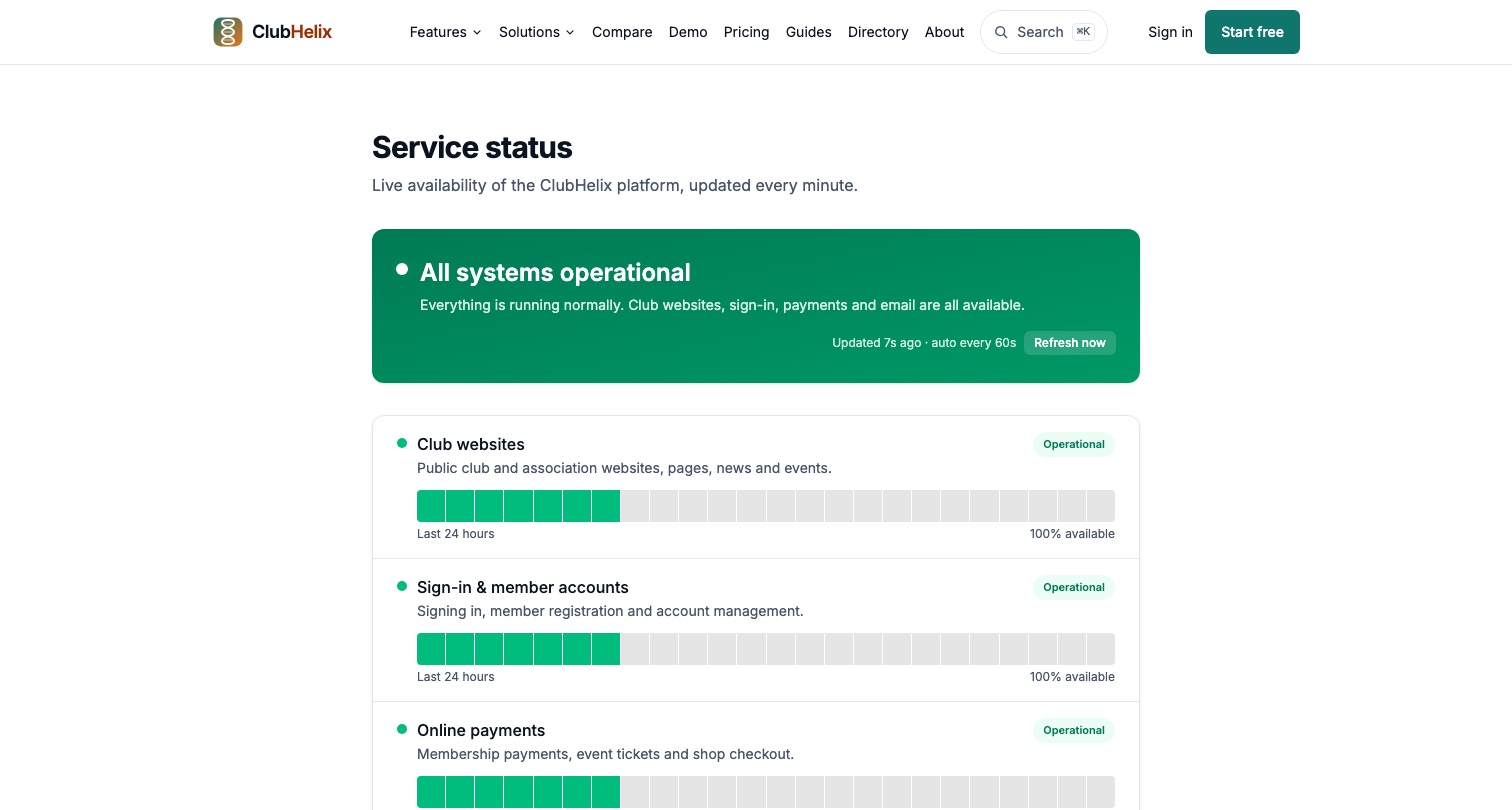
If it isn't your device and it isn't a setting, look at the platform's public status page before you do anything else. Ours is the ClubHelix service status page. It shows live status for club websites, sign-in, online payments, email delivery and custom web addresses, and marks each one as operational, slower than usual, or disrupted.
Read it one of two ways:
- It shows a disruption. The problem is platform-wide and already known. The page says so in plain words: "Our team has been alerted and is working on it." You don't have to be the one who raises the alarm, and a report describing the same symptom won't speed anything up. Spend the next few minutes on your members and your event.
- Everything shows as operational. The platform as a whole is up, so the fault is more likely specific to your club, your page or your set-up. That is exactly the kind of problem worth reporting well, because your report may be the clearest description anyone has.
If the registration system isn't working but payments and sign-in both show as operational, note which rows were green. It narrows the problem down for whoever investigates.
Minutes seven to ten: tell members, then keep going
What to tell members
Silence is what turns a glitch into a crisis. People who can't register assume the worst and go home. Send a short message through a channel the club controls, and keep it to what you actually know:
Our online registration isn't working right now. You can still register tonight: see a committee member at the front table and we'll take your details on paper. We'll post another update here by 7pm.
That message works for three reasons. It says what is broken without guessing why. It gives people something to do. And it promises the next update at a time the club can keep, instead of promising when the website will be back, which nobody in the hall knows.
Pick the channel with the outage in mind. If one form is broken and the rest of the platform is working, the club's usual member email or message group gets the word out quickly. If the status page shows the whole platform is disrupted, don't depend on the system that is having trouble to send the message. Keep a second channel ready, such as the club's social media page or a committee group chat, so you are never waiting on the website to explain the website. Our guide to SMS vs email for club updates covers which channel suits which kind of message.
Keep registration night going on paper
A paper fallback only fails when nobody planned it. A good one collects the minimum and stays safe:
- Collect only what you need to enter the person later: name, date of birth if grading depends on it, a parent or guardian contact for juniors, the membership type, and a signature under the same consent wording families would normally see online. Medical details can wait for the online form, where they are stored properly.
- Never write down card numbers. Take payment later through the normal online process, or take cash against a numbered receipt. A sheet of card numbers in a shoebox is a much bigger problem than a payment that arrives a day late.
- Number the sheets and tick each one off once it has been entered, so nobody is entered twice and nobody is missed.
- Keep the sheets secure and shred them once they are entered. They hold personal information, and a paper form deserves the same care as the database it is headed for.
Match day works the same way. A printed team list and a paper attendance sheet will get a round played, and the results can go in afterwards. Our comparison of paper forms vs online registration describes a hybrid set-up worth copying for any night that matters.
What to capture if you report it
If the status page shows everything as operational and the problem has survived the checks above, report it once, with enough detail to act on. Our guide on how to report a bug in your club software covers the whole craft. In the middle of an incident, capture these:
- When it started, the exact page address, and what you pressed just before it failed.
- What you saw. A screenshot beats a description, and an error message quoted word for word beats a paraphrase. If an error screen showed a Reference, copy it down.
- Who is affected: one family, everyone at the table, or everyone on every device.
- What you have already ruled out. "Two phones, two networks, status page all operational" saves the first round of questions.
Leave members' personal details out. "A parent registering two juniors" describes the situation without identifying anyone.
On ClubHelix, much of that list is gathered for you. The Report a bug button, which signed-in people find in the admin and on their account page (on an error screen it reads Tell us what happened), automatically attaches the page address and recent errors from that page, so the part you type can be two sentences long.
What is already happening on the platform's side
From the hall, an outage feels like something only you know about. On a platform built to watch itself, it shouldn't be. Here is what is happening on ClubHelix while you work through the list above.
Automated checks are already visiting. Around the clock, automated checks load the platform's home page, sign-in and a health check, along with a run of pages on our public demo club: home, news, events, programs, bookings, shop, teams and competitions. The demo pages are checked for actually rendering content, not just for responding. That matters, because a page can answer with a success code and still show a visitor a blank screen.
Failures record themselves. Page crashes, server errors, requests that fail behind the scenes and background jobs that fail are all captured automatically, with the technical detail attached. So are the quiet failures people rarely write in about, like a button that does nothing when it is pressed. Every captured error is recorded in two independent places, so a busy month at one provider can't leave us blind. Repeats of the same failure join one ticket, which keeps a real problem from being buried under its own duplicates.
Our team is alerted automatically. An automatic digest tells our team about brand-new problems, problems that have come back after being fixed, and sudden spikes, including platform-wide ones. None of that waits for someone at your club to ring us.
A tab left open through an update recovers. If a tab has been open since before an update and hits an error because it is still running the old version, the error screen reloads the page once by itself. It won't keep reloading in a loop.
A report from the error screen joins the existing ticket. The error screen says "The issue has been reported to our team", shows a Reference and offers Try again. Signed-in people also get a Tell us what happened button there, which opens the bug report form, and a report sent from that screen is filed onto the same ticket as the crash it describes, with a reference shown to quote. Your two sentences arrive with the evidence already attached.
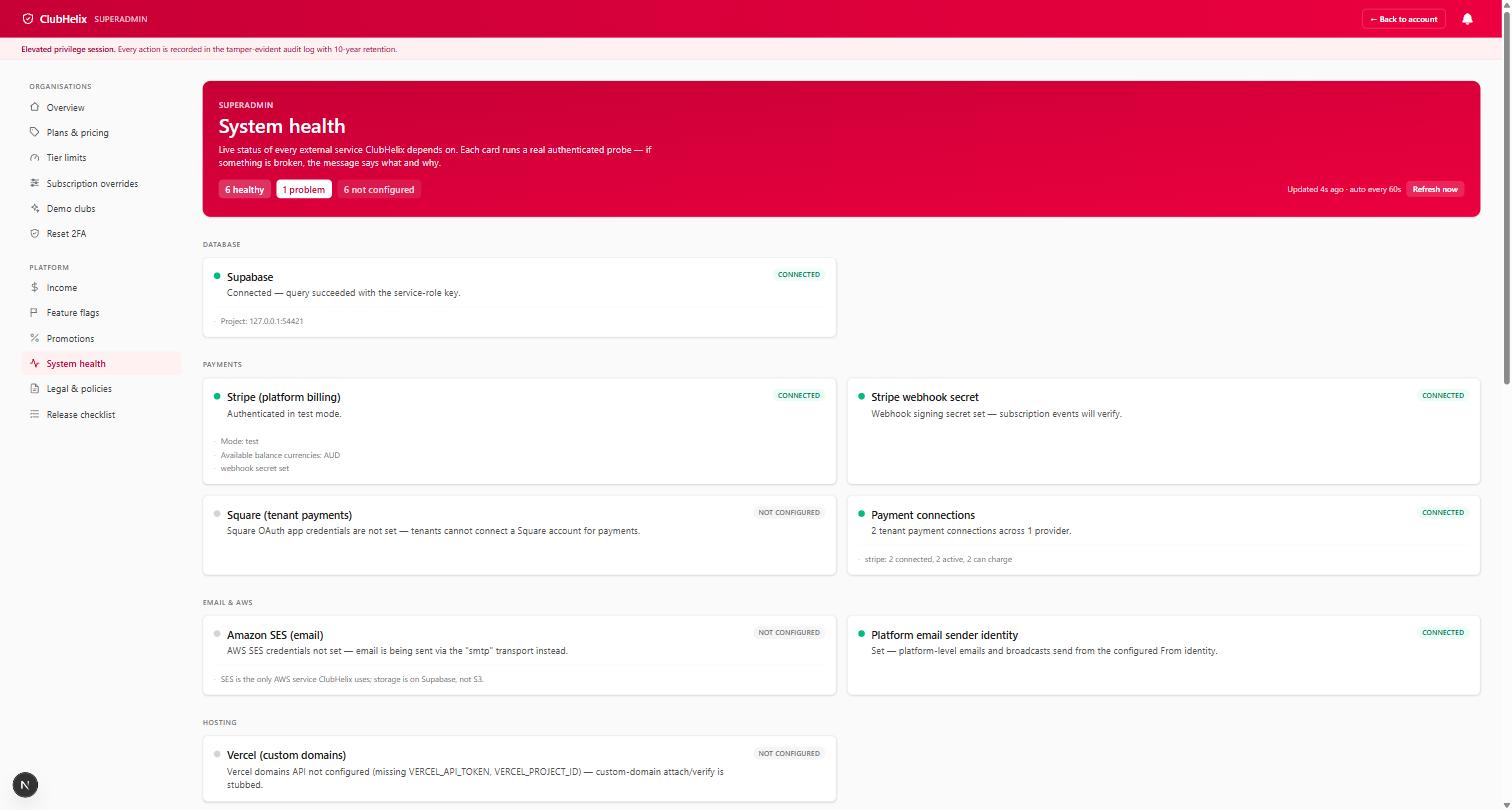
None of this means nothing ever breaks. It means that when something does, it gets recorded without waiting for a volunteer to notice, fixed as quickly as we can, and watched until it stays fixed. The full picture is on our bug fixing page and in the reliability section of our security and trust page.
Before the next big night
A club software outage plan fits on one page, and the best time to write it is the week before registration opens. Ten minutes of preparation covers most of it:
- Bookmark the status page on the phone of whoever leads registration night.
- Test the form the day before, on a phone, on mobile data and signed out, the way a new family will meet it.
- Check the form's opening and closing dates and any capacity limits.
- Print a stack of paper forms and bring a numbered receipt book.
- Draft the "we're having trouble" message and save it where the committee can find it.
- Make sure at least two people can sign in as admins, so one forgotten password doesn't stall everything.
- Show the registration lead where Report a bug lives, so nobody has to look for it under pressure.
How to judge a platform on this before you sign up
The time to find out how a platform behaves in an outage is before you trust it with a season. Four questions, none of them technical, separate a prepared platform from a hopeful one:
- "Is there a public status page, and does it show each service separately?" Separate rows for websites, sign-in, payments and email tell you far more than a single tick for everything.
- "How do you find out something is broken before a club tells you?" Listen for automated checks and automatic error capture. If the answer is the support inbox, your volunteers are the monitoring.
- "Do your checks confirm pages show content, or only that the server answered?" A check that only asks whether the server responded will keep passing while visitors stare at a blank page.
- "What does someone see when a page fails?" A reference to quote and a way to report straight from that screen are worth more than a generic error and a contact form somewhere else.
Put these on the list for your demo of each product, and treat a vague answer as an answer.
Frequently asked questions
The status page says everything is operational, but our club site isn't working. Which is right?
Possibly both. The status page reports on the platform's services as a whole. A problem that belongs to one club, such as a lapsed domain renewal, an unpublished page, a form past its closing date or a setting someone changed, won't show there, because the platform itself is working. Run through the checks in this guide, and if the problem is still there, report it with the details listed above.
Should we contact support during an outage that everyone is having?
If the status page already shows a disruption, our team has been alerted and is working on it, so a message describing the same symptom won't add much. Put that time into your members and your event instead. Do get in touch if what you are seeing doesn't match the status page, for example if payments are failing for your club while online payments show as operational.
Members say they never got their confirmation email. Is the system down?
Usually not. Check the email delivery row on the status page first. If it shows as operational, the messages have most likely been sent and gone to a spam or promotions folder, or bounced off a mistyped address. That is a configuration and sender-reputation problem with its own fixes, and our guide on why club emails go to spam walks through them. While you wait, ask one affected member to search their spam folder.
How do we know when it is working again?
Check the status page, then test the exact thing that failed yourself, on a phone and signed out if that is how families will use it. Only then tell members it is back, and use the same channel you used to tell them it was broken, so the people who saw the first message see the second.
How can we see how ClubHelix handles this before we sign up?
Start with the status page and the reliability section of our security and trust page, then click around the public demo club, which our automated checks visit too. When you're ready to run registration night on it, you can set up your club and try it for yourself.


